Woven wire screens that crack or fail after only a few days are rarely “bad quality.” In most mining and aggregate operations, the real cause is installation—especially incorrect tensioning. A woven wire screen is designed to run as a tight, stable membrane on a vibrating screen deck. When it’s loose or unevenly tightened, it starts to whip, slap support bars, and concentrate stress in the same spots until fatigue breaks the wires.
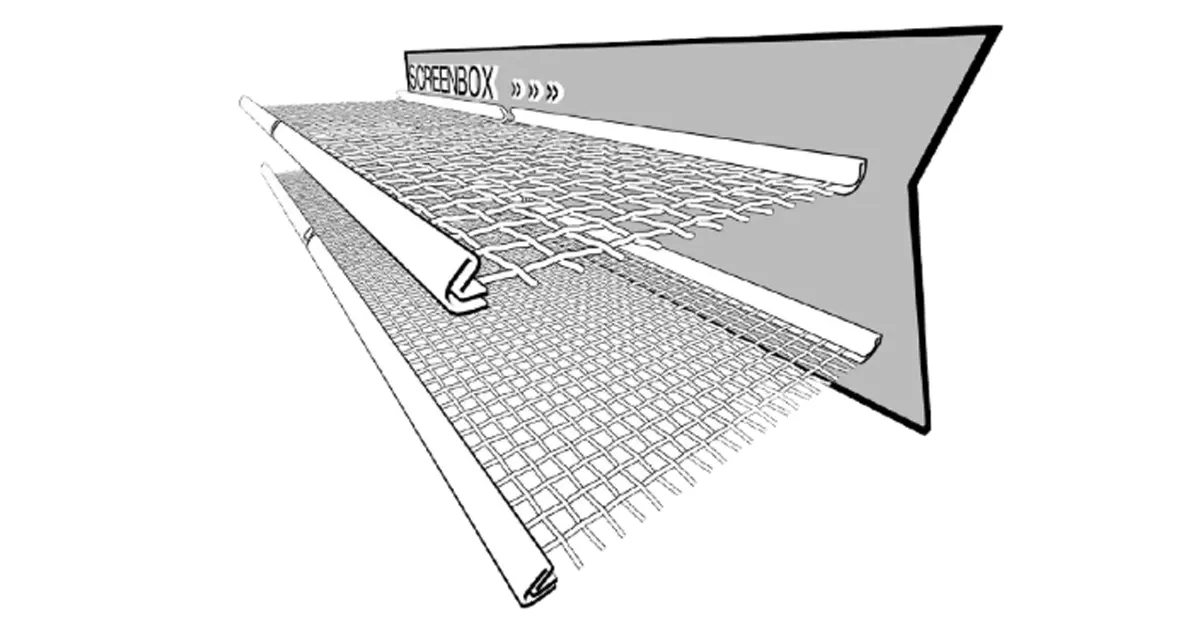
Correct tensioning is one of the fastest ways to extend screen media life, reduce downtime, and stabilize product sizing. This guide walks your team through a proven method used in professional vibrating screen maintenance.
Why Proper Tensioning Matters
- Stops the whipping effect
Loose media can lift and strike crown bars/support rails repeatedly. That impact creates fast fatigue cracking—often long before the wire is worn out. - Improves screening efficiency
A tight deck maintains a consistent screening surface. A loose deck sags, holds material, reduces stratification, and can increase blinding/pegging. - Reduces noise and protects the deck
Proper seating lowers metal-to-metal contact, reducing harsh noise and preventing premature wear on rails, clamp plates, and supports.
Pre-Installation Checklist (Don’t Skip This)
Before tightening any bolts, confirm the deck and hardware can actually hold uniform tension:
- Capping rubber / buffer strips: worn thin, hardened, cracked, or missing sections cause gaps and impact points.
- Tension bolts & clamp plates: seized/stripped threads or bent plates prevent even pull across the deck.
- Deck crown: incorrect crown (or damaged crown bars) makes tension uneven and accelerates breakage.
Quick Pre-Installation Inspection Checklist
| Check Item | What to Look For | Why It Matters | Fix Before Installing? |
|---|---|---|---|
| Capping rubber / buffer strips | Worn thin, hardened, cracked, missing sections | Prevents full contact; causes deck slap and fatigue above support bars | Yes—replace or re-seat strips |
| Tension bolts | Rust/seizure, stripped threads, uneven travel | Uneven pull creates localized over-stress and early wire breaks | Yes—service/replace bolts |
| Clamp plates / rails | Bent plates, misalignment, uneven contact line | Cannot clamp evenly; tension varies across deck | Yes—straighten/replace |
| Deck crown / crown bars | Flat spots, damaged bars, inconsistent crown height | Wrong crown prevents uniform tension and seating | Yes—correct crown geometry |
| Deck cleanliness | Trapped fines, rock, old wire fragments | Creates gaps; produces false “tightness” during installation | Yes—clean contact surfaces |
Step-by-Step: How to Tension Woven Wire Screens Correctly
This process is designed for hooked woven wire screens used on vibrating screen decks.
Step 0: Safety + Deck Prep
Lockout/tagout. Remove trapped material and old wire pieces. Clean the rails and support contact points—debris creates gaps that turn into impact zones.
Step 1: Position the Screen Correctly
Place the screen centered on the deck. Ensure both side hooks align with the tension rails/plates. Do not twist the screen to “make it fit”—misalignment nearly always becomes uneven tension.
Step 2: Finger-Tight Everything First
Start all bolts and bring them to finger-tight so clamp plates sit evenly. Never fully tighten one side while the other side is loose.
Step 3: Tighten From the Center Outward (Symmetrically)
Lightly snug the middle fasteners first, then move outward in pairs (left + right). Use small increments (for example 1/4 turn per pass). This prevents the screen from “walking” sideways and reduces stress concentration.
Step 4: Equal Tensioning (Both Sides, Same Increment)
Keep the pull equal. If one side is tightened more than the other, hooks and edge wires overload, and wear becomes uneven.
Step 5: Use the Hammer Test (Field Check)
Tap multiple points with a rubber mallet (center, mid-area, near both sides). You want a consistent, crisp “drum-like” response across the deck. Dull zones indicate looseness or gaps; extremely harsh/rigid near hooks can suggest over-tension.
Step 6: Confirm Full Contact (No Gaps)
Check that the screen is seated against every support bar and capping rubber strip. Any gap becomes a repeated impact point.
Step 7: Final Visual Inspection Before Start-Up
Confirm:
- hooks are seated and not stretched
- clamp plates are even (not tilted)
- screen is centered
- no trapped debris under the media
The Golden Rule: Re-Tension After the First Run
Even a correctly installed screen can loosen slightly after initial operation due to initial stretch and seating.
Mandatory practice: stop after 4–8 hours (or within the first half-day shift), lockout/tagout, and re-tighten using the same center-out, symmetrical method. Then repeat the hammer test and gap check.
Signs of Incorrect Tensioning
Failure Symptoms and Root Causes
| Symptom | Most Likely Cause | What to Check First | Corrective Action |
|---|---|---|---|
| Wire breaks in lines above support bars | Screen too loose (whipping/deck slap) | Hammer test consistency; gaps over capping rubber | Re-tension evenly; replace worn/missing capping rubber |
| Hooks straightened, torn, or edge wires failing | Over-tension or uneven tightening side-to-side | Hook seating; clamp plate alignment; bolt increments | Reduce tension; re-install with symmetric tightening pattern |
| Uneven wear (one zone wears far faster) | Uneven tension or incorrect crown/contact | Deck crown; support bar height; rubber condition | Correct crown/contact; re-install and re-tension |
| Excessive noise after screen change | Loose media causing metal contact/impact | Rail/clamp seating; trapped debris; bolt tightness | Clean seating surfaces; re-tension; verify full contact |
| Blinding/pegging increases suddenly | Loose deck holds material; poor stratification | Deck flatness; tension level; feed moisture/clay | Restore tension; consider self-cleaning screens if needed |
Conclusion
Correct tensioning is not just about making the screen “feel tight.” It’s about uniform tension + full contact + re-tensioning after initial stretch. Done properly, you’ll reduce early wire breakage, stabilize separation performance, and cut unplanned shutdowns.
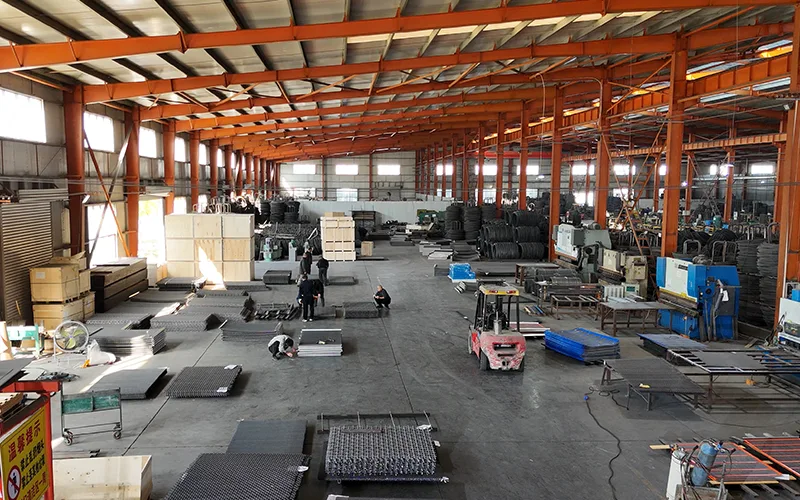
If you’re fighting short screen media life, Anpeng can help. We are a screen media manufacturer specializing in woven wire screens and anti-blinding solutions for mining and aggregate vibrating screens. Beyond supplying reliable products, our engineers support customers with hook style selection, deck setup guidance, and practical vibrating screen maintenance advice to reduce downtime and improve screening efficiency.
FAQ
How tight should a woven wire screen be?
A properly tensioned woven wire screen should feel firm and sound consistent across the deck. A quick field check is the rubber mallet “hammer test”: you want a crisp, drum-like response at the center, mid-area, and near both sides. If some zones sound dull, tension is uneven or the screen isn’t fully seated on the supports.
Why do woven wire screens break above the support bars?
Break lines directly over crown bars/support bars usually indicate the screen was too loose. The screen “whips” during vibration and repeatedly slaps the supports, creating rapid metal fatigue at the same contact points until wires crack and fail.
What causes hooks to stretch, straighten, or tear?
Hook damage is most often caused by over-tensioning or tightening one side more than the other. When tension isn’t balanced, the hooks and edge wires take excessive load. Reinstall using a center-out pattern and equal bolt increments on both sides.
Do we really need to re-tension after startup?
Yes. New woven wire screens typically experience initial stretch and seating during the first 4–8 hours of runtime. If you don’t re-tension after the first shift (or within the first half-day), the screen may loosen enough to start whipping and shorten screen media life dramatically.
What is the most overlooked part of installation?
Capping rubber (buffer strips) is often the most overlooked. If it’s worn thin, hardened, cracked, or missing, the screen cannot maintain full contact with each support bar. That creates gaps and impact zones that lead to early breakage—even if the screen feels “tight” at the rails.
Should we tighten one side fully and then the other?
No. Tightening one side to near-final torque before the other side pulls the screen off-center and creates uneven tension. Always tighten in small increments, symmetrically, working from the center outward to keep tension balanced.
How can we tell if tension is uneven without special tools?
Use two simple checks:
- Hammer test consistency: tap multiple points; inconsistent sound means uneven tension or poor seating.
- Gap check: look for daylight gaps between the screen and support bars/capping rubber. Any gap can become a repeated impact point.
Why did noise increase right after we changed the screen?
A sudden noise increase often indicates loose media, uneven seating, or debris trapped under the screen. Metal-to-metal contact or deck slap is loud and damaging. Stop, lockout/tagout, clean seating surfaces, and re-tension evenly.
Can improper tensioning reduce screening efficiency even if the screen doesn’t break?
Yes. A loose deck can sag and hold material, reducing stratification and lowering separation accuracy. It can also increase blinding and pegging, especially with damp fines or clay, which reduces throughput and creates inconsistent product sizing.
When should we consider self-cleaning screens instead of woven wire?
If your operation handles wet, sticky, or clay-rich material and you experience frequent blinding/pegging, self-cleaning screens can improve open area utilization and reduce downtime. Even then, correct tensioning and good capping rubber condition are still essential for maximizing screen media life.