If you want your industrial vibrating screens to work their best, you need to know how to clean screen mesh the right way. Start by turning off the machine and making sure it is safe. Use a brush or cleaning tool to remove dirt and blockages. Cleaning helps your screens stay clear and last longer.
- Regular cleaning keeps mesh free from blockages, dirt, or debris.
- It stops material buildup that can hurt screen performance.
Key Takeaways
- Cleaning screen mesh often stops blockages and keeps things working well.
- Clean screens after each shift or when you change materials. This helps stop problems with how the screen works.
- Look for issues like blinding and pegging. Fix these to keep production running smoothly.
- Use good cleaning tools like rotary brushes and soft nylon brushes. These help clean screens better.
- Always stay safe by using Lockout/Tagout steps and wearing the right PPE.
- Check screens often for damage or wear. This helps you know when to replace them.
- Change vibration settings and feed rates to make screening work best and stop overload.
- Ask experts like ANPENG for advice and help with screen care.
Why Cleaning Screen Mesh Matters
Screening Efficiency
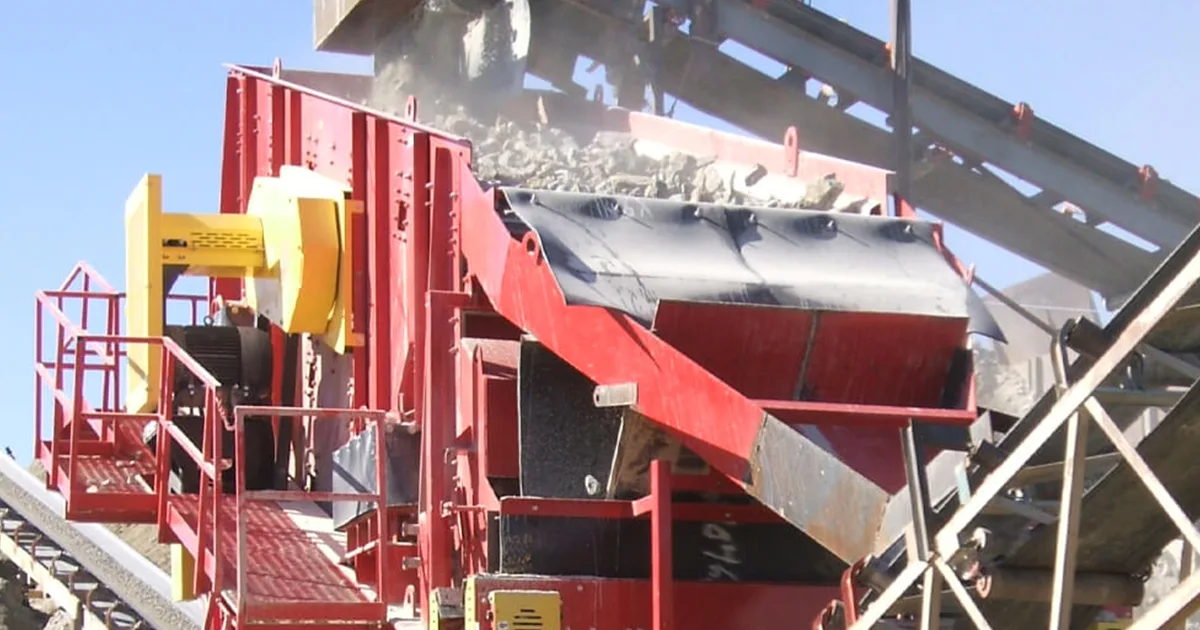
You want your vibrating screens to work fast and sort materials right. If you skip cleaning, your screen mesh can get clogged. This slows everything down. When particles stick to the mesh or pile up, the open area shrinks. Less open space means less material passes through. Take a look at this table to see how different problems affect your screening efficiency:
| Effect Type | Description |
|---|---|
| Proximity Effect | Particles near the mesh size get stuck, reducing effective open area. |
| Accumulation Effect | Adhesive or damp materials build up on mesh openings, further decreasing efficiency. |
If you notice your screens are not sorting as well as before, it might be time to review how to clean screen mesh. Cleaning helps keep the mesh open and lets your plant run at full speed.
Tip: Clean screens after every shift or cycle, especially when you switch materials. This keeps efficiency high and prevents problems before they start.
Blinding and Pegging Prevention
Blinding and pegging are two big headaches in screening. Blinding happens when sticky or fine particles cover the mesh. You see fewer open holes, and production slows down. Pegging is when bigger chunks get stuck in the holes. Suddenly, your screen stops working as it should.
Here’s what you might notice:
- A film or coating on the screen
- Wet or sticky stuff stuck to the mesh
- Holes blocked by rocks or chunks
- Uneven flow across the screen
- Slower production rates
Both blinding and pegging cut down the open area. Your plant runs slower, and product quality drops. You spend more time cleaning and less time producing. To fight these problems, you can:
- Use self-cleaning screens in trouble spots
- Adjust vibration settings to help clear the holes
- Do regular maintenance and inspection
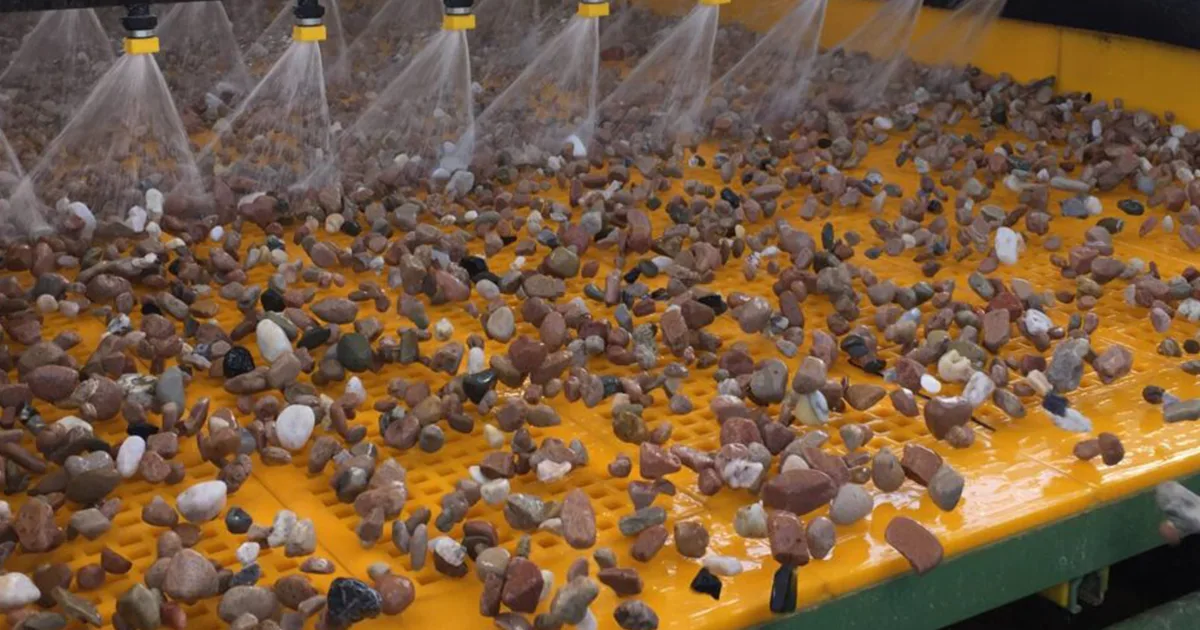
- Try spray bars to help clear blockages
If you keep up with cleaning, you stop blinding and pegging before they mess up your operation.
Screen Life Extension
Cleaning your screen mesh does more than boost performance. It helps your screens last longer. When you let dirt and material build up, the mesh wears out faster. You might need to replace screens more often, which costs money and time.
Here’s why regular cleaning matters:
- It keeps efficiency and lifespan up
- It stops particles from clogging the mesh
- It works best if you clean after every cycle or shift
If you learn how to clean screen mesh the right way, you save your screens from early damage. You also keep your plant running smoothly and avoid surprise breakdowns.
Note: Clean screens regularly to get the most life out of your equipment. A little effort now saves big headaches later.
Identifying Screen Mesh Problems
You want your vibrating screens to work smoothly, but sometimes problems pop up. If you know what to look for, you can fix issues before they slow down your plant. Let’s break down the most common screen mesh problems you might see.
Blinding
Blinding happens when fine or sticky particles block the mesh openings. You might notice the screen looks coated or clogged. When this happens, material stops passing through, and your screening efficiency drops.
Here are some things that cause blinding:
- Materials with lots of particles close to the separation size often block the mesh.
- High moisture makes fine particles stick to the screen.
- Spherical particles or those with many contact points tend to pile up.
- Static electricity can make particles cling to the mesh.
- Fibrous materials get tangled and block openings.
- Flake-shaped particles get stuck easily.
- Thick wire mesh leaves less open area, so blockage happens more often.
If you see blinding, you can try anti-blinding devices like ball trays. You can also adjust the moisture level of your feed material. Sometimes, switching to a different screen type helps.
Tip: Clean your screens often and check for sticky spots. This keeps blinding from slowing you down.
Pegging
Pegging is another problem you might face. It happens when larger chunks or rocks wedge themselves into the mesh holes. These stuck pieces block the openings and stop material from passing through.
You might spot pegging if you see:
- Rocks or chunks jammed in the mesh
- Uneven material flow across the screen
- Holes that look blocked or filled
Pegging usually shows up when you screen materials with lots of near-size particles. If the mesh holes are just the right size, chunks can get stuck and refuse to budge. You can fight pegging by using self-cleaning screens or adjusting the vibration settings. Sometimes, a quick tap or brush helps loosen the stuck pieces.
Alert: If pegging keeps happening, check your screen size and vibration settings. You might need to change them to match your material.
Buildup and Carryback
Buildup and carryback mean leftover material sticks to the screen after each cycle. This leftover stuff can pile up and block the mesh. You might see sticky patches or layers of material that don’t clear off.
Here’s a quick look at common problems, causes, and solutions:
| Problem | Causes | Solutions |
|---|---|---|
| Screen Blinding | Fine materials or sticky particles clogging the screen openings. | Use anti-blinding devices like ball trays. |
| High moisture content in the material. | Adjust moisture levels of the feed material. | |
| Reduced Screening Efficiency | Worn or damaged screen mesh over time. | Regularly inspect and replace the screen mesh. |
| Incorrect vibrating parameters (amplitude, frequency, angle). | Fine-tune vibrating parameters as per guidelines. |
If you see buildup or carryback, clean the mesh right away. You can use brushes, spray bars, or even air jets to clear the screen. Regular cleaning and inspection help you spot trouble before it gets worse.
Note: Don’t let buildup sneak up on you. A clean screen works better and lasts longer.
Now you know how to spot blinding, pegging, and buildup. If you catch these problems early, you keep your plant running strong and your screens in top shape.
Safety and Preparation
Before you start cleaning your vibrating screen mesh, you need to focus on safety. Taking the right steps keeps you and your team out of harm’s way. Let’s walk through what you should do before you grab a brush or any cleaning tool.
Lockout/Tagout (LOTO)
You can’t skip Lockout/Tagout. This process makes sure the machine stays off while you work. If you follow these steps, you lower the risk of accidents:
- Ask for a LOTO permit from your supervisor or safety officer.
- Tell everyone nearby that you will lock out the machine.
- Find all energy sources and disconnect them. This includes electricity, hydraulics, and air.
- Test the machine to make sure it won’t start up.
- Put a lock and a tag on the energy switch. The tag should say who locked it and why.
- Start your cleaning only after you finish these steps.
- When you finish, check your work and clean up your tools.
- Only the person who put the lock on should take it off.
- Turn the machine back on slowly and watch for any problems.
Tip: Never skip a step in LOTO. Even a quick job can turn dangerous if the machine starts by accident.
PPE Requirements
Personal protective equipment (PPE) keeps you safe from dust, noise, and sharp edges. Here’s what you should wear every time you clean a vibrating screen:
- Safety goggles: Protect your eyes from flying dust and small bits.
- Ear protection: Block out loud noise from the machine.
- Gloves: Keep your hands safe from cuts and scrapes.
- Hard hat: Guard your head from bumps or falling objects.
You might need extra gear if you work with chemicals or very hot materials. Always check your company’s safety rules before you start.
Isolate Vibration
Vibrating screens can move or shake even after you turn them off. You need to make sure the machine is stable before you clean it. Here’s how you can do that:
- Wait for the screen to stop moving before you touch it.
- Use blocks or chocks to keep the frame from shifting.
- Check that all bolts and fasteners are tight.
- Do a quick visual inspection for loose parts or leftover material.
You can also look at this table to remember your daily safety checks:
| Maintenance Task | Frequency |
|---|---|
| Inspect bolts and fasteners | Daily |
| Remove dust and debris | Daily |
| Check mesh tension | Daily |
| Lubricate bearings | Daily |
Alert: Never try to clean a screen that’s still vibrating. Wait until everything is still and safe.
When you follow these steps, you set yourself up for a safe and smooth cleaning job. Safety always comes first—don’t rush, and don’t skip the basics.
Safe Lifting
Lifting screen panels on vibrating screens can be tough work. If you do it wrong, you might hurt yourself or damage the screen. Let’s talk about how you can lift and move these panels safely every time.
First, always check the size and weight of the screen panel before you try to move it. Some panels look light but can be heavier than you think. If you feel unsure, ask for help. Two people can handle big or awkward screens much more safely than one.
You need the right tools for the job. Here’s a handy table to show you what works best and how to use each tool:
| Tools/Techniques | Description/Usage |
|---|---|
| Flathead screwdriver or wide putty knife | Use these to gently remove screens from their frames. Don’t force it—work slowly to avoid bending the mesh. |
| Step stool or small ladder | Use this if you need to reach higher screens. Make sure it stands on a flat surface. |
| Gloves | Always wear gloves. They protect your hands from sharp edges and rough surfaces. |
| Flashlight | Shine a light to spot hidden clips or tabs. This helps you avoid pulling too hard and breaking something. |
| A second person | Team up with someone for heavy or high screens. It’s safer and easier. |
| Important Note | If the screen feels stuck, stop. Don’t yank or twist. Take a moment to see what’s holding it. |
| Tip | Apply even pressure when lifting or removing screens. This keeps the mesh from warping. |
| Caution | Never use sharp tools that could poke holes or tear the screen. |
When you lift, bend your knees and keep your back straight. Hold the screen close to your body. Don’t twist while you lift. If you need to turn, move your feet instead of your waist. This helps protect your back.
Tip: Always plan your path before you move a screen. Clear away anything that could trip you up.
If you need to lift a screen above your shoulders, use a step stool or ladder. Make sure it’s stable before you climb. Never stand on boxes or buckets—they can tip over.
Sometimes, screens get stuck in their frames. Don’t force them out. Use a flathead screwdriver or putty knife to loosen the edges. If it still won’t budge, stop and look for hidden clips or fasteners. A flashlight can help you see what’s going on.
Teamwork makes lifting safer. If you’re working with someone else, talk about who will lift first and where you’ll set the screen down. Count to three before you lift together.
Alert: If you ever feel pain or strain while lifting, stop right away. Ask for help or use a different tool.
Safe lifting keeps you and your screens in good shape. Take your time, use the right tools, and never rush. Your back—and your equipment—will thank you.
How to Clean Screen Mesh: Methods by Type
Woven Wire & Piano Wire
Woven wire and piano wire screens are common in many plants. They do a great job with tough materials, but they can get clogged fast. You need to know how to clean screen mesh on these types to keep your operation running smooth.
Rotary Brushes
Rotary brushes work well for cleaning woven wire and piano wire screens. You mount these brushes under the screen deck. As the screen vibrates, the brushes spin and sweep away stuck particles. This action keeps the mesh open and helps prevent blinding.
- Rotary brushes remove fine dust and sticky bits.
- They work best when you check and clean them often.
- If you see the brush bristles wearing down, replace them right away.
Tip: Use rotary brushes for screens that handle sticky or damp materials. They save you time and effort.
Sliders
Sliders are small plastic or rubber pieces that bounce under the screen. When the screen vibrates, sliders move around and knock loose any material stuck in the mesh. You do not need to stop the machine to use sliders.
- Sliders work best for dry, fine materials.
- They help prevent pegging and blinding.
- Check sliders for wear and replace them as needed.
Note: Sliders are easy to install and do not damage the mesh.
Manual Brushes
Sometimes, you need to clean by hand. Manual brushes help you reach spots that machines miss. Use a soft wire or hard nylon brush to scrub the mesh gently.
- Always brush in the direction of the wires.
- Do not press too hard. You could bend or break the mesh.
- Wear gloves to protect your hands from sharp edges.
| Tool | Best For | What to Avoid |
|---|---|---|
| Soft wire brush | Stubborn dry buildup | Excessive force |
| Nylon brush | Light dust and debris | Using on wet sticky mesh |
Alert: Never use steel wool or harsh scrapers. These can damage the screen and shorten its life.
Self-Cleaning Screens
Self-cleaning screens use special wires or panels that move and flex as the screen vibrates. This design helps clear out stuck material without much effort from you.
Cleaning Steps
You will find that self-cleaning screens need less attention than traditional screens. The high-frequency vibrations shake off most debris. You only need to check them during regular maintenance.
- Inspect the screen for any buildup during your routine checks.
- If you see stubborn material, use a soft brush or low-pressure air to remove it.
- Make sure the screen tension is correct. Loose screens do not clean themselves as well.
Self-cleaning screens lower the frequency of cleaning and maintenance. They keep your operation running longer between stops.
What to Avoid
You should avoid using high-pressure water jets or harsh chemicals on self-cleaning screens. These can damage the wires or the flexible parts.
- Do not use metal scrapers or sharp tools.
- Avoid bending or twisting the wires by hand.
- Never use abrasive pads.
Tip: Let the screen’s vibration do most of the work. Only step in if you see a problem that will not clear on its own.
PU/Urethane Panels
PU (polyurethane) and urethane panels are tough and flexible. They resist wear and last a long time, but you need to clean them the right way to keep them in top shape.
Cleaning Cloth & Water
You can clean PU/urethane panels with simple tools. Use a soft cloth or sponge with water and a mild detergent. Wipe down the panels to remove dust, dirt, or sticky material.
- Wipe panels after each shift or when you see buildup.
- Rinse with clean water to remove soap.
- Dry with a clean towel to prevent water spots.
Avoid Harsh Tools
Never use abrasive cleaners or harsh chemicals on PU/urethane panels. These can scratch or weaken the surface. Stick to gentle cleaning methods.
- Do not use steel brushes or scouring pads.
- Avoid strong solvents or acids.
- If you see a tough spot, soak it with water before wiping.
Note: Gentle cleaning keeps your PU/urethane panels working longer and looking new.
If you follow these steps, you will know how to clean screen mesh for each type. You will keep your screens clear, your plant running, and your equipment lasting longer.
Rubber Panels
Rubber panels give you a tough and flexible screening option. They handle heavy loads and resist wear. But you still need to clean them the right way to keep your screens working well. Let’s look at the best tools and tips for cleaning rubber panels.
Proper Tools
You want to use the right tools when you clean rubber panels. The wrong tool can scratch or even tear the rubber. Here’s what works best:
- Soft nylon brush: This brush removes dust and loose material without hurting the panel.
- Mild detergent and water: Mix a little soap with water. Wipe the panel with a soft cloth or sponge.
- Low-pressure air: Blow away dry dust or small bits with an air hose. Keep the pressure low so you don’t damage the rubber.
- Plastic scraper: If you see sticky spots, use a plastic scraper. Work gently to avoid gouging the surface.
Tip: Always test your cleaning tool on a small spot first. Make sure it doesn’t scratch or mark the rubber.
You can follow these steps for how to clean screen mesh on rubber panels:
- Brush off loose dirt with a nylon brush.
- Wipe the panel with a damp cloth and mild soap.
- Rinse with clean water.
- Dry with a towel or let the panel air dry.
Damage Prevention
Rubber panels last a long time if you treat them right. You want to avoid anything that could cut, gouge, or weaken the rubber. Here’s how you can protect your panels:
- Never use metal brushes or sharp tools. These can slice into the rubber.
- Don’t use strong chemicals or solvents. These can break down the rubber and cause cracks.
- Avoid high-pressure water jets. The force can tear the panel or push dirt deeper into the holes.
- Check for signs of wear, like cracks or soft spots, during every cleaning.
| Do’s | Don’ts |
|---|---|
| Use soft brushes | Use metal or wire brushes |
| Wipe with mild detergent | Use harsh chemicals or solvents |
| Rinse with clean water | Blast with high-pressure water |
| Inspect for damage | Ignore cracks or soft spots |
Alert: If you find a tear or deep crack, replace the panel right away. Damaged panels can fail and cause bigger problems.
You can keep your rubber panels in top shape with regular cleaning and gentle tools. This helps your screens last longer and work better.
Punch Plate
Punch plate screens use thick metal sheets with holes punched through. They handle tough jobs and big rocks. But they need special care when you clean them. Let’s talk about how to clean screen mesh on punch plates and what you should avoid.
Cleaning Approach
You want to start by removing loose material. Use a stiff nylon brush or a plastic scraper. Work across the plate to knock out rocks or chunks stuck in the holes. For dry dust, a low-pressure air hose works well.
If you see sticky or wet buildup, use a damp cloth with mild soap. Wipe the plate and rinse with clean water. Dry the plate to stop rust from forming.
Sometimes, you need to use a wooden dowel or rubber mallet to tap the back of the plate. This can loosen stubborn pieces. Always tap gently so you don’t bend or dent the plate.
Tip: Clean punch plates after each shift. This stops material from hardening and makes your job easier next time.
Do’s and Don’ts
You want to keep your punch plate in good shape. Here’s a quick list to help you remember what works and what doesn’t:
- Do: Use soft or plastic tools for cleaning.
- Do: Check for bent or damaged holes during every cleaning.
- Do: Dry the plate after washing to prevent rust.
- Don’t: Use metal hammers or chisels. These can warp the plate or make holes bigger.
- Don’t: Use harsh chemicals. These can eat away at the metal.
- Don’t: Ignore signs of wear. Replace the plate if you see cracks or big dents.
| Good Practices | What to Avoid |
|---|---|
| Soft brushes/scrapers | Metal hammers/chisels |
| Mild soap and water | Harsh chemicals |
| Regular inspections | Skipping maintenance |
If you follow these steps, you’ll know how to clean screen mesh on punch plates without causing damage. Clean screens keep your plant running and your products on spec.
Note: Regular cleaning and inspection help you spot problems early. This saves you time and money in the long run.
Cleaning by Material Condition
Dry Dusty Fines
You know how dust can get everywhere. On vibrating screens, dry dusty fines settle into the mesh and block the openings. If you let dust build up, your screen loses efficiency fast. You want to keep things moving, so start with a soft nylon brush. Sweep the mesh gently. Don’t press too hard. If you see stubborn dust, grab an air hose. Blow the dust away with low pressure. You can also use a vacuum if you have one nearby.
Here’s a quick checklist for cleaning dry dusty fines:
- Brush the mesh after each shift.
- Use compressed air for hard-to-reach spots.
- Check the mesh for wear or damage.
- Wipe down the frame to stop dust from spreading.
Tip: Clean screens in a well-ventilated area. Dust clouds can be a health hazard.
Wet Clay & Sticky Material
Sticky material like wet clay loves to cling to screen mesh. You might see thick patches that refuse to budge. If you want to tackle this mess, start with water. Spray the mesh with a hose or use a spray bar. Let the water soak the clay. Next, use a soft brush or sponge. Scrub gently. If the clay is stubborn, try a mild detergent. Rinse the mesh well after cleaning.
Sometimes, sticky material needs a little extra help. You can install spray bars on your screen deck. These bars keep the mesh wet and stop clay from sticking. If you see buildup, clean it right away. Don’t wait for it to harden.
| Cleaning Step | Why It Works |
|---|---|
| Water spray | Loosens sticky clay |
| Soft brush/sponge | Removes stubborn patches |
| Mild detergent | Breaks up tough buildup |
| Spray bars | Prevents future sticking |
Alert: Never use harsh chemicals or metal brushes. These can damage your screen mesh.
Near-Size Pegging
Near-size pegging happens when particles almost the same size as the mesh holes get stuck. You see blocked openings and uneven flow. If you want to clear pegging, you need a few smart strategies.
- Clean the mesh regularly with brushes, pressure washers, or air lances.
- Install anti-blinding devices like bouncing balls, slider rings, or polyurethane stars under the mesh. These bounce and knock loose stuck particles.
- Try ultrasonic de-blinding systems. These vibrate the mesh at high frequencies and help prevent blinding.
- Use self-cleaning mesh with flexible wires. These wires move independently and shake out pegged particles.
Note: If pegging keeps coming back, check your screen aperture and tension. Sometimes, switching to a different screen type solves the problem.
You can keep your screens clear and your plant running smoothly if you match your cleaning method to the material condition. Regular cleaning stops problems before they start. Your screens will thank you!
Tools and Cleaning Media
Rotary Brushes
Rotary brushes make cleaning screen mesh easier and faster. You mount these brushes under the screen deck. When the screen vibrates, the brushes spin and sweep away dust, dirt, and sticky bits. You don’t need to stop the machine every time you clean. Rotary brushes work best for woven wire and piano wire screens.
Here’s why you might like rotary brushes:
- They clean while the screen runs.
- They help prevent blinding and pegging.
- They save you time on manual cleaning.
You should check the brushes often. If the bristles look worn or bent, swap them out for new ones. Worn brushes don’t clean as well. You want to keep the mesh open and clear.
Tip: Use rotary brushes for screens that handle sticky or damp materials. You’ll see fewer blockages and better performance.
Sliders
Sliders are small plastic or rubber pieces that bounce under the screen. When the screen vibrates, sliders move around and knock loose any material stuck in the mesh. You don’t need to do much. The sliders do the work for you.
Why use sliders?
- They work best for dry, fine materials.
- They help stop pegging and blinding.
- They don’t damage the mesh.
You should look at the sliders during your regular checks. If you see cracks or wear, replace them. Fresh sliders keep your screens working well.
| Slider Type | Best Use | Replace When |
|---|---|---|
| Rubber | Dry, fine material | Cracked or worn |
| Plastic | Light dust | Bent or broken |
Note: Sliders are easy to install. You can add them to most screen decks without special tools.
Soft Wire & Nylon Brushes
Sometimes, you need to clean by hand. Soft wire and nylon brushes help you reach spots that machines miss. You can use these brushes for stubborn dirt or buildup.
Here’s how you use them:
- Brush gently in the direction of the wires.
- Don’t press too hard. You could bend or break the mesh.
- Wear gloves to protect your hands from sharp edges.
Soft wire brushes work well for dry, tough buildup. Nylon brushes are better for light dust and debris. You should avoid steel wool or harsh scrapers. These can damage the screen and shorten its life.
Alert: Always use gentle pressure. If you see damage, stop and switch to a softer brush.
You can keep your screens clear with the right tools. Rotary brushes, sliders, and soft wire or nylon brushes help you clean faster and safer. Your plant will run better, and your screens will last longer.
Cleaning Cloth & Purified Water
You might think cleaning cloths and purified water sound simple, but they work wonders for your vibrating screen mesh. Sometimes, you do not need fancy tools or machines. A soft cloth and clean water can get the job done, especially for screens with light dust or sticky spots.
Why use a cleaning cloth and purified water?
- You avoid scratching or damaging the mesh.
- You remove fine dust, sticky residue, or light buildup.
- You keep the screen looking new and working well.
How to clean with a cloth and water:
- Turn off the machine and follow all safety steps.
- Grab a soft, lint-free cloth. Microfiber works best.
- Wet the cloth with purified water. Tap water can leave spots or minerals behind.
- Wipe the mesh gently. Move in the direction of the wires.
- For sticky spots, add a drop of mild detergent to the cloth.
- Rinse the cloth and wipe again with just water.
- Dry the mesh with a clean, dry cloth or let it air dry.
Tip: Always use purified or distilled water. Minerals in regular water can build up on the mesh and cause problems later.
You want to avoid using rough rags or dirty water. These can scratch the mesh or leave behind grime. If you see stubborn spots, soak the area with a damp cloth for a few minutes. This helps loosen the dirt without harsh scrubbing.
Here’s a quick table to help you choose the right cloth:
| Cloth Type | Best Use | What to Avoid |
|---|---|---|
| Microfiber | All mesh types | Using on oily surfaces |
| Cotton | Light dust, quick wipe | Using if frayed |
| Paper towel | Emergency only | Using on wet sticky mess |
You can use this method on woven wire, PU panels, rubber panels, and even punch plates. Just remember, gentle pressure works best. If you push too hard, you might bend the wires or damage the panel.
Note: If you clean your screens with a cloth and purified water after every shift, you stop buildup before it starts. Your screens will last longer and work better.
You do not need to overthink it. Sometimes, the simplest tools give you the best results. Keep a stack of clean cloths and a bottle of purified water near your screens. You will thank yourself later!
When Cleaning Isn’t Enough
Wrong Aperture
Sometimes, cleaning just doesn’t fix your screening problems. You might notice that material keeps getting stuck or passes through too slowly. This could mean you’re using the wrong aperture size for your job. If the holes in your screen mesh are too small, fine particles will blind the mesh quickly. If the holes are too big, you’ll see oversize material slipping through.
You need to match the aperture size to your material. If you see constant blockages or slow screening, check your mesh. Are the holes the right size for what you’re screening? If not, you’ll spend more time cleaning and less time producing. You can talk to your screen supplier about the best aperture for your feed. Sometimes, switching to a different mesh type solves the problem.
Tip: If you keep cleaning and the mesh still blinds or pegs, it’s time to review your aperture size.
Overload & Feed Issues
Your vibrating screen works best when you feed it the right amount of material. If you overload the screen, you’ll see blockages and uneven flow. Too much material piles up and covers the mesh. This leads to frequent downtime and more cleaning.
On the other hand, if you feed too little, the screen doesn’t vibrate as it should. Material won’t spread out, and you’ll see poor separation. You want a steady, even feed. Use a feeder that matches your screen’s capacity. Watch for signs like slow screening, sticky buildup, or oversize material mixed with fines.
Here’s a quick checklist to spot overload and feed issues:
- Frequent blockages after cleaning
- Material piling up on the screen deck
- Uneven flow across the mesh
- Oversize particles mixed with fines
If you see these problems, adjust your feed rate. Make sure your feeder and screen work together. Sometimes, you need to upgrade your equipment to handle more material.
Tension Problems
Screen mesh needs the right tension to work well. If the mesh is too loose, you’ll see sagging and poor vibration. Material won’t move across the screen, and you’ll get blinding or pegging. If the mesh is too tight, it can tear or wear out fast.
You should check mesh tension during every inspection. Look for signs like uneven screening, loose edges, or frequent tears. If you keep tightening the mesh and it still sags, you might need a new screen.
Here’s a table to help you spot when cleaning isn’t enough and replacement is needed:
| Indicator | Symptoms |
|---|---|
| Serious Screen Mesh Blockage | Increased stickiness after water absorption, blocked apertures, frequent downtime for cleaning |
| Low Screening Efficiency | Slow screening of fine particles, oversize material with too much fine powder |
| Rapid Screen Wear | Frequent replacements due to localized wear, short lifespan of 1–3 months |
Alert: If you see these symptoms, cleaning won’t solve the problem. It’s time to consider replacing your screen mesh.
You can keep your plant running smoothly if you know when cleaning isn’t enough. Watch for these signs and act early. Your screens will last longer, and you’ll avoid costly downtime.
Replacement Signs
You might wonder, “How do I know when it’s time to stop cleaning and just replace my screen mesh?” Great question! Even with the best cleaning routine, every screen reaches the end of its life. If you spot these signs, you should think about getting a new screen mesh soon.
1. Visible Damage
Take a close look at your screen. Do you see any of these?
- Holes that have grown bigger than they should be
- Wires that look broken, frayed, or bent out of shape
- Tears or rips in the mesh
- Panels that sag or don’t sit flat
If you notice any of these, cleaning won’t fix the problem. Damaged mesh lets the wrong size material through and can even break apart during operation.
2. Frequent Blockages
Are you cleaning more often, but the mesh still blinds or pegs right away? That’s a big red flag. Old or worn mesh loses its ability to clear itself. You’ll spend more time cleaning and less time producing.
Tip: If you clean your screens and they clog up again within a few hours, it’s probably time for a replacement.
3. Reduced Screening Efficiency
You might see your product quality drop. Maybe you notice more fines in your oversize pile or bigger chunks in your fines. This means the mesh isn’t doing its job. Worn screens can’t separate material like they used to.
Here’s a quick table to help you spot trouble:
| Symptom | What It Means |
|---|---|
| More cleaning, less screening | Mesh is worn out |
| Product out of spec | Holes have changed size/shape |
| Uneven material flow | Mesh or panels are sagging |
4. Shorter Mesh Life
Did your last screen last much longer than this one? If you’re replacing mesh more often, something’s wrong. Maybe your material is tougher, or your screen type isn’t right for the job. Either way, don’t keep fighting with a screen that wears out too fast.
5. Safety Concerns
Never ignore safety. If you see sharp edges, loose wires, or panels that could break free, stop using the screen. Damaged mesh can cause injuries or damage your equipment.
Alert: Never try to patch or repair a badly damaged screen. Always replace it with the right type for your material and machine.
What Should You Do Next?
If you spot any of these signs, reach out to your screen supplier or maintenance team. Ask for advice on the best replacement. Sometimes, switching to a different mesh type or material can solve your problems for good.
Remember, replacing your screen mesh at the right time keeps your plant safe, your products on spec, and your downtime to a minimum. Don’t wait until a small problem becomes a big one!
Maintenance & Inspection Checklist
Cleaning Frequency
You want your vibrating screens to work their best every day. Cleaning frequency matters more than you think. If you handle tough materials or run high-throughput operations, you should clean and inspect your screen mesh after every shift. For sticky or fine materials, check even more often. Regular cleaning stops blinding and pegging before they slow down your plant.
Here’s a simple cleaning schedule to follow:
- Clean screens after each shift or material change.
- Inspect mesh for blockages and wear daily.
- Increase cleaning frequency if you notice buildup or slow screening.
- Schedule deep cleaning weekly for heavy-duty operations.
Tip: If you see blinding develop, don’t wait. Clean the mesh right away to keep efficiency high.
Inspection Points
You need to know what to look for during inspections. Spotting problems early helps you avoid costly downtime. Here are the most important inspection points:
- Look for small tears in the mesh. These can grow quickly or appear in clusters.
- Check for sagging panels. Age, poor installation, or debris can cause sagging.
- Inspect door alignment and hinges. If the door doesn’t close right, the frame might be shifting.
- Watch for corrosion or rust, especially if you work near the coast.
- Feel the mesh for brittleness or UV damage. Old screens get stiff and crack easily.
- Check for discoloration, fading, or frequent tears.
- Make sure panels sit flat and don’t pop out.
- Do a full inspection of the structure at least once a year, especially before storm season.
Here’s a handy table to help you remember the key elements of a good maintenance checklist:
| Key Element | Description |
|---|---|
| Inspecting and Replacing the Mesh | Check for wear, damage, and tension. Replace if needed. |
| Cleaning the Vibrating Screen | Clean regularly to prevent blockages and keep material flowing. |
| Lubrication of Moving Parts | Lubricate motor and bearings to reduce friction and wear. |
| Tightening and Adjusting Components | Check and tighten bolts and fasteners to avoid inefficiencies. |
| Monitoring Performance | Use sensors to track vibration and performance. |
Alert: If you spot sagging, tears, or corrosion, fix the problem before it gets worse.
Record-Keeping
Good record-keeping helps you stay on top of maintenance. You can track cleaning, inspections, and repairs. This makes it easier to spot patterns and plan replacements.
Here’s how you can keep records simple and useful:
- Write down every cleaning and inspection date.
- Note any repairs, replacements, or problems you find.
- Store mesh in a clean, dry place when not in use.
- Handle mesh carefully during cleaning and use.
- Keep a logbook or digital file for each screen.
Note: Regular records help you see when a screen needs extra attention or replacement. You’ll know exactly how to clean screen mesh and when to do it.
If you follow these steps, your screens will last longer and work better. You’ll spend less time fixing problems and more time running your plant.
ANPENG Support
You don’t have to figure out vibrating screen maintenance all by yourself. ANPENG is here to help you every step of the way. If you ever feel stuck or unsure about your screen mesh, you can reach out to ANPENG’s team. They know vibrating screens inside and out. You get more than just products—you get real support from people who care about your operation.
Here’s how ANPENG can make your life easier:
- Expert Recommendations: Not sure which screen type or opening size fits your material? ANPENG’s experts listen to your needs and suggest the best mesh for your plant. You don’t have to guess or waste money on the wrong screen.
- Custom Solutions: Every plant is different. ANPENG can design custom screens for your unique setup. If you have a tricky material or a tough screening job, they’ll help you find the right answer.
- Troubleshooting Help: If you run into problems like blinding, pegging, or fast wear, ANPENG can help you solve them. Just send them a photo or describe what’s happening. They’ll walk you through the fix.
- Maintenance Tips: ANPENG shares easy-to-follow guides and checklists. You learn how to clean, inspect, and replace your screens the right way. This keeps your plant running and your screens in top shape.
- Fast Response: When you need help, you don’t want to wait. ANPENG’s team answers your questions quickly. You get the info you need, right when you need it.
Tip: Don’t wait for a big problem. If you see early signs of wear or trouble, ask ANPENG for advice. A quick call or email can save you hours of downtime.
You can also ask ANPENG about new technologies. They keep up with the latest in screen design and materials. If there’s a better way to screen your material, they’ll let you know.
Here’s a quick look at what you get with ANPENG support:
| What You Need | How ANPENG Helps |
|---|---|
| Screen selection | Expert advice and sizing help |
| Custom mesh | Made-to-order solutions |
| Problem solving | Fast troubleshooting and fixes |
| Maintenance guidance | Easy checklists and instructions |
| Upgrades | Info on new screen technologies |
You don’t have to handle everything alone. ANPENG stands by you from start to finish. If you want your screens to last longer and your plant to run smoother, reach out to ANPENG today. You’ll see the difference real support makes!
Conclusion
You want your vibrating screens to last and work well. Cleaning and inspecting them keeps your plant running and stops problems before they start. Always follow safety steps and use the right method for each screen type and material. If you ever wonder how to clean screen mesh or need advice, reach out to ANPENG. Proactive maintenance saves you time and money.
Remember: Clean screens mean less downtime and longer life for your equipment!
FAQ
How often should I clean my vibrating screen mesh?
You should clean your screen mesh after every shift or material change. If you see buildup or slow screening, clean it right away. Regular cleaning keeps your screens working well.
What tools work best for cleaning screen mesh?
You can use soft nylon brushes, rotary brushes, sliders, or a cleaning cloth with purified water. For tough spots, try a plastic scraper. Avoid metal tools or harsh chemicals.
Can I use high-pressure water to clean my screens?
No, you should not use high-pressure water. It can damage the mesh or panels. Use low-pressure water or a damp cloth instead. Always dry the mesh after cleaning.
How do I know if my screen mesh needs replacing?
Look for tears, sagging, or holes that have grown bigger. If you clean often but still see blockages, it’s time to replace the mesh.
What is the safest way to remove a screen panel?
Wear gloves and safety goggles. Use a flathead screwdriver or putty knife to loosen the panel. Lift with your knees, not your back. Ask for help with heavy panels.
Why does my screen keep blinding or pegging?
Your material might be too sticky or the wrong size for your mesh. Try cleaning more often, adjusting vibration settings, or switching to a self-cleaning screen.
Can I use the same cleaning method for all screen types?
No, each screen type needs a different cleaning method. For example, use soft brushes for rubber panels and rotary brushes for woven wire. Check your screen’s manual for the best method.
Who can help me choose the right screen mesh?
You can contact ANPENG for expert advice. Their team helps you pick the best mesh for your material and plant. They also offer support if you have problems.