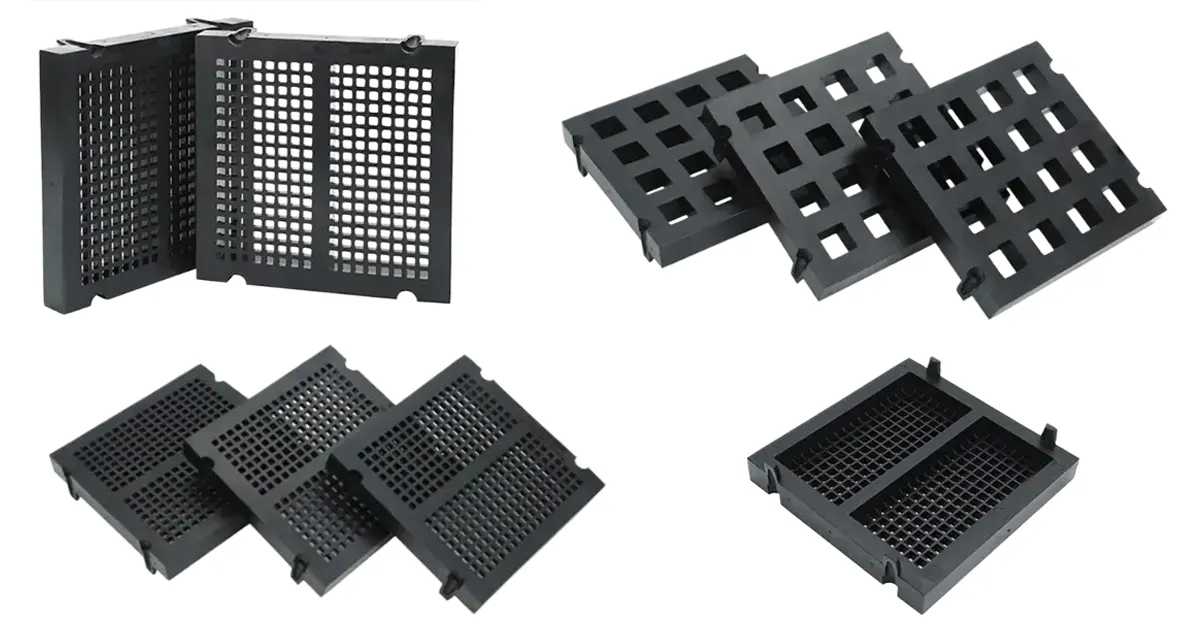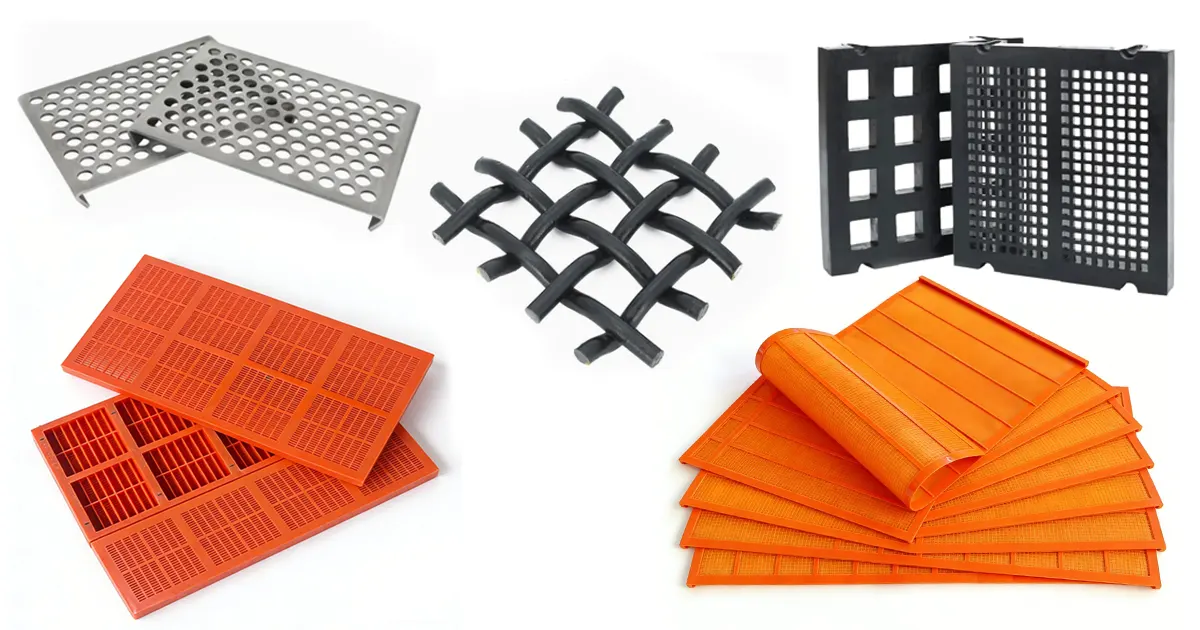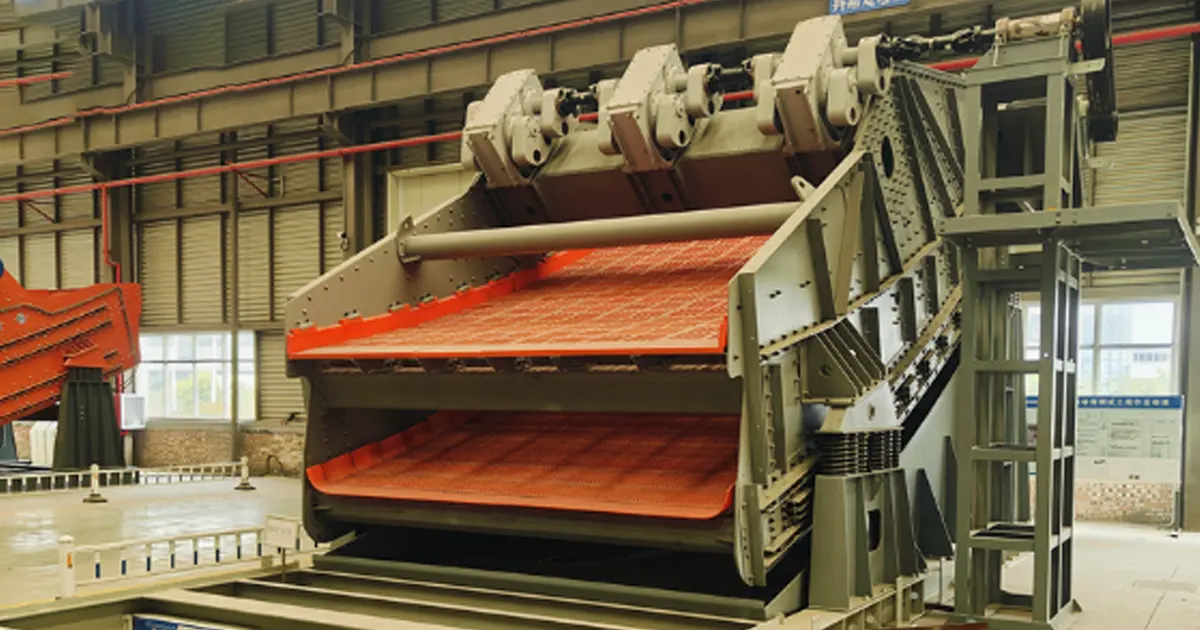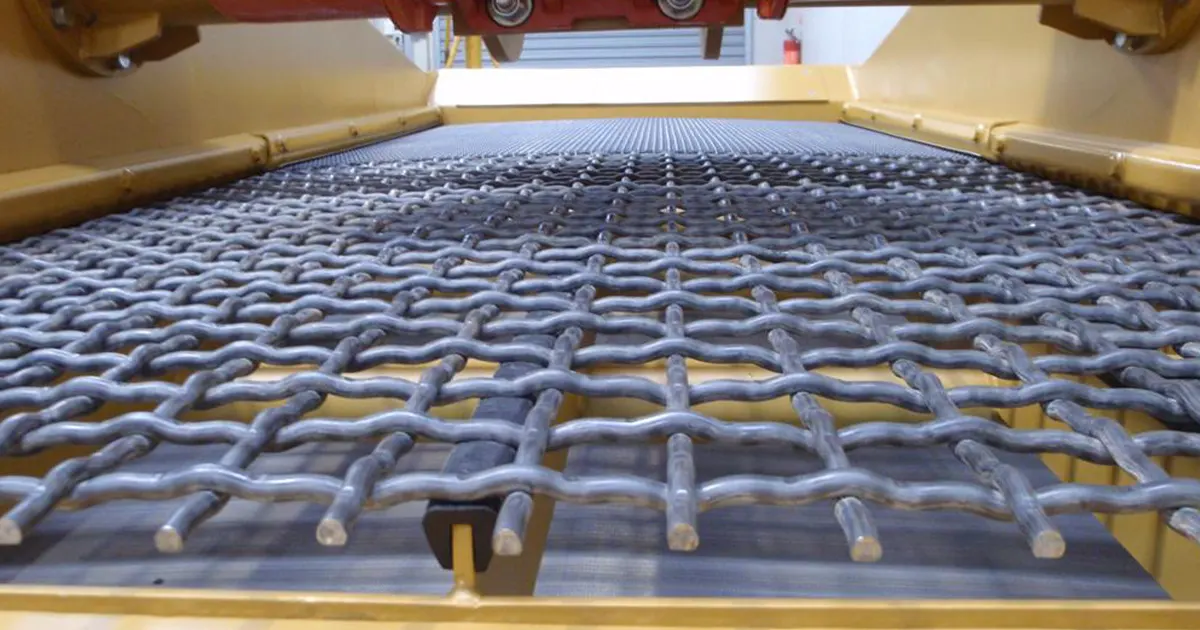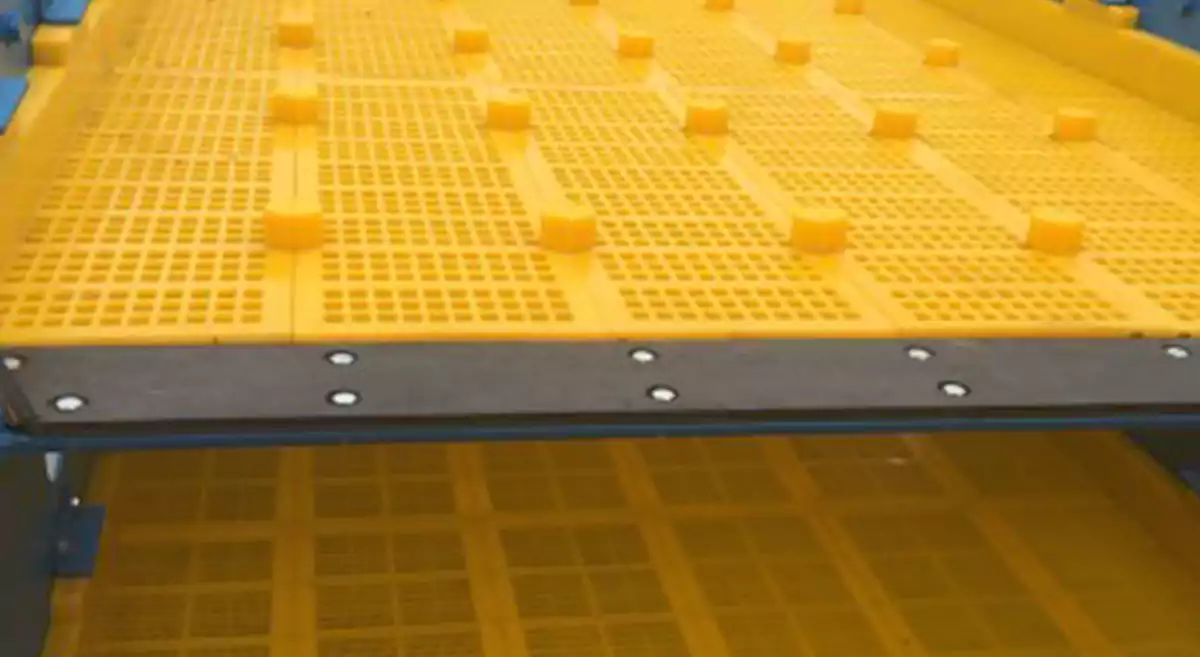
You want your screens to last and perform well every day. That starts with good habits in polyurethane screen maintenance. If you skip checks or ignore small problems, you may run into issues like loose bolts, worn panels, or even screen clogging. Sometimes, you might see side plate cracks or find that seals don’t fit tight. These problems often show up when you miss early warning signs. Spotting trouble early and fixing it right away helps you avoid downtime and bigger repairs later.
Key Takeaways
- Doing regular maintenance helps your polyurethane screens last longer. Look for small problems before they turn into big ones.
- Make a daily checklist for checking and cleaning. This helps you remember important jobs and keeps screens working well.
- Check your screens for damage like cracks or dents. Finding problems early stops expensive repairs and saves time.
- Keep your screens tight and lined up right. This helps them work well and last longer.
- Clean your screens to stop clogs and build-up. Clean screens work better and are less likely to get damaged.
- Stick to a clear maintenance schedule. Daily, weekly, and yearly checks help you find problems early.
- Teach your team the right way to do maintenance. Trained workers can find issues early and keep things running well.
- Always follow the manufacturer’s rules for setting up and caring for your screens. This helps your screens work their best and last longer.
Importance of Polyurethane Screen Maintenance
Extend Screen Lifespan
You want your screens to last a long time. Polyurethane screen maintenance helps you protect your investment. If you check your screens often, you find small problems early. You might see cracks or dents before they get worse. You can fix these problems right away. This stops your screens from breaking too soon.
If you skip regular polyurethane screen maintenance, you might have some problems:
- Deck frames can become uneven
- Frames can get rusty
- Parts might not line up, causing gaps and shaking
These problems can break your screen and cost more to fix. You save money and time by keeping up with your maintenance.
Prevent Common Issues
Good polyurethane screen maintenance helps you avoid many problems. If you ignore your screens, you might have:
- More downtime
- Less material moving through
- Higher costs for repairs
No one wants to stop work for repairs. Downtime means you lose money and miss deadlines. If you keep your screens clean and tight, you stop these problems. You also keep your team safe. A good screen is less likely to break while you use it.
Tip: Make a checklist for your daily and weekly jobs. This helps you remember what to do and keeps your screens working well.
Optimize Performance
You want your screens to work well every day. Polyurethane screen maintenance helps you do this. If you follow a routine, you get better results and more work done. You also stop sudden problems that slow you down.
Here is a quick guide for how often to do each job:
| Maintenance Practice | Frequency |
|---|---|
| Inspect tension | During each shift |
| Measure wear | Weekly |
| Fully tighten connectors | Monthly |
| Apply heat-resistant protective agents | As needed in high-temperature areas |
If you follow this schedule, your screens will run smoothly. You also make sure your polyurethane screen works well for a long time.
Polyurethane Screen Mesh Inspection Steps
Visual Check for Damage
You want your polyurethane screen mesh to work its best. Start with a careful look at the whole surface. This step helps you spot problems before they get worse. Here’s a simple way to do a full check:
- Scan the entire polyurethane screen mesh for holes or tears. Even small gaps can let the wrong size particles through.
- Look for any bending, creasing, or worn spots. These signs mean your mesh might need a fix or a swap.
- Check for rust or corrosion. These weak spots can spread fast and cause bigger trouble.
- Watch for screen blinding. If you see material stuck in the mesh, it blocks openings and slows down your work.
- Make sure the mesh sits flat on the deck frame. No loose spots should show up anywhere.
Tip: Use a flashlight to see small cracks or dents. Sometimes, damage hides in shadows or corners.
Cracks and Dents
Cracks and dents can sneak up on you. They often start small but grow quickly if you ignore them. Run your hand gently over the polyurethane screen mesh. Feel for rough spots or raised edges. If you find a crack, mark it with chalk so you can check it again later. Dents can change how the mesh works. They might let big pieces slip through or block smaller ones. Fix these problems right away to keep your screen working well.
Delamination Signs
Delamination means the layers of your polyurethane screen mesh start to peel apart. This problem weakens the mesh and can lead to sudden breaks. Look for bubbles, blisters, or spots where the mesh looks swollen. Press gently on these areas. If they feel soft or spongy, you might have delamination. Replace any panels with this issue as soon as you can.
Alignment and Tension
Proper alignment and tension keep your polyurethane screen mesh tight and strong. If you skip this step, you might see sagging, shaking, or uneven wear. Here’s what you need to check:
Proper Hook Placement
Hooks hold your mesh in place on the deck frame. Make sure each hook lines up with the right spot. Hooks should sit straight and grip the mesh firmly. If you see a hook out of place, adjust it right away. A crooked hook can pull the mesh unevenly and cause early wear.
Tension Verification
Tension matters a lot for your polyurethane screen mesh. If the mesh feels loose, it can flap or bounce. If it’s too tight, it might tear. Use a tension gauge or laser-guided tool to check the tightness. Most sites check tension every 200 hours of use. Here’s a quick guide for different materials:
| Material Type | Recommended Tension Range | Adjustment Frequency |
|---|---|---|
| High-abrasion ores | 18—22 N/mm² | Biweekly |
| Sticky aggregates | 15—18 N/mm² | Weekly |
| Fine-grained minerals | 12—15 N/mm² | Monthly |
You should also check fastener torque every 250 hours. After you install a new mesh, re-tension it after 48 hours. This step helps the mesh settle and last longer. Facilities that follow these steps often see their screens last 30% longer.
Note: Laser-assisted tension mapping can help you keep tension even across the whole mesh. This tool makes your inspection faster and more accurate.
Frame and Seal Inspection
The deck frame and seals support your polyurethane screen mesh. If these parts fail, your mesh can’t do its job. Always check these areas during your routine.
Deck Frame Condition
Look at the deck frame for flatness. A good deck frame should not have dips or bumps. Use a straight edge to check for flatness. The frame should not vary more than 3 mm for every square meter. If you see rust or cracks, fix them right away. A strong deck frame helps your mesh last longer and work better.
Seal Integrity
Seals keep material from leaking under or around the mesh. Check each seal for cracks, gaps, or missing pieces. Press on the seals to make sure they feel firm. If you find a soft or broken seal, replace it. Good seals help your polyurethane screen mesh last 2–3 times longer and cut down on maintenance costs.
| Performance Attribute | Description |
|---|---|
| Wear Resistance | Polyurethane lasts 3–5 times longer than rubber. |
| Impact Resistance | Handles high-speed impacts without breaking. |
| Service Life | Outlasts traditional panels by 2–3 times. |
| Maintenance Costs Reduction | Fewer replacements and repairs save you money. |
Alert: Never skip the deck frame and seal check. These parts protect your mesh and keep your operation running smoothly.
Cleanliness Assessment
Keeping your polyurethane screen mesh clean is one of the easiest ways to make it last longer. Dirt, dust, and leftover material can hide problems and cause extra wear. If you skip cleaning, you might miss cracks or dents. You also risk clogging the mesh, which slows down your work. Let’s break down how you can keep your polyurethane screen mesh spotless every day.
Debris Removal
You need to remove debris from your polyurethane screen mesh often. Loose rocks, sand, and sticky material can pile up fast. If you let debris sit, it can scratch the surface or block the openings. Here’s a simple routine you can follow:
- Use a soft brush or air blower to clear off loose material.
- Check the mesh after every shift for stuck particles.
- Spray water if you see mud or sticky build-up.
- Avoid using sharp tools that might damage the mesh.
Tip: Make debris removal part of your daily checklist. If you clean your polyurethane screen mesh before and after each shift, you catch problems early and keep the mesh working well.
You can also use a table to track your cleaning routine:
| Cleaning Task | Frequency | Tools Needed |
|---|---|---|
| Brush off loose debris | Every shift | Soft brush, air |
| Water spray | As needed | Hose, sprayer |
| Visual check | Daily | Flashlight |
If you follow this routine, your polyurethane screen mesh stays clear and ready for work.
Build-Up Check
Build-up happens when material sticks to your polyurethane screen mesh and doesn’t come off easily. This can block the openings and slow down your screening process. You need to check for build-up every day. Here’s how you can spot and fix it:
- Look for clumps or sticky patches on the mesh.
- Run your hand over the surface to feel for rough spots.
- Use a flashlight to check corners and edges.
- If you find build-up, clean it right away with water or a mild cleaner.
Alert: If you see build-up that won’t come off, stop and check for damage. Sometimes, stubborn material means the mesh has cracks or dents underneath.
You can prevent build-up by keeping your polyurethane screen mesh dry and clean. If you work with wet materials, clean the mesh more often. Don’t let build-up sit overnight. It can harden and become harder to remove.
If you keep your polyurethane screen mesh free from debris and build-up, you help it last longer and work better. Clean screens mean fewer repairs and less downtime. You also make it easier to spot early signs of trouble.
Install and Maintain Polyurethane Screens
You want your screens to work right from day one. Good installation and maintenance keep your screens running longer and help you avoid big problems later. Let’s walk through the best ways to install and maintain polyurethane screens so you get the most out of your equipment.
Installation Best Practices
Getting the installation right is the first step to strong performance. If you rush or skip steps, you might see early screen failure or poor results. Here’s how you can install and maintain polyurethane screens the right way.
Avoid Mixing Old/New Panels
Never mix old panels with new ones during installation. Old panels wear down and lose their shape. If you put them next to new panels, you get uneven tension and gaps. This can cause leaks, extra wear, and even damage to your deck frame. Always use a full set of new panels when you replace your screens.
Tip: Double-check your order before you start. Make sure you have the right number of panels, and that all are the same type and size.
Mixing up panel sizes or types is a common mistake. Some people order panels based on memory or past orders. Others confuse mesh count with micron opening. Always measure your screen area and check the actual panel size before you order. This helps you avoid fit problems and keeps your screens working as they should.
Correct Hook Alignment
Hooks hold your panels tight to the frame. If you line up the hooks wrong, your screen can sag or shift during use. Here’s a simple way to get it right:
- Pre-Installation Check: Use a laser rangefinder to measure your screen area. Make sure the size matches your panel order within ±1.5mm. Check the frame for flatness. If you see dips deeper than 0.3mm per square meter, grind or shim the area flat.
- Center First: Start by securing the center point of the screen. Work outward along 45° diagonals. This spreads out the tension and keeps the panel flat.
- Tensioning: If you use a hydraulic system, set the pressure between 0.8 and 1.2 MPa. Tighten the screen in steps—first to 60% tension, then 80% after 24 hours, and finally 100%. This helps the screen settle and stay tight.
- Vibration Test: Run a no-load test with a laser vibrometer. The amplitude difference should not go over 15% of the design value. If it does, check your hooks and tension again.
Alert: Never guess the hook position. Always follow the panel’s guide marks or manufacturer’s instructions.
Maintenance Routine
Once you finish the installation, you need a strong maintenance routine. This keeps your screens clean, tight, and ready for work. Here’s how you can install and maintain polyurethane screens every day.
Daily Cleaning
Dirt and debris can hide damage and cause extra wear. Clean your screens at the end of each shift. Use a soft brush or air blower to remove loose material. Spray water if you see sticky build-up. Never use sharp tools—they can scratch or tear the panels.
| Component | Description |
|---|---|
| Regular Inspections | Check screens for clogs or damage to prevent pressure issues. |
| Cleaning | Keep the work area free from debris to help your screens last. |
| Equipment Care | Inspect hoses and other parts for wear at the end of each day. |
Tip: Make cleaning part of your daily checklist. Clean screens last longer and work better.
Fastener Tightening
Loose bolts and fasteners can cause your screens to shift or rattle. Check all bolts and fasteners for tightness every day. Use a torque wrench if you have one. Tighten any loose parts right away. This simple step helps you avoid bigger problems later.
- Daily: Inspect bolts and fasteners for tightness.
- Weekly and Monthly: Check seals and guards.
Seal Inspection
Seals keep material from leaking under or around your screens. Check seals for cracks, gaps, or soft spots every week. Press on each seal to make sure it feels firm. Replace any damaged seals right away. Good seals help your screens last longer and keep your work area clean.
Note: If you work in a high-temperature area, apply heat-resistant protective agents as needed. This can help your screens last up to 30% longer.
Installation and Maintenance Checklist
Here’s a quick checklist to help you remember the key steps:
- Measure and check the frame before you start.
- Use only new panels for each installation.
- Align hooks carefully and tension in steps.
- Clean screens daily.
- Tighten fasteners every day.
- Inspect seals every week.
- Run a vibration test after installation.
If you follow these steps, you can install and maintain polyurethane screens with confidence. You’ll see fewer breakdowns, less downtime, and better results every day.
Polyurethane Screen Maintenance Schedule
A good maintenance schedule keeps your polyurethane screens in top shape. You don’t want to guess when to check or clean your screens. A clear routine helps you spot problems early and avoid big repairs. Let’s break down what you should do every day, every few weeks, and once a year.
Daily Tasks
You should start each shift with a quick check. Look for loose bolts, worn spots, or anything that seems off. Clean the screen surface to remove dust and debris. If you see any build-up, wash it off right away. Tighten any loose fasteners. Check the seals for cracks or soft spots. If you find damage, mark it for repair.
Here’s a simple daily checklist:
- Inspect for visible damage or wear
- Remove debris and material build-up
- Tighten all bolts and fasteners
- Check seals for leaks or gaps
- Make sure the screen sits flat on the frame
Tip: Keep a logbook near your screens. Write down what you check and clean each day. This helps you spot patterns and catch problems early.
Periodic Checks
Some tasks don’t need to happen every day. You should do these checks every week or month, depending on how much you use your screens. Measure the tension of the mesh. Use a gauge to make sure it’s not too loose or too tight. Look for signs of rust or corrosion on the frame. Check the hooks and supports for wear. Do a vibration test if you notice shaking or noise.
You should also schedule periodic cleaning. This means giving your screens a deeper clean than usual. Use water and a mild cleaner to wash away stubborn dirt. Let the screens dry before you use them again.
Here’s a table to help you remember your periodic checks:
| Task | How Often |
|---|---|
| Mesh tension check | Weekly |
| Frame and hook inspection | Monthly |
| Vibration test | Monthly |
| Periodic cleaning | Monthly |
Alert: If you find any serious damage during these checks, stop using the screen until you fix the problem.
Annual Inspection
Once a year, you should do a full inspection. Take the screens off the frame. Look at every part closely. Check for deep cracks, delamination, or weak spots. Inspect the frame for rust or bends. Replace any panels that look worn out. Test the seals and supports. Write down everything you find.
You can also ask a specialist to help with the annual inspection. They might spot things you miss. A full check once a year helps your screens last longer and keeps your operation safe.
Note: Don’t skip the annual inspection. It’s your best chance to catch hidden problems before they cause downtime.
By following this schedule, you keep your polyurethane screens working well all year.
Troubleshooting Polyurethane Screen Issues
When you run into trouble with your polyurethane screens, you want fast answers. Let’s walk through common issues and how you can fix them before they slow you down.
Surface Damage Solutions
Temporary Repairs
Sometimes you spot a small tear or dent during your daily check. You don’t always need to replace the whole screen right away. For minor damage, you can use a polyurethane patch kit. Clean the area first. Dry it well. Apply the patch and press it down tight. Let it cure before you start up again. This quick fix helps you keep working until you can plan a full repair.
Tip: Keep a patch kit and some spare panels in your maintenance area. You’ll save time when you need a fast fix.
Replacement Criteria
Not sure when to swap out a screen instead of patching it? Here’s what you should look for:
- If you see uneven wear, check if the high-wear spots have worn all the way through. When this happens, you need to replace the whole mat.
- If you only find small, localized damage, think about the cost. Sometimes it’s cheaper to patch than to replace the whole screen.
- If you notice rust or dirt, try cleaning with the right solution. Don’t use too much detergent. Too much can damage the screen and force you to replace it sooner.
Alert: Always weigh the cost of repair against the cost of replacement. A quick patch works for small spots, but big holes mean it’s time for a new screen.
Alignment Problems
Misalignment can cause headaches. Your screen might sag, vibrate, or wear out faster. Polyurethane screens are more forgiving than metal ones, but you still want to keep them lined up.
| Screen Type | Flexibility | Impact of Misalignment |
|---|---|---|
| PU Screens | More forgiving | Less impact on performance and wear |
| Metal Screens | Rigid | Higher risk of premature wear |
Adjustment Steps
If you spot a misaligned screen, here’s what you can do:
- Turn off the equipment and lock it out.
- Check the hooks and supports. Make sure each one sits in the right spot.
- Use a straight edge or laser tool to check for flatness.
- Adjust the tension. Tighten or loosen as needed to get the screen flat and snug.
- Run a quick vibration test before you start up again.
Note: Even though polyurethane screens handle misalignment better, you still want to fix it fast. This keeps your screens working longer.
Corrosion and Frame Issues
Corrosion can sneak up on you, especially if you work in wet or dusty places. A rusty frame can weaken your whole setup.
Treatment Options
You can fight corrosion with a few smart moves:
- Apply coatings or corrosion inhibitors to all metal parts.
- Clean rust and dirt with the right solutions. Avoid harsh chemicals that can hurt your screens.
- Pick materials that resist corrosion, like certain alloys or plastics.
Preventive Actions
You can stop corrosion before it starts:
- Control humidity and make sure water drains away from your screens.
- Design your setup to avoid water traps and tight corners where rust can grow.
- Check your screens and frames often. Regular inspections help you catch problems early.
Tip: A little prevention goes a long way. Protect your screens and frames, and you’ll spend less time fixing problems later.
Longevity Tips for Polyurethane Screens
Routine Documentation
You want your screens to last as long as possible. Start by keeping good records. Write down every inspection, cleaning, and repair. This helps you spot patterns and catch problems before they get big. You can use a simple notebook or a digital log. The important thing is to stay consistent.
Here’s a quick way to organize your notes:
| Task | Date | Issue Found | Action Taken | Next Check |
|---|---|---|---|---|
| Daily Inspection | 06/01/2024 | None | Cleaned mesh | 06/02/2024 |
| Seal Check | 06/03/2024 | Small crack | Replaced | 06/10/2024 |
Tip: Snap a photo of any damage and add it to your log. Pictures help you track changes over time.
When you keep good records, you make it easier to plan repairs and order parts. You also help new team members learn what to look for.
Staff Training
Your screens work best when everyone knows how to care for them. Make sure your team understands the right way to inspect, clean, and install polyurethane screens. Hold short training sessions. Show your crew how to spot cracks, dents, or loose bolts. Let them practice tightening fasteners and checking seals.
You can use a checklist during training:
- Inspect mesh for holes or tears
- Check tension and alignment
- Clean off debris after each shift
- Tighten bolts and fasteners
- Look for seal damage
Alert: Don’t assume everyone knows the steps. Even experienced workers can miss something if they skip training.
When your team feels confident, they catch problems early. This keeps your screens running longer and saves money on repairs.
Follow Manufacturer Advice
You want your polyurethane screens to last and perform well. Always follow the manufacturer’s guidelines. These instructions tell you how to install, clean, and use your screens the right way. Stick to the recommended pressure and temperature limits. If you push your screens too hard, they can wear out faster or even break.
Regular maintenance, like inspections and cleaning, helps you find and fix small issues before they turn into big ones. High-quality installation also matters. If you set up your screens the way the manufacturer suggests, you lower the risk of damage. This means your screens last longer and work better.
Note: Manufacturer advice isn’t just a suggestion—it’s the best way to get the most out of your investment.
When you follow these tips, you help your polyurethane screens last longer, work better, and save you time and money.
Conclusion
You can keep your work going well by following a regular maintenance routine for your polyurethane screen. Use reminders and checklists to help you remember what to do. Plan cleaning or replacement before problems happen. Trained technicians can find issues early and help you save money. Look at how polyurethane screens are different from traditional wire mesh:
| Feature | Polyurethane Screens | Traditional Wire Mesh |
|---|---|---|
| Elastic Surface | Prevents material adhesion with micro-vibrations | Fails under high-moisture conditions |
| Lifespan | 3-5X longer in abrasive applications | Shorter lifespan |
| Noise Reduction | 15 dB quieter operation | No noise reduction |
| Custom Apertures | 2-30mm sizing for precise grading | Limited sizing options |
As a polyurethane screen manufacturer, we want you to use these best practices for better performance and longer screen life.
FAQ
How often should you inspect your polyurethane screens?
You should check your screens every day. Follow a routine inspection schedule to catch small problems early. This helps your screens last longer and work better.
What tools do you need for screen maintenance?
You need a soft brush, flashlight, torque wrench, and sometimes a tension gauge. These tools help you clean, check, and tighten your screens.
Can you repair a damaged polyurethane panel?
Yes, you can patch small tears or dents with a repair kit. For large damage, you should replace the whole panel to keep your equipment safe.
Why does screen tension matter?
Proper tension keeps your screen flat and strong. Loose screens can sag or tear. Tight screens work better and last longer.
What causes screen blinding?
Screen blinding happens when material sticks in the mesh holes. Wet or sticky materials cause this. Clean your screens often to prevent it.
How do you know when to replace a screen?
Replace your screen if you see deep cracks, holes, or delamination. If repairs do not last, it is time for a new screen.