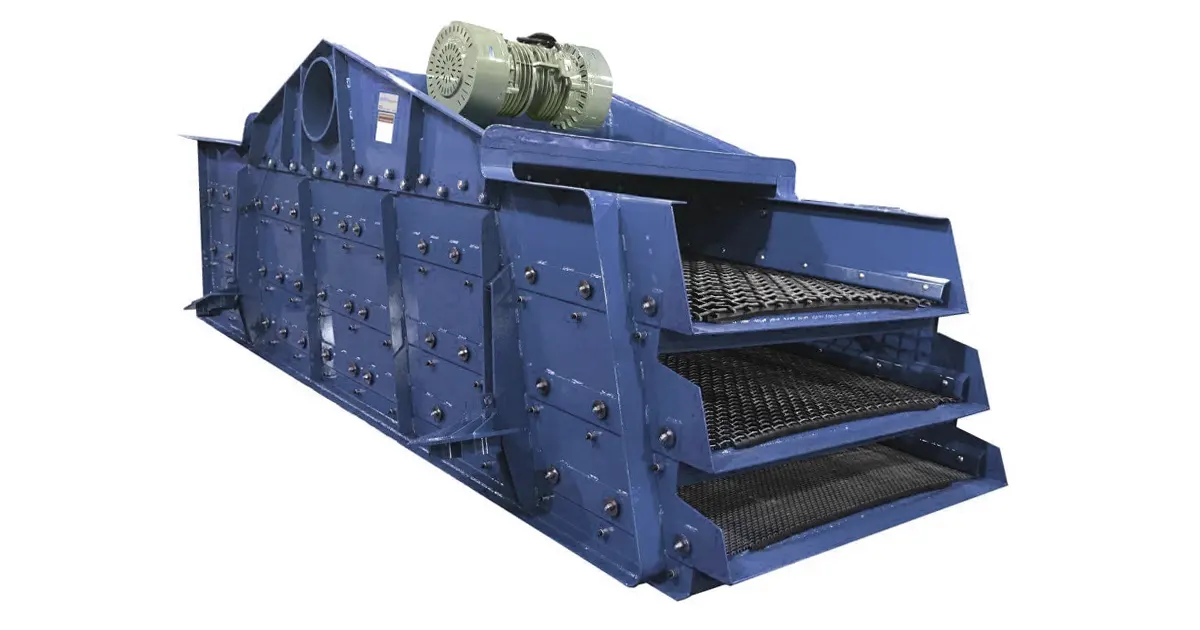
A 3 deck vibrating screen helps you sort materials by size in one quick step. You feed in a mix of rocks or particles, and the screen vibrates to separate them into three different groups. This tool makes your job easier if you work with aggregates, mining, or recycling. You get cleaner results and save time. Knowing how the vibrating screen works and taking care of it keeps your operation running smoothly.
Key Takeaways
- A 3 deck vibrating screen separates materials into three sizes. These sizes are large, medium, and small. It does this all at once.
- Using this screen saves time. It also means you do not need many machines. This makes work faster and easier.
- You should check the motor and exciter often. This helps the screen work well. It also stops it from breaking down.
- Pick the right screening media for each deck. This makes sorting better. It also helps the screen last longer.
- Make sure the material spreads out evenly. This helps the screen sort better. It also stops clogs from happening.
- You can change settings like amplitude and frequency. This can help the screen work faster. It also makes sizing more correct.
- Problems like blinding and pegging can happen. You can stop these by using self-cleaning screens. Keeping the feed level right also helps.
- A 3 deck screen is good for hard jobs that need careful sorting. A 2 deck screen works for easy jobs.
3 Deck Vibrating Screen Overview
What Is a 3 Deck Vibrating Screen
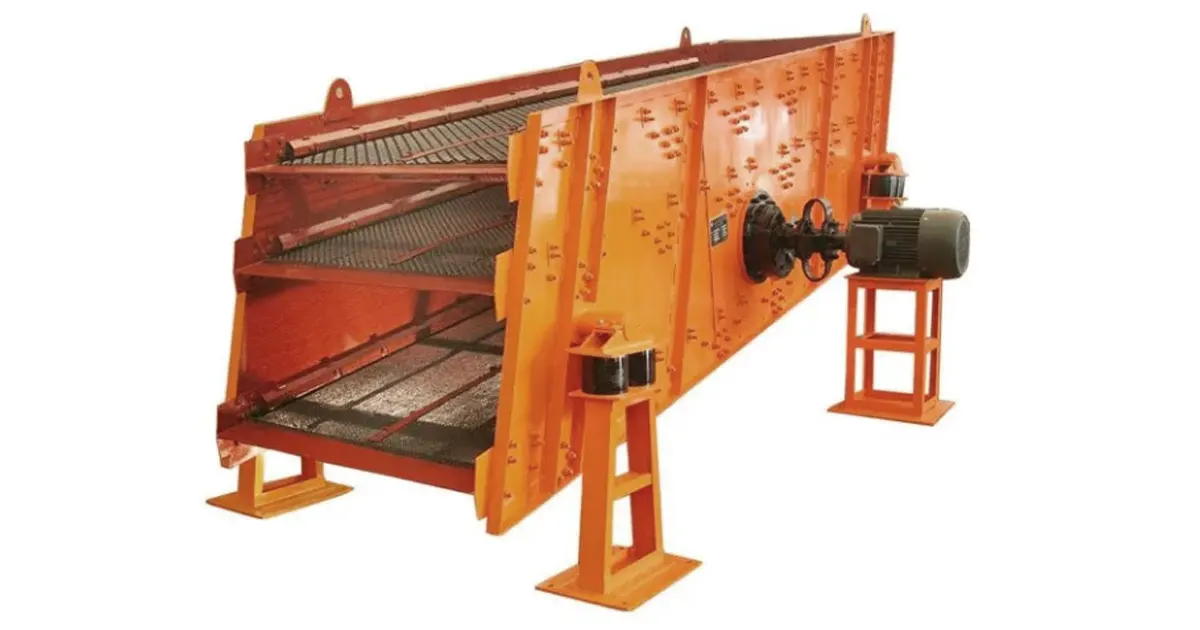
A 3 deck vibrating screen sorts things by size. You put in rocks, sand, or other pieces. The screen shakes and splits them into three groups. The top part catches the biggest pieces. The middle part holds medium pieces. The bottom part keeps the smallest bits. It has three layers that work together. This design helps you get the right sizes in one try. You do not need to use many machines. You save time and get better sorting.
Purpose and Benefits
Why use a 3 deck vibrating screen? It helps you sort things fast and right. This machine makes your work easier. It helps you make more and keeps things running well. Each layer takes out pieces you do not want. You also spend less money to run it. You do not need more machines or more workers. The screen works quickly and does not break down often. You fix fewer problems and get more done.
Tip: If you want easy sorting and less fixing, a multi-layer vibrating screen is a good pick.
Here are some main benefits of a 3 deck vibrating screen:
- Better sorting and higher quality materials
- Lower costs to run
- Less fixing and less time stopped
- Faster and easier sorting
Common Applications
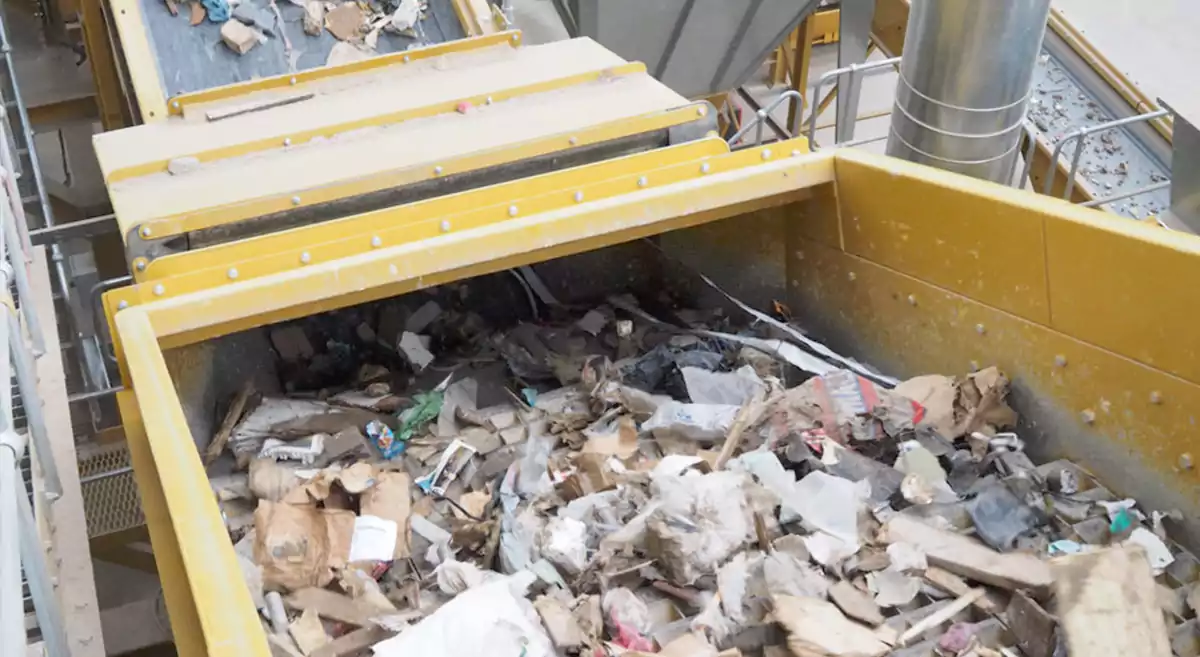
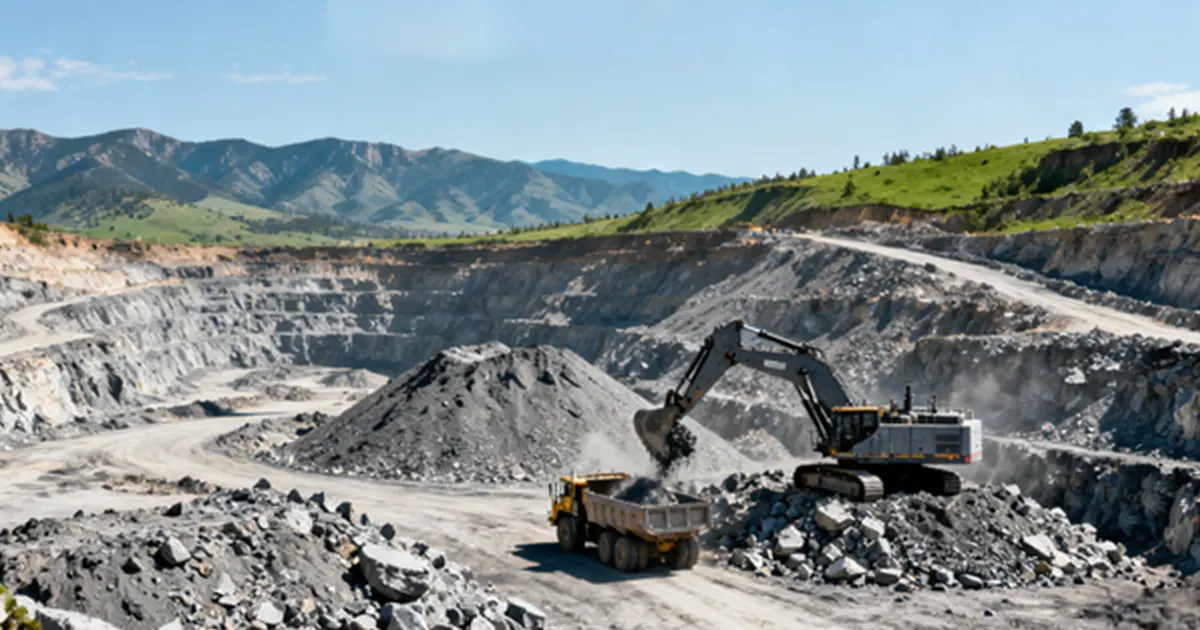
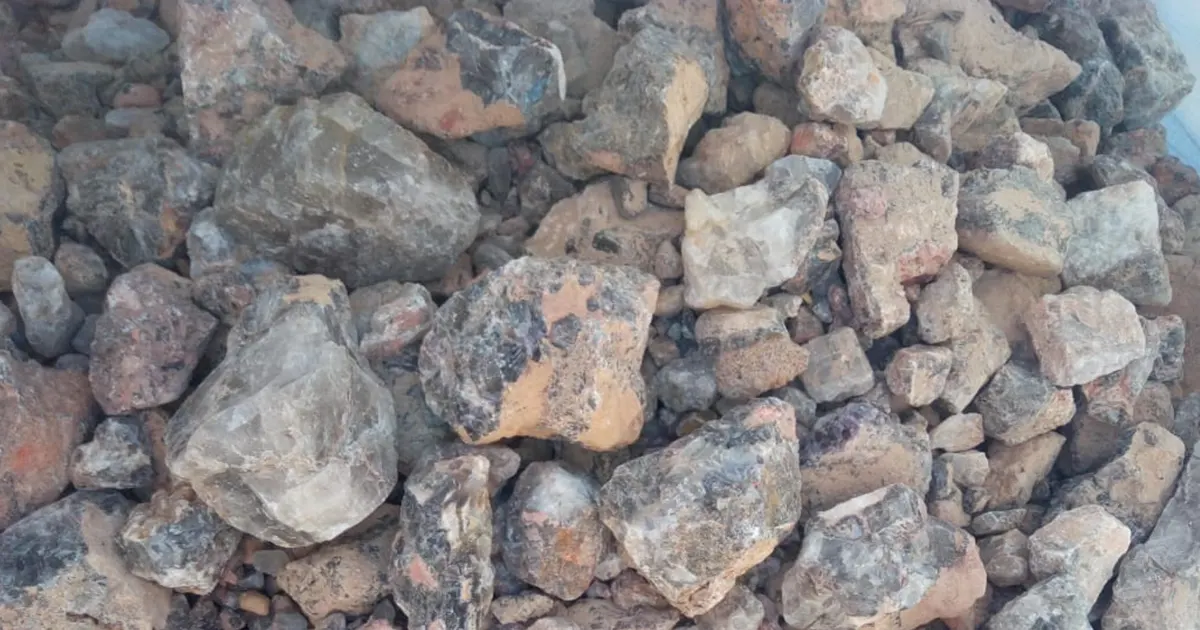
Many jobs use 3 deck vibrating screens. People use them to sort gravel, sand, and crushed stone. Miners use them to split up ore and minerals. Recycling plants use them to clean waste and find useful things. You can also see these screens in building, chemical, and food jobs. All these jobs need to sort things by size. The screen makes this job faster and easier.
| Industry | Typical Materials Sorted | Why Use a 3 Deck Vibrating Screen? |
|---|---|---|
| Aggregates | Gravel, sand, crushed stone | Clean sorting, lots of work done fast |
| Mining | Ore, minerals | Right sizes, less waste |
| Recycling | Glass, plastics, metals | Good sorting, saves useful stuff |
You can see that a 3 deck vibrating screen helps in many jobs. It gives you the right size pieces for what you need. You get more from your materials and keep your plant working well.
How a 3 Deck Vibrating Screen Works
When you use a 3 deck vibrating screen, you get a smart way to sort materials by size. Let’s break down how this machine handles your material and what each part does.
Material Flow and Deck Functions
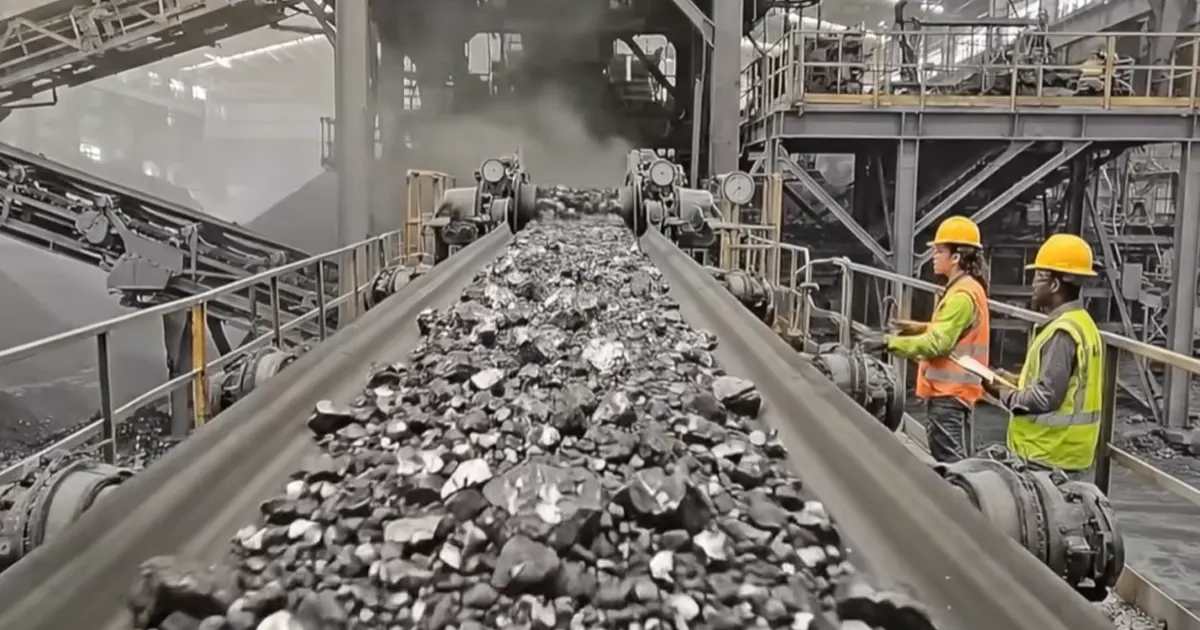
You start by feeding your mix of rocks, sand, or other particles onto the top of the screen. The machine shakes, and the material moves across three layers. Each deck has a special job.
Top Deck: Oversize Removal
The top deck acts like a gatekeeper. It catches the biggest pieces. These oversized chunks stay on top and move off the end. You can collect them for crushing or use them for other jobs. This step keeps large pieces from mixing with smaller ones below.
Middle Deck: Size Separation
The middle deck takes over next. Only the right-sized particles pass through from the top. This layer sorts out medium-sized pieces. These drop onto the middle deck and move along with the vibration. At the end, you get a pile of material that fits your middle size range. This helps you meet your project’s needs without extra sorting.
Bottom Deck: Fines Collection
The bottom deck handles the smallest bits. Fine particles fall through the last layer. This deck collects all the fines, like sand or dust. You can use these for special products or send them away as waste. With this setup, you get three clean piles—big, medium, and small—all in one pass.
Tip: If you want improved processing and material quality, make sure you feed the screen evenly. This helps each deck do its job right.
Vibrating Mechanism and Motion
The real magic comes from the way the vibrating screen moves. You have a motor or exciter that creates strong, steady shakes. This motion helps the material spread out and move across each deck. The shaking keeps the screen from clogging and helps every piece find its right spot.
You might wonder how the motion works. The vibrating screen can use different types of movement. Here’s a quick look at the most common ones:
| Type of Motion | Mechanism Description | Characteristics |
|---|---|---|
| Circular | Eccentric masses on the exciter shaft create circular motion. | Gravity helps move material. This motion stops the screen from getting blocked. |
| Linear | Counter-rotating exciters produce linear motion. | Material moves fast. Sometimes, this can cause the screen to clog. |
| Elliptical | Combines features of circular and linear motions. | You get good sizing and can adjust how much the screen shakes. |
Most 3 deck vibrating screens use circular motion. The motor spins an eccentric shaft, and this makes the whole screen box shake in a circle. This action helps the material move smoothly and keeps the decks clear. Some screens use linear or elliptical motion for special jobs. You can pick the motion that fits your material best.
The working principle of vibrating screens is simple. The machine shakes, the material moves, and each deck sorts out a different size. You get fast, clean sorting with less effort. If you use a three-layer vibrating screen or any multi-layer vibrating screen, you can handle more material in less time. This means you boost your plant’s output and keep your operation running strong.
Note: If you want to get the most from your vibrating screen, check the motor and exciter often. Good maintenance keeps the motion strong and your screen working at its best.
Key Components of Vibrating Screen
Screen Box and Deck Frames
You can think of the screen box as the heart of your vibrating screen. It holds everything together and gives the machine its shape. The deck frames sit inside the box and support the screen media. Each deck frame keeps the screen tight and flat so you get accurate sorting. If you want your machine to last, you need a strong screen box and sturdy deck frames. These parts stop the machine from shaking too much and keep the screen stable.
Here’s a quick look at how these parts help your machine stay tough:
| Component | Contribution to Durability |
|---|---|
| Screen Body | Acts as a supporting base for the screen mesh, ensuring stability. |
| Supporting Structure | Provides stability and support, preventing excessive vibration. |
If you want to avoid downtime, check these parts often. A solid screen box and deck frames mean your vibrating screen works longer and gives you better results.
Exciters and Motor
The exciter and motor make your vibrating screen come alive. The motor creates power and sends it to the exciter. The exciter shakes the screen box in an elliptical path. This motion helps the material move across the decks and sorts it by size. You get faster and more accurate screening because of this movement.
When you pick a vibrating screen, look at the exciter and motor. They decide how strong and steady the shake will be. If you want good sorting and high efficiency, make sure these parts work well. The exciter and motor play a big role in the vibration characteristics and efficiency of your machine.
Springs and Isolation
Springs and isolation systems help your vibrating screen run smoothly. The springs absorb the shakes and keep the machine from bouncing too much. Isolation systems stop the vibration from reaching the supporting structure. You protect your building and equipment from damage.
These systems use low-frequency isolation. All the springs and isolators must deflect the same amount. This keeps the natural frequency steady and stops problems with vibration. If you want your machine to last, pay attention to the springs and isolation. They reduce wear and help your screen work quietly.
Here’s a quick list of what springs and isolation do for you:
- Absorb vibration and reduce noise
- Protect your supporting structure
- Make your machine last longer
If you want to understand the key components of aggregate screens, focus on these three parts. They keep your vibrating screen stable, efficient, and safe.
Feed Box and Distribution
You might not think much about the feed box, but it plays a big role in how your vibrating screen works. The feed box sits at the start of the screen. It takes the material you want to sort and spreads it out. If you dump rocks or sand in one spot, you get uneven sorting. The feed box helps you avoid that problem.
When you use aggregate screening equipment, you want every deck to get the same amount of material. The feed box makes sure the material flows evenly across the whole screen. You get better sorting and less waste. If you feed the screen right, you boost your plant’s output.
Here’s what a good feed box does for you:
- Spreads material evenly
- Stops clogs and jams
- Helps each deck do its job
- Makes sorting faster
Tip: If you see piles building up on one side of the screen, check your feed box. You might need to adjust it or clean it out.
Some feed boxes have special liners. These liners protect the box from wear and tear. You can use steel, rubber, or polyurethane liners. Pick the one that fits your material best. If you handle sharp rocks, steel works well. If you sort softer material, rubber or polyurethane can last longer.
You can also find feed boxes with water sprays. These sprays help wash the material and keep dust down. If you work with wet material, water sprays help the screen stay clean.
Tensioning and Fasteners
Tensioning and fasteners keep your screen media tight and secure. If the screen media gets loose, you lose sorting power. You also risk damage to your vibrating screen. Tensioning systems use bolts, clamps, or wedges to hold the screen media in place.
You need to check tensioning often. If you see sagging or hear rattling, tighten the fasteners. Loose screen media can cause blinding or pegging. You get less output and more downtime.
Here’s a quick table to show what tensioning and fasteners do:
| Component | Purpose | Signs of Trouble | Quick Fix |
|---|---|---|---|
| Bolts/Clamps | Hold screen media tight | Sagging, rattling | Tighten or replace |
| Wedges | Secure screen edges | Uneven sorting | Adjust or reset |
Note: If you want your vibrating screen to last, keep the tensioning system in good shape. You save money and avoid big repairs.
You can use different fasteners for different screen types. Some screens need special tensioning bars. Others use simple bolts. Always follow the manufacturer’s guide. If you use the right fasteners, your screen works better and lasts longer.
If you pay attention to the feed box and tensioning, you get more from your vibrating screen. You keep your sorting sharp and your plant running strong.
Performance Factors and Optimization
Feed Distribution and Material Properties
You want your vibrating screen to do a great job. How you feed it and what you put in really matters. If you spread the material out evenly, sorting works better. If you dump it all on one side, piles form and sorting slows down. You might notice this if one side has more material.
The type of material also changes how well it sorts. Round pieces roll and move easily. Sharp or pointy pieces can get stuck and block holes. Wet material sticks together and blocks the screen. Dry material moves faster and sorts more easily.
Here’s how these things change how well your screen works:
| Property Type | Effect on Screening Performance |
|---|---|
| Particle Shape | Round pieces move well. Pointy ones block holes and slow sorting. |
| Moisture Content | Lots of water makes clumps and blocks. It makes the flow hard to control. |
| Size Variability | Mixed sizes block the screen and make sorting worse. You get less good material. |
If you want better sorting and cleaner piles, watch how you feed the screen and what you put in. You can fix the feed box or use water sprays to help. You can also pick the best screen media for your material. When you control these things, your vibrating screen works better and gives you more good material.
Tip: Look at your feed box often. Make sure the material spreads out. If you see clumps or blocks, fix the feed or change the material.
Impact on Throughput and Sizing
You want your vibrating screen to sort materials quickly and give you the right sizes. Throughput means how much material moves through the screen in a set time. Sizing accuracy tells you how well the screen separates each size. If you set up your machine right, you get more material sorted and fewer mistakes.
Let’s look at how some key settings change your results. Amplitude and frequency play big roles. Amplitude is how far the screen moves with each shake. Frequency is how many times the screen shakes each second. When you increase amplitude, the screen throws particles higher. This helps them bounce and move faster. You get better sorting and more material through the machine.
If you set amplitude at 10 mm, you reach a screening efficiency of 93.4%. That means almost all the material gets sorted right. Frequency also matters. When you set frequency at 24 Hz, you get the best results for small and medium particles. Small particles reach 94.8% efficiency. Medium particles can go up to 97.1%. Large particles still sort well, with over 87% efficiency.
Here’s a quick table to show how these settings affect your results:
| Performance Factor | Optimal Setting | Screening Efficiency (%) |
|---|---|---|
| Amplitude | 10 mm | 93.4 |
| Frequency | 24 Hz | 94.8 (small particles) |
| Frequency | 24 Hz | 87+ (large particles) |
You can see that small changes make a big difference. If you want more throughput and better sizing, try these tips:
- Increase amplitude to boost particle movement and sorting.
- Set frequency at 24 Hz for the best results with most materials.
- Watch for clogs or slowdowns. Adjust settings if you see problems.
Tip: If you notice your vibrating screen isn’t sorting well, check the amplitude and frequency first. Small tweaks can help you get more material sorted and improve sizing accuracy.
When you pay attention to these factors, your screen works faster and gives you cleaner piles. You save time and get more from your materials. If you keep your settings in the right range, your plant runs smoother and you get the sizes you need.
Screening Media Selection by Deck
Picking the right screening media for each deck is important. It helps your vibrating screen work better. Each deck has its own job. You need to choose the best media for each one.
Top Deck Media Options
Woven Wire and Perforated Plate
The top deck gets hit first by your material. It handles the biggest and roughest pieces. You need something strong and open here. This lets smaller pieces fall through. Woven wire and perforated plate are used most often.
Here’s a simple table to help you decide:
| Screening Media Type | Best For |
|---|---|
| Woven Wire Screen Mesh | High open area, strong capacity, general aggregate and quarry screening |
| Polyurethane Screen Panels | Abrasion resistance, consistent apertures, fine screening stability |
| Rubber Screen Panels | Impact absorption, noise reduction, heavy-duty zones |
Woven wire has lots of open space. This means material moves quickly. It works well for most jobs with rocks or gravel. If you want something stronger or quieter, try rubber or polyurethane panels. These last longer and can take hard hits.
Tip: If your top deck wears out fast, use rubber panels. They protect better from big impacts.
Middle Deck Media Options
Self-Cleaning and Polyurethane
The middle deck sorts medium-sized pieces. Sometimes, sticky or wet stuff blocks the holes. This is called blinding. You can stop this by using self-cleaning screens or polyurethane panels.
- Self-cleaning screens have special shapes or wires. These shake off stuck material.
- Polyurethane panels do not wear out fast. They keep their shape even with tough material.
- Ball trays under the screen knock loose anything stuck.
- Heated decks help if your material is cold or sticky.
- Flexible screens like rubber or synthetic ones bend and flex. This helps stop clogs.
If you want your screen to run well, pick media that fits your material. Change the stroke or speed if you see blinding.
Note: Try different mesh shapes or flexible panels. This can help keep your screen clear.
Bottom Deck Media Options
Fine Wire and Rubber Panels
The bottom deck sorts the smallest bits. You need media that can separate fine pieces without getting blocked. Fine wire panels work well because they have lots of open space. Rubber panels last longer and make less noise, but they may not sort as fast.
Tests show the best way to sort fine pieces is to use a 2 mm amplitude, 20 Hz frequency, and a 45° angle. This setup can give you up to 90% sorting for rod-shaped pieces. If your material is sticky or wet, rubber panels help stop clogs and last longer.
Here’s a simple comparison:
| Feature | Fine Wire Panels | Rubber Panels |
|---|---|---|
| Wear Life | Shorter | Longer |
| Noise Reduction | Less effective | More effective |
| Open Area | Greater | Less |
| Blinding | More prone | Reduced |
| Installation | More complex | Easier |
| Best Use | Frequent change-outs | High-impact, wet screening |
Tip: For wet or sticky small pieces, use self-cleaning rubber panels. They help your screen last longer and cut down on stops.
Media Trade-Offs
Choosing the right screening media for each deck of your vibrating screen can feel tricky. You want to get the most material sorted, keep your machine running longer, and avoid spending too much on repairs. Every deck has its own job, so you need to match the media to the task.
Let’s break down what you need to think about:
- Throughput: You want your screen to handle lots of material fast. Open mesh lets more material pass, but it can wear out quicker.
- Wear Life: Tougher media lasts longer. Rubber and polyurethane stand up to heavy loads, but sometimes they slow down sorting.
- Maintenance Costs: If you pick the wrong media, you spend more time fixing your vibrating screen. That means more downtime and higher costs.
You need to look at the type of material you’re sorting. Sharp rocks can tear up wire mesh. Wet or sticky stuff can block holes. Heavy loads need strong panels. Each deck faces different challenges, so you should customize the media for each one.
Here’s a simple table to help you compare your options:
| Deck | Purpose | Recommended Media | Best Conditions | Trade-Offs |
|---|---|---|---|---|
| Top Deck | Remove big pieces | Woven wire, perforated | Dry, rough material | Fast sorting, wears out faster |
| Middle Deck | Sort medium sizes | Polyurethane, self-clean | Sticky, wet material | Less blinding, slower throughput |
| Bottom Deck | Collect fines | Fine wire, rubber | Fine, abrasive material | Good sizing, needs frequent checks |
You might want fast sorting, but that can mean more repairs. If you choose tougher media, you get less downtime, but sometimes you lose speed. It’s all about finding the right balance for your plant.
If you want to save money, pay attention to how each deck works. The top deck needs strength. The middle deck needs to stay clear. The bottom deck needs accuracy. When you match the media to the job, your screen works better and lasts longer.
Tip: Check your vibrating screen often. If you see wear or clogs, try switching media. Small changes can make a big difference in how your plant runs.
You don’t have to stick with one type of media for every deck. Mix and match to fit your needs. That way, you get the best sorting, longest wear, and lowest maintenance costs.
Troubleshooting Vibrating Screen Issues
Blinding and Pegging
You might notice your vibrating screen stops sorting well. Sometimes, the holes in the screen get blocked. This is called blinding. Pegging happens when pieces wedge into the holes and stay stuck. Both problems slow down your work and make sorting messy.
Here are some common causes of blinding:
- Moisture sticks particles together.
- Fines fill the holes.
- Clay coats the screen.
- Sticky contamination builds up.
Pegging usually happens when:
- You have lots of near-size heavy particles.
- Flat or long shapes wedge into the openings.
- The aperture shape is wrong for your material.
- The screen gets overloaded.
You can prevent these issues. Try self-cleaning screen types. Make sure you spread the feed evenly. Keep the bed depth right. If you see blinding or pegging, check your feed and change the screen media. You might need to clean the screen more often or use water sprays.
Tip: If you work with sticky or wet material, use self-cleaning screens. They shake off stuck bits and keep your vibrating screen machine running strong.
Carryover and Low Capacity
Carryover means material stays on the screen instead of passing through. Low capacity means your vibrating screen sorts less than you want. You might see piles building up or notice your plant slows down.
Here’s what causes carryover and low capacity:
- The screen media is too tight or too loose.
- The feed is uneven.
- The deck angle is wrong.
- The vibration is weak.
Quick checks help you spot trouble. Look for sagging or loose screen panels. Watch how the material flows. If you see slow movement, adjust the deck angle or vibration settings. You can fix low capacity by tightening the screen, spreading the feed, or boosting the vibration.
Note: If your screen sorts less than usual, check the tensioning and vibration first. Small changes can make a big difference.
Sizing Problems and Wear
Sizing problems happen when your vibrating screen gives you the wrong sizes. Wear means the screen media breaks down or holes get bigger. You might see mixed piles or notice the screen needs repairs.
Common causes include:
- Wrong screen media for your material.
- Worn-out panels.
- Loose fasteners.
- High-impact loads.
You can fix sizing problems by picking the right screen media. Replace worn panels quickly. Tighten fasteners and check for damage. If you see wear, use tougher media like rubber or polyurethane.
Here’s a troubleshooting table to help you:
| Symptom | Likely Cause | Quick Check | Fix |
|---|---|---|---|
| Blinding | Moisture, fines, clay | Look for blocked holes | Use self-cleaning media |
| Pegging | Flat shapes, overload | Check for wedged bits | Change aperture shape |
| Carryover | Loose media, weak vib | Watch material flow | Tighten, adjust settings |
| Sizing issues | Worn panels, wrong media | Inspect panels | Replace, pick tougher |
Tip: Check your vibrating screen often. Quick fixes keep your plant running and help you get the right sizes.
Loose Media and Tensioning
Loose media and poor tensioning can cause big problems for your vibrating screen. If you ignore these issues, you might see more downtime, lower sorting quality, and even damage to your equipment. You want your screen to work smoothly and last longer, so it’s important to check for loose media and fix tensioning problems right away.
How can you tell if your screen media is loose? Here are some easy ways to spot trouble:
- Tap the face of the screen gently with a small hammer. Listen to the sound it makes.
- A tight screen gives a crisp, sharp sound. If you hear a dull thud, the media is loose.
- Watch for any movement or vibration of the screen panels when you tap them.
- Look for sagging or uneven areas on the screen surface.
- Check for rattling noises when the vibrating screen is running.
If you find any of these signs, you need to act fast. Loose media can let material slip through the wrong holes. This means you get mixed sizes and poor sorting. It can also cause extra wear and tear on your vibrating screen.
Here’s what you can do to fix loose media and tensioning problems:
- Stop the machine and make sure it is safe to work on.
- Tighten all bolts, clamps, or wedges that hold the screen media in place.
- Replace any worn or broken fasteners right away.
- Make sure the screen is flat and tight across the whole deck.
- After tightening, tap the screen again to check for that crisp sound.
- Run the vibrating screen and listen for any rattles or odd noises.
Tip: Always check your screen tensioning during regular maintenance. A quick tap and listen can save you from bigger problems later.
You should also keep an eye on the tensioning system itself. If you see bent or damaged parts, replace them. Use the right tools and follow the manufacturer’s guide for your screen. Good tensioning keeps your vibrating screen working at its best and helps you avoid costly repairs.
If you take care of loose media and tensioning, you get better sorting, less downtime, and a longer life for your screen. Make these checks part of your routine, and your plant will thank you.
Aggregate Screening Equipment Selection
Material Size and Cut Points
When you pick aggregate screening equipment, you need to think about the size of your material. You want your vibrating screen to sort rocks, sand, or gravel into the right piles. The size of the holes in the screen decides what stays on top and what falls through. People call these sizes “cut points.” If you know your cut points, you can set up your screen to get the best results.
Here are some things you should look at:
- Screen size: Match the opening size to the material you want to separate.
- Particle size: Check the mix of big and small pieces in your feed.
- Cut points: Decide what sizes you need for your job.
If you get the cut points right, you get cleaner piles and less waste. You also save time because you do not need to sort the material again.
Tip: Always check the size chart for your vibrating screen before you start. This helps you pick the right screen for your job.
Moisture and Abrasiveness
Moisture and how rough your material is can change how your screen works. Wet material can stick together and block the holes. This is called blinding. If your rocks or sand are sharp, they can wear out the screen faster.
You can solve these problems by picking the right screen media. Here are some choices:
- Woven wire cloth: Good for dry jobs and fast sorting.
- Polyurethane panels: Last longer with sharp or rough material.
- Rubber panels: Help with noise and work well with sticky or wet material.
If you use the right media, your vibrating screen will last longer and sort better. You will not have to stop as often to fix or clean the screen.
Wet vs Dry Screening
You need to know if you will screen wet or dry material. Wet screening uses water to help move the material and keep the holes clear. Dry screening works best when your material does not stick together.
Here is a quick table to help you choose:
| Screening Type | Best For | What to Watch For |
|---|---|---|
| Wet | Sticky, fine material | Needs water sprays and drains |
| Dry | Clean, loose material | Watch for dust and static |
If you use wet screening, make sure your vibrating screen has water sprays and a way to drain the water. For dry jobs, keep the screen clean and check for dust. Each method has its own setup, so pick the one that fits your material.
Note: If you are not sure which type to use, test a small batch first. This helps you see what works best for your plant.
Choosing the right aggregate screening equipment helps you get the most out of your material. You get better sorting, less downtime, and a smoother operation.
Deck Layout and Life vs Capacity
When you look at a vibrating screen, you might wonder how the deck layout affects your results. Deck layout means how many layers your screen has and how you arrange them. Each deck sorts a different size of material. If you set up your decks right, you get better sorting and longer life for your equipment.
You want your screen to last as long as possible. If you use tough materials for the decks, you cut down on repairs. Rubber and polyurethane decks last longer than wire mesh. You also need to think about how much material you want to sort. If you push too much through the screen, you wear it out faster. If you use the right deck layout, you balance life and capacity.
Here’s a quick list to help you decide:
- Use strong deck materials for heavy loads.
- Spread material evenly across all decks.
- Check for wear often and replace decks before they break.
- Adjust deck angles to help material move faster or slower.
You can also look at the deck angle. A steeper angle moves material quickly but can reduce sorting accuracy. A flatter angle gives you better sorting but slows down the process. If you want more capacity, try a steeper angle. If you want longer life, use a flatter angle and tough deck materials.
Tip: If you see your screen wearing out too fast, try changing the deck layout or using stronger materials. Small changes can make a big difference.
Here’s a simple table to show how deck layout affects life and capacity:
| Deck Layout | Life Span | Capacity | Best Use |
|---|---|---|---|
| Steep Angle | Shorter | Higher | Fast sorting, big jobs |
| Flat Angle | Longer | Lower | Accurate sorting, fine material |
| Tough Materials | Longer | Same | Heavy loads, rough material |
You can mix and match deck layouts to fit your needs. If you pay attention to deck layout, you get more from your vibrating screen and keep your plant running strong.
3 Deck vs 2 Deck Screens
You might ask yourself, “Do I need a 3 deck or a 2 deck screen?” The answer depends on your job and the material you want to sort. Both types of aggregate screening equipment have their own strengths.
A 2 deck screen sorts material into two sizes. You get a top pile and a bottom pile. This works well if you only need two groups. A 3 deck vibrating screen gives you three piles—big, medium, and small. You get more options and cleaner sorting.
Let’s compare the two:
| Screen Type | Number of Sizes | Sorting Quality | Best For |
|---|---|---|---|
| 2 Deck | 2 | Good | Simple jobs, fewer sizes |
| 3 Deck | 3 | Better | Complex jobs, more sizes |
If you work with lots of different materials, a 3 deck vibrating screen helps you sort everything in one pass. You save time and get more usable material. If your job is simple, a 2 deck screen might be enough.
Note: If you want to boost your plant’s output and get cleaner piles, choose a 3 deck vibrating screen. It gives you more control and helps you meet your project needs.
You can always start with a 2 deck screen and upgrade later. Think about your material, your goals, and your budget. The right choice keeps your operation smooth and efficient.
Conclusion
A 3 deck vibrating screen can boost plant output by separating multiple size ranges in one pass and keeping your product streams cleaner. To get consistent results, match the right screening media to each deck, keep proper tension and fastening, and inspect wear points before small issues turn into downtime.
If you need help selecting media or optimizing deck-by-deck performance, contact us. As a screening media manufacturer, we produce woven wire screens, self-cleaning screen mesh, and polyurethane screen panels with custom apertures, wire diameters, and panel formats. Share your material type, moisture, and target cut sizes—we’ll recommend the best-fit setup and provide a quote.
FAQ
What is the main job of a 3 deck vibrating screen?
You use a 3 deck vibrating screen to sort material into three sizes at once. It helps you get clean piles of big, medium, and small pieces fast.
How do I know if my screen media needs changing?
Look for holes, tears, or sagging. If you hear rattling or see mixed sizes in your piles, it’s time to check and replace the media.
Can I use the same screen media on every deck?
You can, but it’s not the best idea. Each deck handles different sizes and loads. Pick media that fits the job for each deck to get better results.
What causes my screen to clog or blind?
Sticky or wet material, clay, or too much feed can block the holes. Try self-cleaning screens or water sprays to help keep things moving.
How often should I check the tensioning system?
Check it every week or after heavy use. Tighten bolts and clamps if you hear rattling or see loose panels. Good tensioning keeps your screen working well.
Is a 3 deck screen better than a 2 deck screen?
If you need three sizes, yes! A 3 deck screen sorts more in one pass. For simple jobs with only two sizes, a 2 deck screen works fine.
What maintenance helps my vibrating screen last longer?
Clean the screen often. Check for wear, tighten fasteners, and keep the feed even. Replace worn parts quickly. These steps help your screen run strong and last longer.