Screening efficiency shows how well you separate wanted material from unwanted particles in industrial vibrating screens. You get better product quality when screening efficiency is high. High screening efficiency also helps you process more material and have less downtime. Many new vibrating screens can reach screening efficiency rates up to 98%, as recent tests show. When you make screening efficiency better, you earn more money and waste less. You should focus on making technical changes and doing regular checks to keep screening efficiency at its best.
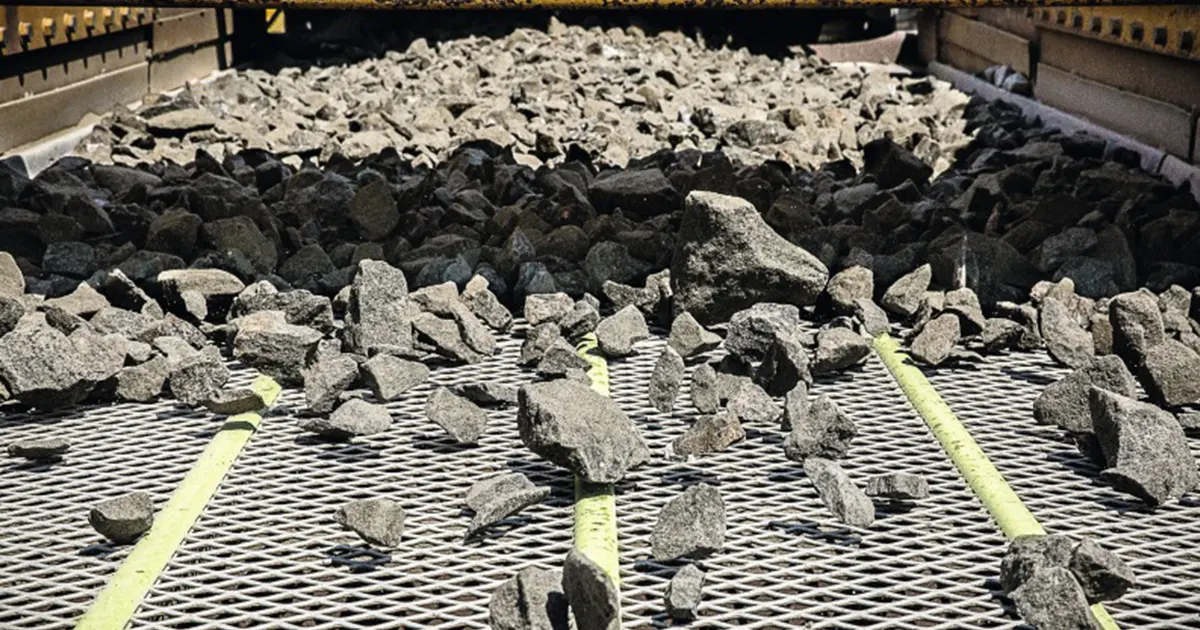
Key Takeaways
- High screening efficiency gives better product quality and less downtime. Try to reach rates up to 98% to make more money.
- Even feed distribution is very important. Spread the material evenly on the screen to help with separation and processing.
- Watch bed depth closely. Keep it less than four times the opening size. This helps small particles go through well.
- Check screen media often for wear and damage. Replace them on time to stop breakdowns and keep things working well.
- Check the tension and alignment of screen media. Good tension helps the material flow evenly and lowers equipment wear.
- Fix blinding and pegging fast. Use spray bars and change vibration settings to keep screens clear and working well.
- Check discharge often. Look for signs of material that is too big or too small to find problems early.
- Have a good maintenance review process. Track key performance indicators to find and fix problems early.
Quick Wins for Screening Efficiency
Feed Distribution
You can make screening efficiency better by watching how you put material on the vibrating screen. If you do not feed the material evenly, some parts get too much and others get too little. This makes it hard to separate materials and lowers how much you can process. To help with this, you should:
- Spread the material so it covers the whole screen. This stops some spots from getting too much and helps every part work well.
- Keep the feed rate steady and controlled. If the feed goes up or down fast, it can block the screen and make it harder for small pieces to move through.
- Use a good feed box. A strong feed box takes in the shock and spreads the material out, so your equipment does not wear out fast.
When you handle feed distribution the right way, your vibrating screen gives you better screens and steady product output.
Bed Depth Control
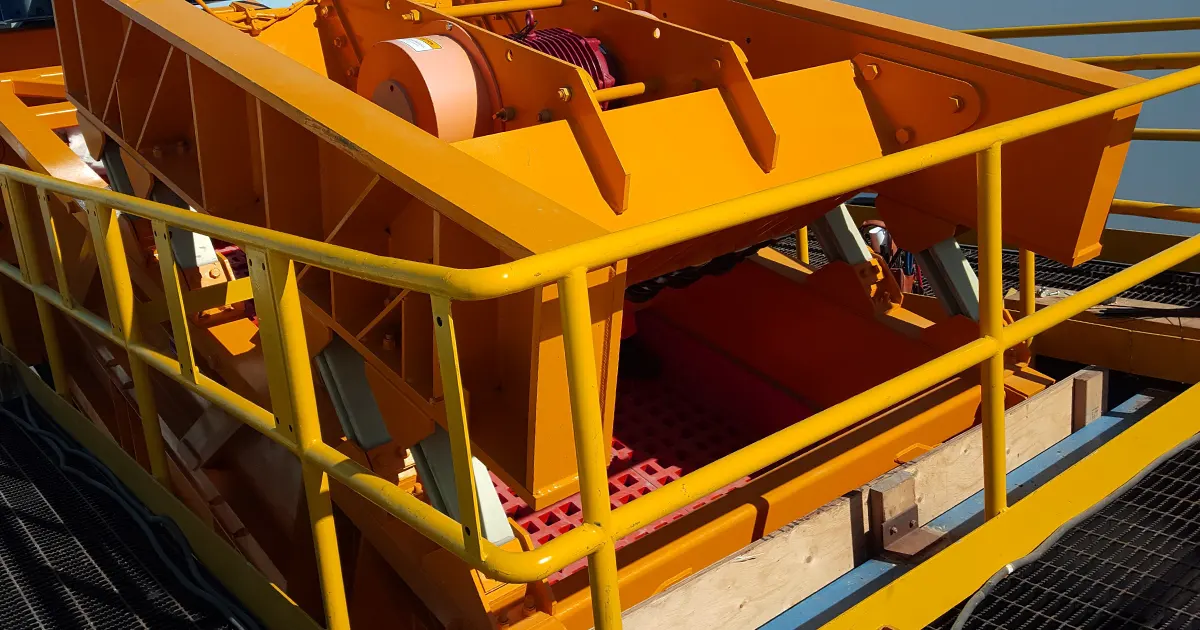
Bed depth means how thick the material is on the screen. If the bed is too thick, small pieces cannot fall through the holes. If it is too thin, you will not process enough material. You need to watch bed depth closely:
- Keep the bed depth at the end of the screen less than four times the opening size. This helps you separate materials well.
- Check the bed depth often while the screen is running. Change the feed rate or screen angle if you see the material piling up or getting too thin.
Good bed depth control gives you better screens and stops slowdowns in your process.
Tip: You can use your eyes or put in sensors to check bed depth as you work. Small changes can stop big drops in screening efficiency.
Screen Media Condition
How your screen media looks and works changes screening efficiency. If the media is worn out or broken, it can let the wrong stuff through or get blocked. You should look at your screen media often and fix problems fast.
| Screen Media Type | Advantages | Disadvantages |
|---|---|---|
| Wire cloth | Easy to change, more open area for efficiency | Larger wire diameter reduces open area |
| Urethane media | Good for wet and abrasive applications | Less open area, not ideal for dry applications |
| Hybrid/flex type media | Reduces blinding, boosts production in fine, wet uses | Needs specific conditions, not woven |
You should:
- Look at the screen media often to find any strange wear or damage.
- Check if the screen is tight every time you inspect. Loose screens can break and lower screening efficiency.
- Even if you use synthetic media that lasts longer, you still need to check them sometimes.
If you watch for wear and change the media when needed, you stop surprise breakdowns and keep your screening working well.
Tension and Alignment
You need to keep your screen media tight and straight. If the screen is loose or not lined up, material will not spread evenly. Your equipment will wear out faster. The screen media and support structure can also get damaged. Here are the main problems from bad tension and alignment:
- Material does not spread evenly on the screen.
- Screen media and support frames wear out faster.
- Both screen media and support structures can break.
Always check the tension on your screen surface. Make sure the tension is the same everywhere. If you find loose spots, tighten them right away. The screen surface should touch the bucker-up rubber. This stops whipping and helps the screen work well. If you do not check tension and alignment, your screen media can get badly damaged. Replacing it can cost a lot of money.
Tip: Use a tension meter or follow the maker’s rules for tightening. Checking often helps you find problems before they get worse.
Blinding and Pegging Removal
Blinding and pegging slow down your screening work. Blinding happens when small pieces block the screen holes. Pegging is when bigger pieces get stuck in the holes. Both problems make your screening efficiency go down. They can also stop your work. You can try these ways to fix the problems:
| Method | Description |
|---|---|
| Bed Depth Adjustment | Watch and change how thick the material layer is. This stops small pieces from blocking holes. |
| Spray Bars | Use water spray bars to wash away sticky fines. This works well with wet or clay-heavy stuff. |
| Vibration Settings | Make the screen move faster or change how it shakes. Ball trays can help shake loose stuck pieces. |
| Self-Cleaning Screens | Use screens that bend and move. They shake off sticky material and stop clogs. |
| Polyurethane Panels | Put in panels that do not blind easily. They help material flow better. |
| Slot Apertures | Pick slot-shaped holes instead of square ones. More shapes can pass through and pegging is less. |
| Size Adjustment | Change the size of the screen holes. Make sure they are not too close to your material size. |
Check your screen for blinding and pegging every shift. If you see these problems, use the methods above. Fixing them fast keeps your screen working and your product good.
Discharge Monitoring
You need to watch what comes out of your vibrating screen. This helps you find problems early. If you see too much big or small material in the discharge, there may be a problem with your screen media or feed rate. Checking the discharge often helps you spot issues before they get worse.
| What to Monitor | Why It Matters |
|---|---|
| Oversize in discharge | Shows the screen might be damaged or blocked |
| Undersize in discharge | Holes may be too big or media is worn out |
| Discharge flow rate | Lets you see how much is coming out and spot blocks |
Set up a routine to check the discharge at certain times. If you see changes, look at your screen media and feed system. Finding problems early saves time and money. You keep your screening efficiency high and avoid long stops.
Note: You can use your eyes or put in sensors to check the discharge. Quick action when you see changes keeps your work running well.
Spray Nozzle Check
You should check your spray nozzles often if you use water. Clean and working spray nozzles help wash material off the screen. This keeps the screen open and stops blinding. If nozzles are dirty or blocked, water sprays unevenly. Some spots get too much water, and some get too little. This makes you lose screening efficiency.
Here are steps to keep your spray nozzles working well:
- Look at each nozzle for blockages or wear at the start of every shift.
- Use a small brush or compressed air to clean clogged nozzles.
- Change worn or broken nozzles right away.
- Check the water pressure. If it is low, the spray will not clean the screen well.
- Make sure the spray pattern covers the whole screen.
Tip: Use a flashlight to see if the spray pattern is even. If you see dry spots or weak sprays, fix the nozzle before you start screening.
Side Wear Plate Tightening
Side wear plates protect the frame of your vibrating screen from damage. If plates are loose, material can leak out or cause vibration problems. You should check and tighten these plates often to keep your screen working well.
Here is how you can keep your side wear plates in good shape:
- Check the bolts and fasteners on each plate during every maintenance check.
- Tighten any loose bolts with the right tool. Do not overtighten, or you might break the plate.
- Look for cracks or signs of wear on the plates. Change them if you see damage.
- Make sure the plates fit tightly against the frame. Gaps can let material escape and cause more wear.
Note: Tight side wear plates also help keep rubber skirts in place. This stops spillage and keeps your work area clean.
Maintenance Review
You need a good maintenance review process to keep your screening efficiency high. Regular reviews help you find problems before they stop your work. You should track key performance indicators (KPIs) to see how well your maintenance plan works.
| KPI | Description |
|---|---|
| Equipment uptime | Measures the percentage of time equipment is working. |
| Maintenance backlog | Tracks the number of jobs waiting to be done. |
| Mean time to repair (MTTR) | Shows the average time to fix equipment. |
| Preventive maintenance compliance | Checks if you do scheduled maintenance tasks. |
You can make your maintenance review better by:
- Checking how many work orders are finished and how well technicians do their jobs.
- Making a feedback loop for your team to talk about problems and wins.
- Letting managers and technicians talk openly to use resources better.
You can use technology like a Computerized Maintenance Management System (CMMS) to help with scheduling and tracking. A CMMS sends reminders for important jobs and keeps records of repairs. This lowers downtime and helps you keep your vibrating screen working its best.
Tip: Pick a regular time each month to check your maintenance KPIs. This helps you see patterns and fix small problems before they get big.
Understanding Screening Efficiency
Definition
Screening efficiency means how well your vibrating screen separates good material from unwanted particles. This measure helps you see if your process gives you the right size product with less waste. When screening efficiency is high, you get more useful material and do less extra work. In factories, you want the highest efficiency to save time and money. If you know what screening efficiency is, you can make better choices about your screen and how you take care of it.
Screening efficiency is more than just a number. It shows how well your equipment works and how much value you get from your process.
Formula Concept
You can use simple formulas to measure screening efficiency. These formulas help you check how well your screen removes big and small particles. Look at the table below to see the main formulas:
| Efficiency Type | Formula |
|---|---|
| Oversize Efficiency (Eo) | Eo = Qms(o) [1 – Mu(o)] / Qms(f) [1 – Mu(f)] |
| Undersize Efficiency (Eu) | Eu = Qms(u) Mu(u) / Qms(f) Mu(f) |
| Overall Efficiency (E) | E = Eo * Eu |
- Qms(o): Mass flow rate of oversize material in the product
- Mu(o): Mass fraction of undersize in the oversize stream
- Qms(f): Mass flow rate of feed
- Mu(f): Mass fraction of undersize in the feed
- Qms(u): Mass flow rate of undersize material in the product
- Mu(u): Mass fraction of undersize in the undersize stream
You can use these formulas to see if your screen works well. If the numbers are low, you might need to change your process or try better screening technology.
Efficiency vs Throughput
You need to find a balance between screening efficiency and throughput. Throughput means how much material goes through your screen in a certain time. If you put too much material on the screen, your efficiency can go down. If you only care about efficiency, your process might get slower.
Here are some important things to remember:
- The size and shape of your particles change both efficiency and throughput. If you have lots of small or sticky particles, your screen can get blocked and slow down.
- The way your screen is built matters. Good design helps you handle changes in feed and keeps your product quality high.
- Picking the right screen size is important. If the holes are too small, you get too many fines. If the holes are too big, you lose good material.
- Try to get the best balance. Aim for the highest efficiency without losing too much throughput.
| Aspect | Description |
|---|---|
| Particle Size Distribution | Different particles can change efficiency and cause clogging. |
| Equipment Design | Screens that adapt to feed changes improve throughput and product quality. |
| Research Goals | Classifying particles and predicting efficiency helps you optimize output. |
Tip: You can make both efficiency and throughput better by checking your screen setup often and making small changes when needed.
You get the most from your industrial screening equipment when you know how efficiency and throughput work together.
Factors Affecting Screening Efficiency
Material Properties
Moisture
Moisture changes how material moves on the screen. Wet material can stick together and make clumps. These clumps block the holes in the screen. This slows down how fast you can separate things. Clay minerals have this problem a lot. Even a little moisture can make clay stick and clog the screen. You should watch moisture levels. Use spray bars or change vibration settings to keep the screen clear.
Fines/Clay
Fine particles and clay are hard to handle. Clay minerals like to stick together. This makes it tough for the screen to separate things. Fines fill spaces between bigger pieces and block the screen. This lowers efficiency. Try self-cleaning screen media or use more vibration. This helps break up the clusters. If you handle fines and clay well, your screen works better and you avoid downtime.
Near-Size
Near-size particles are almost as big as the screen holes. These particles get stuck or move through slowly. They can block the screen and lower good material output. Watch how many near-size particles are in your feed. Change the screen opening or use slot-shaped holes to help these particles pass through.
Shape
The shape of your material matters for screening. Round particles go through holes easily. Flat or long particles can block the holes. Odd shapes can also get stuck. Look at your material shape and pick the right screen media. Slot apertures work better for long particles.
Key Material Factors That Affect Screening Efficiency:
- Particle size: Bigger particles pass through more easily.
- Density: Heavy stuff sinks and may block holes.
- Mud content: Lots of mud slows down separation.
- Easy-to-screen vs. hard-to-screen: Some materials separate fast, others need more help.
Screen Motion
Stroke
Stroke is how far the screen moves each time it vibrates. A longer stroke helps break up sticky material. It also moves particles faster. Set the stroke for your material type. Too much stroke can hurt the screen media. Too little stroke means material does not move well.
Speed
Speed is how fast the screen shakes. Higher speed helps with fine and wet materials. Lower speed is better for dry, coarse materials. Match the speed to your feed and material. Changing speed can stop blinding and pegging.
Angle
The angle of your screen changes how material flows. A steep angle moves material faster. But particles spend less time on the screen. A flat angle gives more contact time and better separation. Adjust the angle to balance speed and efficiency.
| Screen Type | Motion Pattern | Ideal Material | Key Advantage |
|---|---|---|---|
| Linear Vibrating Screen | Straight-line | Coarse, dry materials | High throughput |
| Circular/Elliptical Vibrating | Circular or elliptical | Fine, moist materials | Better stratification |
Circular vibrating screens move material with an oscillating motion. This keeps material moving and helps remove big pieces fast. Linear screens are best for dry, coarse materials and give high throughput. Elliptical screens help sort fine, wet materials better.
Tip: Pick the right screen motion for your material to boost efficiency.
Feed Conditions
Rate
Feed rate is how much material you put on the screen. Too much feed overloads the screen and drops efficiency. Too little feed wastes space. Keep the feed rate steady and match it to your screen.
Distribution
Feed distribution is how evenly you spread material on the screen. If you do not spread it evenly, some spots get too much and others too little. Use a good feed box and adjust the system to cover the whole screen. Double-deck screens handle different particle sizes better and keep efficiency high.
Impact Zone
The impact zone is where material first hits the screen. If you do not control this spot, material can bounce and spread unevenly. Use impact plates or rubber liners to absorb shock. This helps guide material onto the screen smoothly.
Scalping
Scalping takes out big pieces before they reach the main screen. This protects your screen media and makes things more efficient. Use a scalping deck or pre-screen to catch large particles. This stops clogs and helps you process more material.
Feed Condition Checklist:
- Keep feed rate steady.
- Spread material evenly.
- Control the impact zone.
- Use scalping to remove big pieces.
You get better screening efficiency when you manage material properties, screen motion, and feed conditions. All these factors work together to help your vibrating screen do its best.
Bed Depth & Stratification
Bed Depth
You need to control the depth of material on your vibrating screen. Bed depth means how thick the layer of material is as it moves across the screen. If the bed is too deep, fine particles cannot reach the screen openings. They stay trapped under larger pieces. If the bed is too shallow, you do not use the full surface of your screen. You lose capacity and slow down your process.
A deeper bed helps the material stratify. Stratification means fine particles move down to the bottom, close to the screen deck. Coarse particles stay on top. This arrangement lets small pieces pass through the openings while large pieces move off the end. You get better separation and higher screening efficiency when you keep the right bed depth.
Tip: Try to keep the bed depth at the discharge end less than four times the screen opening size. This helps fine particles reach the deck and pass through.
Stratification Symptoms
You can spot poor stratification by watching your screen in action. When stratification works well, you see fine material moving down and passing through the screen. Coarse material stays on top and moves off the end. If you notice these symptoms, you may have a stratification problem:
- Fine particles build up on top of the bed.
- Large particles block the screen openings.
- You see more fines in the oversize discharge.
- The screen surface looks uneven or patchy.
When stratification does not happen, large particles block the openings. Fines cannot pass through. Your screening efficiency drops. You may also see more blinding and pegging.
Note: Regular checks help you spot these symptoms early. You can adjust your process before you lose too much efficiency.
Optimization
You can improve stratification and bed depth with a few simple steps. Start by adjusting the feed rate. Too much material creates a thick bed that does not stratify well. Too little material leaves the screen underused. You should also check the screen angle. A steeper angle moves material faster but gives less time for stratification. A flatter angle slows the flow and helps fine particles settle.
Here are ways to optimize bed depth and stratification:
- Adjust the feed rate to match your screen size and material type.
- Change the screen angle to give more or less time for stratification.
- Use vibration settings that help fine particles move down.
- Install impact plates or rubber liners to spread material evenly at the feed end.
- Monitor the discharge for signs of poor separation.
You get the best screening efficiency when you keep the right bed depth and help the material stratify. Fine particles reach the bottom and pass through. Coarse particles stay on top and move off the end. This process gives you clean separation and high output.
Remember: Good stratification is the key to effective screening. Watch your bed depth and make small changes to keep your process running smoothly.
Common Screening Problems & Solutions
Blinding
Causes
Blinding happens when particles block the holes in your screen mesh. This problem is common in factories, especially with fine powders. Small pieces settle and get stuck in the mesh. This makes your work slower and less efficient. You have to clean the screen more often, and the mesh can get damaged.
- Particles stick to the holes in the screen.
- Wetness makes fine particles clump and block the mesh.
- Bigger pieces get stuck in the holes and cause clogs.
Screen blinding is a normal problem in solids control. Solids pile up and block the screen surface. This blockage lowers your efficiency and makes your shaker work worse.
Fixes
You can stop blinding by picking the right screen media and changing how you run your screen. Try these ideas:
- Use self-cleaning screen media that bends and shakes off stuck pieces.
- Put in spray bars to wash away sticky fines, especially with wet stuff.
- Change vibration settings to help shake loose the particles.
- Move the screen angle to help material flow and stop buildup.
- Clean the screen often during shifts to keep solids from piling up.
Tip: If you see blinding, fix it fast. Small changes in shaking or water can make your screen work better again.
Pegging
Causes
Pegging happens when bigger pieces get wedged in the screen holes. These pieces do not go through or move off the deck. Pegging is common with near-size or odd-shaped particles. Pegging blocks the mesh and slows down your work.
- Near-size pieces get stuck in the holes.
- Long or flat pieces wedge into the mesh.
- Old or broken screen media makes pegging happen more.
Fixes
You can stop pegging by making smart changes:
- Use slot-shaped holes instead of square ones.
- Try polyurethane panels that do not peg easily.
- Make the screen shake harder to loosen stuck pieces.
- Change old or broken screen media before it gets worse.
Note: Check your screen often to find pegging early. Change the screen media if you see blockages again and again.
Carryover
Causes
Carryover means material that should go through the screen stays on top and moves off the end. This problem hurts your product quality and lowers efficiency. New systems like eccentric screening and modern screen media help stop carryover.
| Cause of Carryover | Impact on Product Quality |
|---|---|
| Too many small pieces | Makes product dirty and lowers separation efficiency |
| Blinding from wetness | Fine pieces stick to the screen and hurt separation |
| Wrong stroke, speed, or feed | Bad separation and lower product quality |
Fixes
You can fix carryover by changing your screen setup:
- Change stroke, speed, or reverse screen rotation to separate better.
- Change wire size or hole shape to make more open space.
- Move the screen angle and control feed amount for better flow.
Tip: Watch your discharge for signs of carryover. Quick changes keep your product good and your process working well.
Symptom–Cause–Fix List
You can fix most screening problems if you notice them early. Use this list to match what you see with the cause and the best way to fix it. This helps you save time and keeps your vibrating screen working well.
Tip: Keep this table close when you check your screen. Quick checks help you find small problems before they get worse.
| Symptom | Likely Cause | Fast Fix |
|---|---|---|
| Blinded screen surface | Wet fines, clay, or sticky material | Clean mesh, use spray bars, switch to self-cleaning media |
| Pegged screen openings | Near-size or odd-shaped particles | Change to slot apertures, increase vibration, use PU panels |
| Excess fines in oversize | Poor stratification, thick bed depth | Lower feed rate, adjust screen angle, check vibration settings |
| Oversize in undersize | Worn or damaged screen media | Replace worn panels, check tension, inspect for holes |
| Uneven material flow | Bad feed distribution, loose tension | Adjust feed box, tighten screen media, check alignment |
| High carryover | Blinding, pegging, wrong screen size | Clean screen, change media, review feed rate |
| Excessive noise or vibration | Loose bolts, worn side plates | Tighten bolts, replace side wear plates, inspect frame |
| Frequent shutdowns | Poor maintenance, ignored KPIs | Review maintenance plan, track KPIs, train operators |
| Water not cleaning screen | Blocked or worn spray nozzles | Clean or replace nozzles, check water pressure |
| Material spillage | Loose rubber skirts, side plate gaps | Tighten skirts, adjust side wear plates, seal gaps |
Check for these symptoms every shift. If you see a problem, use the fast fix right away. Doing this keeps your screening efficiency high and stops long downtime.
Note: If you keep fixing the same problem, look for a bigger cause. You might need to upgrade your screen media or change how you work.
You can get better screening results by using this list every day. Stay alert, act quickly, and keep your vibrating screen working its best.
Screen Media Selection
Woven Wire Screens
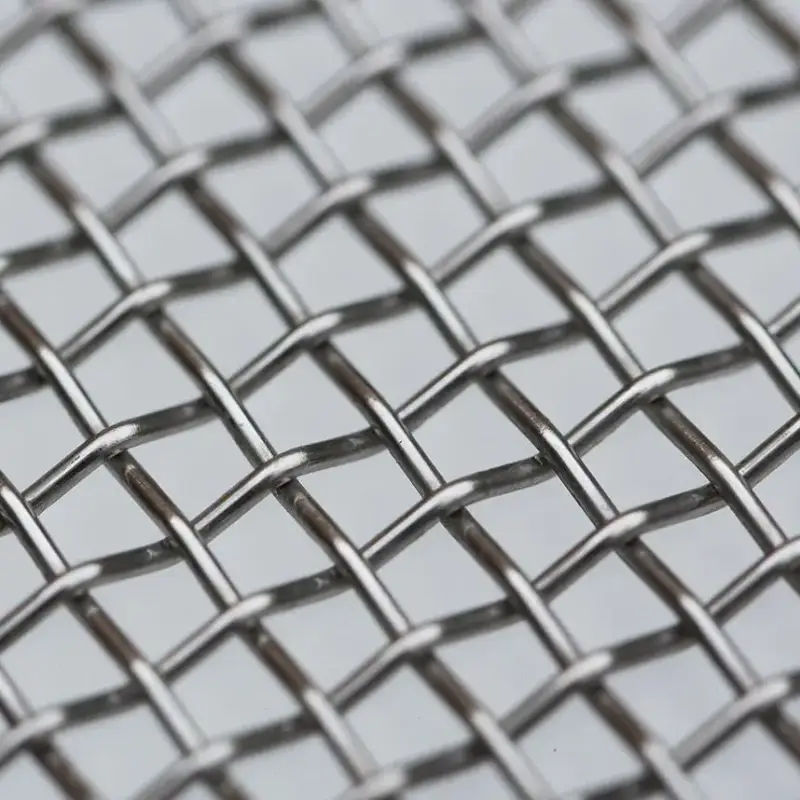
Woven wire screens are used in many factories. These screens are made by weaving metal wires together. The wires make a mesh with exact holes. You can pick different wire thicknesses and hole sizes for your material. Woven wire screens are good for dry and big pieces. They let lots of material go through fast. These screens are also simple to put in and take out. If you want to change mesh sizes quickly, these screens make it easy.
Tip: Check woven wire screens often. Look for broken wires or loose spots. Fast checks help you stop problems and keep your work going.
Self-Cleaning Screens
Self-cleaning screens help stop blinding and pegging. These screens have special shapes, like bendy wires or plastic strips. They move and shake off stuck pieces. You get better results with wet or sticky stuff. Self-cleaning screens mean you do not need to clean by hand as much. You do not have to stop work often to clear clogs. These screens last longer because they do not wear out fast.
You can use self-cleaning screens for many jobs. They are good for fine pieces, clay, or things that block normal mesh. If you want to work faster and fix less, self-cleaning screens are a smart pick.
PU-Mesh & Urethane Panels
PU-mesh and urethane panels are strong for hard jobs. Polyurethane mesh is best for wet jobs, like washing or drying. You get panels that snap in, so you can put them in or take them out easily. Urethane panels do not wear out fast and can take hard hits. You can use them for sharp or heavy stuff without breaking them often.
Rubber panels are good for dry jobs with lots of bumps. Some rubber panels clean themselves, even with sticky or wet stuff. Hybrid screens mix urethane and wire mesh. You get the bendy wire and the long-lasting polyurethane together.
Here is a table that shows the best screen media for different jobs:
| Screen Media Type | Application Type | Key Features |
|---|---|---|
| Perforated and flame cut plate | Secondary screening | Good for hard hits and does not wear out fast; comes in many steel types and strengths. |
| Polyurethane | Wet applications | Best for drying; easy to put in; works well for dry jobs too. |
| Rubber | Dry, high-impact | Works for wet jobs; some clean themselves to stop blocking. |
| Hybrid screens | Various | Mixes urethane and wire for long life and easy use. |
You should pick the right screen media for your job and material. The best choice helps you work better, stop less, and keep your equipment working longer.
Note: Always check your screen media after big changes in your feed or process. The best media for one job might not be best for another.
Punch Plate & Rubber Panels
You can pick punch plate and rubber panels for tough jobs. Punch plate screens are made from thick steel with holes. These screens can take hard hits and rough materials. People use punch plates when they need to screen big, sharp, or heavy rocks. Punch plates are common in the first step of screening.
Rubber panels are another good choice for hard work. These panels soak up hits and make less noise. You can use rubber panels when things are dry or wet. They help keep your vibrating screen safe from damage. Rubber panels last longer if you screen sticky or rough stuff.
Here are some important things about punch plate and rubber panels: Punch plate screens do not wear out fast when you use big feed material. You can put punch plates where wire mesh would break. Rubber panels make your plant quieter. These panels work with sticky or wet material and do not block as fast as wire mesh. Both types are easy to put in and take out.
You should check punch plates and rubber panels every time you do maintenance. Look for cracks, worn spots, or loose bolts. Change broken panels right away to keep your screening efficiency high.
Tip: Put punch plate on the top deck for big rocks. Use rubber panels on lower decks for smaller pieces. This way you get both strength and flexibility.
| Screen Media Type | Best Use Case | Main Benefit | Limitation |
|---|---|---|---|
| Punch Plate | Primary, heavy-duty | High impact resistance | Lower open area, heavier |
| Rubber Panel | Wet, sticky, abrasive | Noise reduction | May wear faster with sharp stone |
You can use punch plate and rubber panels with other screen media. This lets you pick the best type for each deck and job. You get longer life and better results.
Application Matching
You get better screening efficiency when you use the right screen media for your job. Each step in screening needs something different. You should think about your material, how wet it is, and the size of the pieces before you choose.
- Picking the right screen media helps you work faster.
- You do not have to change screens as much, so you save money.
- The right media lasts longer and breaks less.
- When you match the media to the job, you spend less time fixing things.
You can look at the total cost when you pick your screen media. Sometimes, self-cleaning screens or hybrid panels cost more at first. But later, these choices give you better efficiency and cost less to fix. Your equipment works longer and does not break as much.
Note: Check your screen media choices often. If your material or goals change, you may need a new setup. The right match keeps your plant working well and your costs low.
| Application Phase | Recommended Media | Key Benefit |
|---|---|---|
| Scalping | Punch plate, heavy wire | Handles large, tough material |
| Wet screening | Rubber, PU panels | Reduces blinding, lasts longer |
| Fine screening | Self-cleaning, hybrid | Maximizes efficiency |
You get the best results when you match your screen media to your process. This keeps your plant running well and your costs under control.
You can have many problems with your vibrating screen at work. Each problem has signs you can see, a main reason, and a quick way to fix it. You can pick the right screen media to help solve most problems fast. The table below is a simple guide for you. Check this table when you do inspections or if your screen is not working well.
| Issue | Observation | Root Cause | Fast Fix | Media Option |
|---|---|---|---|---|
| Blinding | Screen surface blocked | Wet fines, sticky clay | Clean mesh, use spray bars, switch to self-cleaning screens | Self-cleaning, PU panels |
| Pegging | Large particles stuck in holes | Near-size or odd-shaped particles | Change to slot apertures, increase vibration | Slot, polyurethane panels |
| Carryover | Fines in oversize discharge | Thick bed, poor stratification | Lower feed rate, adjust screen angle | Hybrid, woven wire |
| Uneven Flow | Material piles on one side | Bad feed distribution, loose tension | Adjust feed box, tighten screen media | Woven wire, rubber |
| Excessive Noise | Loud operation, vibration | Loose bolts, worn side plates | Tighten bolts, replace side wear plates | Rubber panels |
| Frequent Shutdowns | Unplanned stops | Poor maintenance, ignored KPIs | Review maintenance plan, track KPIs | Heavy-duty, punch plate |
| Water Not Cleaning | Dry spots on screen | Blocked or worn spray nozzles | Clean or replace nozzles, check water pressure | PU panels, rubber |
| Material Spillage | Product leaks from sides | Loose rubber skirts, side plate gaps | Tighten skirts, adjust side wear plates | Rubber, side sealing kits |
| Slow Throughput | Low material flow | Overloaded deck, wrong speed | Reduce feed, adjust vibration speed | Woven wire, hybrid |
| Mesh Damage | Broken wires, holes in mesh | Overloading, impact from large rocks | Replace mesh, install impact deck | Punch plate, heavy wire |
You can fix most screening problems if you act quickly. Studies show that fast fixes, like cleaning blocked nozzles or tightening bolts, stop bigger problems. This keeps your plant working and saves money.
You should look at this table with your team. Use it as a checklist when you change shifts or do maintenance. Picking the right media and fixing things fast keeps your screening efficiency high.
Maintenance Checklist
Tension Checks
You need to check screen tension often. Loose tension makes screening worse and wears parts out fast. Use a tension meter or follow the maker’s rules to tighten. Always check all clamps and fasteners. Tighten any loose spots right away. This keeps the screen flat and working well.
- Check tension at the start of each shift.
- Use the right tool to tighten clamps.
- Write down any changes in your log.
- Watch for uneven flow, which means tension is loose.
Tip: Checking tension often helps you stop breakdowns and saves money.
Wear Inspection
Look for wear on your vibrating screen parts. Worn parts can break and stop production. Check the screen media, side plates, and frames. Look for cracks, grooves, or thin spots. Change worn parts before they break.
- Plan weekly or monthly checks for all parts.
- Walk through and check emergency gear.
- Listen for strange sounds or look for leaks.
- Use a checklist to track what you check.
Note: Finding wear early helps you fix things and avoid long stops.
Broken Wires/Panels
Broken wires or panels let big pieces get through. This lowers screening efficiency and can hurt other equipment. Look at the screen for broken wires, holes, or missing panels. Change damaged parts right away.
- Check for broken wires every time you do maintenance.
- Look for holes or tears in the screen media.
- Use the right panel type when you replace them.
- Write repairs in your maintenance log.
Callout: Fixing broken wires or panels fast keeps your product good and stops bigger problems.
Side Sealing
You need to keep your side sealing in top shape to prevent material loss and equipment wear. Side sealing stops material from leaking out the sides of your vibrating screen. If you ignore side sealing, you risk spillage, dust, and faster wear on your screen frame.
Here are steps you should follow for effective side sealing:
- Inspect rubber skirts and sealing strips every shift. Look for cracks, tears, or gaps.
- Tighten all fasteners holding the side seals. Loose seals let material escape.
- Replace worn or damaged skirts right away. Do not wait for a shutdown.
- Check that the side wear plates fit snugly against the frame. Gaps cause leaks and extra wear.
- Use the right type of rubber skirt for your material. Heavy-duty skirts last longer with abrasive feeds.
Tip: You can run your hand along the side seal to feel for air leaks or loose spots. Fix these issues before they cause bigger problems.
Spray Nozzles
Spray nozzles play a key role in keeping your screen clean and efficient. Clean nozzles wash away fines and sticky material. Blocked or worn nozzles leave dry spots and lower your screening efficiency.
Follow these steps to keep your spray nozzles working well:
- Check each nozzle for blockages at the start of every shift.
- Use a small brush or compressed air to clean clogged nozzles.
- Replace nozzles that show signs of wear or uneven spray patterns.
- Monitor water pressure. Low pressure means poor cleaning.
- Make sure the spray covers the whole screen deck.
| Spray Nozzle Issue | What You See | What To Do |
|---|---|---|
| Blocked nozzle | Dry spots, buildup | Clean or replace nozzle |
| Worn nozzle | Uneven spray | Install new nozzle |
| Low pressure | Weak spray pattern | Check pump and lines |
Note: Use a flashlight to check spray coverage. Even small blockages can hurt your screening results.
Blinding/Pegging Removal
You must remove blinding and pegging to keep your screen running at peak efficiency. Blinding happens when fine particles block the screen openings. Pegging occurs when larger pieces get stuck in the holes.
Here is how you can manage blinding and pegging:
- Inspect the screen surface for blocked or pegged holes during every shift.
- Use spray bars or water jets to wash away sticky fines.
- Adjust vibration settings to shake loose stuck particles.
- Install self-cleaning or hybrid screen media if you see frequent blinding.
- Change to slot-shaped apertures to reduce pegging with odd-shaped material.
- Remove and clean panels if you cannot clear blockages during operation.
Alert: If you see blinding or pegging, act fast. Delays can lead to lower product quality and more downtime.
You keep your screening efficiency high when you check and fix these issues every day.
Discharge Monitoring
You need to check the discharge from your vibrating screen often. This step helps you spot problems before they get worse. When you monitor the discharge, you see if the screen lets the right size material through. You also notice if there is too much oversize or undersize in the output.
Here is a simple checklist for discharge monitoring:
- Watch the discharge flow at regular times during each shift.
- Look for changes in the amount or type of material coming out.
- Check for signs of blinding, pegging, or broken screen media.
- Use a sample scoop to collect material and check particle size.
- Record any changes in your maintenance log.
Tip: You can use sensors or cameras to help track discharge flow. These tools give you real-time data and help you act fast.
If you see too much fine material in the oversize, check for blinding or worn panels. If you see large pieces in the undersize, look for holes or broken wires. Fast action keeps your screening efficiency high.
Lubrication
You must keep all moving parts well-lubricated. Lubrication reduces friction and wear. It also stops overheating and keeps your screen running smoothly. Bearings, shafts, and drive motors need regular attention.
Follow these steps for proper lubrication:
- Check the lubrication schedule from the equipment maker.
- Use the right type and amount of grease or oil.
- Clean grease fittings before adding new lubricant.
- Wipe away old grease and dirt from bearing housings.
- Listen for squeaks or grinding sounds. These noises mean you need to add lubricant.
- Write down each lubrication in your maintenance log.
| Part to Lubricate | How Often | Lubricant Type |
|---|---|---|
| Bearings | Weekly/Monthly | High-temp grease |
| Drive motors | As specified | Motor oil/grease |
| Shafts | Monthly | General-purpose oil |
Alert: Over-lubrication can cause as many problems as under-lubrication. Always follow the maker’s guidelines.
Log Review
You should keep a detailed maintenance log for your vibrating screen. This log helps you track what you check, fix, and replace. Reviewing your log shows patterns and helps you plan better maintenance.
Here is how you can use your log:
- Record every inspection, repair, and part change.
- Note the date, time, and technician for each task.
- List any problems found and the steps taken to fix them.
- Review the log weekly to spot repeat issues.
- Share log findings with your team during meetings.
Note: A good log helps you see which parts fail most often. You can then order spares and plan shutdowns before problems stop your work.
You keep your screening efficiency high when you review your log and act on what you learn.
Operator Training
You are very important for keeping your vibrating screen working well. If you get regular operator training, you learn how to spot problems early. You can fix small issues before they turn into big ones. When you know your equipment, you make better choices and keep your plant running smoothly.
Operator training is not just about learning the basics. You need to know how to check, adjust, and fix your vibrating screen. Training should give you hands-on practice and clear steps to follow. It helps when you see real examples from your own plant. You learn more when you see how each part works and what can go wrong.
Here are some good things about regular operator training:
- You understand your equipment better. This helps you keep it working well every day.
- You can fix small problems yourself. You do not always need to call maintenance for little things.
- You help the plant run better. Trained operators keep the screen working and stop unplanned shutdowns.
- You help stop downtime. Fast action and smart choices keep production moving.
Tip: Plan refresher training every few months. This keeps your skills strong and helps you learn about new equipment or rules.
A good training program should teach you:
- How to check if the screen is tight and lined up right
- How to look for wear or damage
- How to clean and clear blinding or pegging
- How to watch the discharge and see if the material flow changes
- How to safely add oil or grease and change parts
- How to use logs and tell others about problems
You also need to learn about safety. Always use lockout/tagout before you work on the screen. Wear the right PPE and know where the emergency stops are.
Note: Work as a team and talk openly. Share what you know with new operators and help each other fix problems.
When you train operators, your team gets stronger. Your vibrating screen stays efficient, reliable, and safe. Training often means fewer breakdowns, better products, and a safer place to work.
Conclusion
You can improve screening efficiency by choosing the right aperture size and screen media, and by controlling moisture in the feed. Many plants also use equipment such as trommel screens when they need high capacity and steady operation. Regular inspections and planned maintenance help prevent performance losses caused by wear, poor tensioning, or buildup.
As a manufacturer of industrial screening media, ANPENG can help you select the right solution—whether it’s woven wire screens, self-cleaning screens, or PU/urethane panels—based on your material, target cut size, moisture level, throughput, and screen model. Contact us anytime for practical recommendations tailored to your application.
FAQ
What is screening efficiency?
Screening efficiency tells you how well your vibrating screen separates good material from bad particles. You use this number to check if your product is the right quality and if your process works well.
How often should you inspect screen media?
You need to check your screen media at least once every shift. Look for signs of wear, damage, or loose tension. Quick checks help you stop breakdowns and keep things running smoothly.
Why does blinding happen on vibrating screens?
Blinding happens when fine or sticky material blocks the holes in the screen. This problem shows up more with wet feeds or clay-rich material. Use self-cleaning screens or spray bars to help stop blinding.
How do you choose the right screen media?
You pick screen media based on your material type, moisture level, and job step. Use woven wire for dry and coarse jobs. Pick polyurethane or rubber panels for wet or rough feeds.
What maintenance tasks improve screening efficiency?
You make screening better by checking tension, looking for wear, cleaning spray nozzles, and watching the discharge. Regular lubrication and operator training also help your equipment work well.
What should you do if you see pegging or carryover?
You should change vibration settings, use slot-shaped holes, or put in self-cleaning panels. Fast fixes keep your screen working and protect your product quality.
Can you increase throughput without losing efficiency?
You can get more throughput by balancing feed rate, bed depth, and screen angle. Use the right screen media and motion settings. Watch the discharge to find problems early.