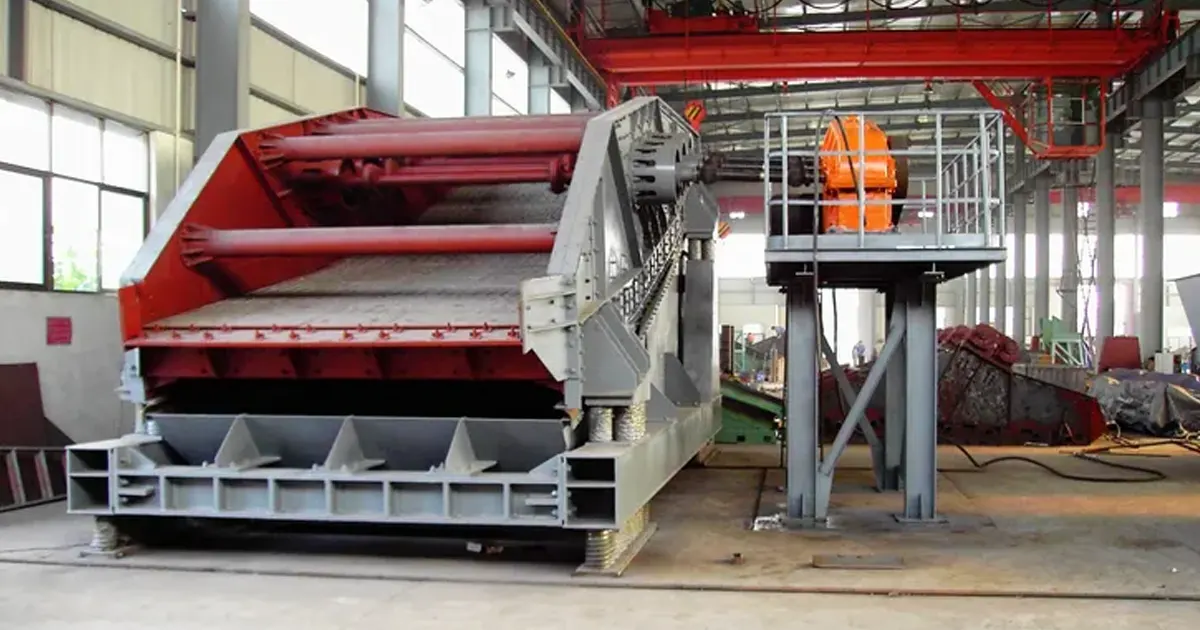
Banana screen design can help your plant work better. If you change banana screen design, you will see real results. These results happen in the plant, not just in reports. Here are some ways banana screen design helps:
| Feature | Improvement Description |
|---|---|
| Maintenance | Needs less maintenance, no oil or exciter changes needed. |
| Cleaning Time | Makes cleaning the screen media faster. |
| Process Sustainability | Fewer cleanings and more capacity use less water and work better. |
| High-Capacity Operation | Can handle more because of the banana shape and stroke angle. |
| Reliability | Maintenance is easier and safer with fewer parts and better access. |
| Efficiency with Difficult Ores | Elliptical motion stops blinding and plugging with tough materials. |
You want banana screen design to do more than just move material. Changing screen aperture, vibration frequency, and amplitude helps stop clogging and makes products better. With banana screen design, you can have less downtime and smoother screening. Match banana screen design settings to your material and watch maintenance closely. You will notice how much banana screen design helps.
Key Takeaways
- Banana screens help plants work better by saving time on cleaning and fixing.
- Adjusting deck angles lets you control how materials move and helps separate them better.
- Pick the right screen size so your plant can handle more material.
- Use self-cleaning screens to stop blockages and keep things running well.
- Watch how materials spread out on the screen to make sure everything flows evenly. This helps the screen work its best.
- Pick screen media based on what you are screening: use woven wire for quick jobs, polyurethane for hard materials, and self-cleaning for sticky stuff.
- Check your screen settings and how they work often to find problems early and stop long breaks.
- Work with your screen maker to get special help and advice to make your screening better.
Banana Screen Overview
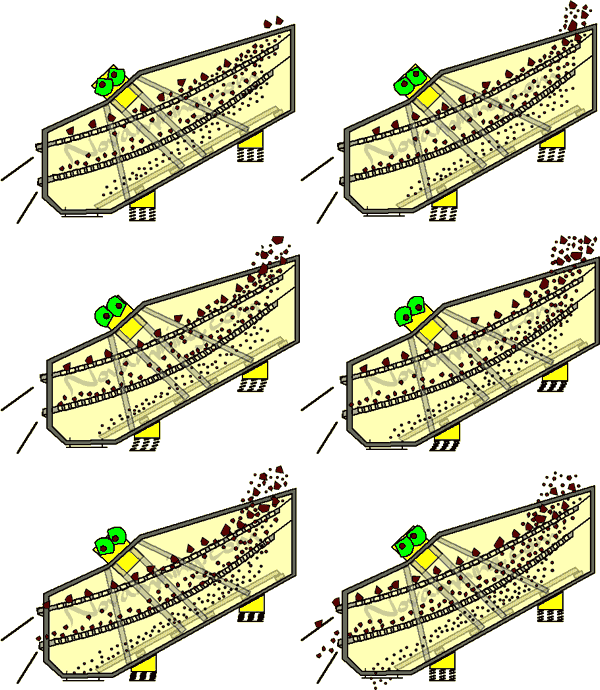
You may ask what makes banana screens special. These screens look different because of their shape and design. Many plants use them when screening is important. Let’s see why banana screens are useful and why you should know about them.
Multi-Slope Decks
Banana screens have a deck with more than one slope. The front part is steep. This helps small particles fall through fast. The back part is less steep. This gives big particles more time to be screened. You get better sorting and more work done. The multi-slope deck lets you screen tough stuff without blocking. These screens keep working even if the feed is sticky or wet.
Here’s a quick look at the main features:
| Feature | Description |
|---|---|
| Multi-angle screen surface | Steep front for fast fine particle discharge, gentle back for longer coarse particle screening |
| Low failure rate | Stable vibration, works well with wet and sticky materials |
| Compact structure | Fits into tight spaces, easy to add to production lines |
High-Capacity Screening
If you need to move lots of material, banana screens help. Their shape and movement let them handle big loads. You get more work done and use less energy. The screen does not get blocked, so you clean it less. The steady vibration keeps the screen working well. You can count on these screens to run all the time.
Let’s highlight some benefits:
- High efficiency
- High capacity
- Anti-blinding
- Energy efficiency
That’s why many plants use banana screens for fast and steady screening.
Typical Applications
Banana screens are used in many fields. They work best with medium and small pieces. In mining, they sort iron ore and limestone. Coal plants use them to separate coal by size. If you work with gravel or sand, banana screens help you get the right size for concrete. Recycling centers use them to sort different things. Food plants use them to sort food by size. Chemical plants use banana screens to sort materials.
Here’s a table showing where you might use banana screens:
| Industry | Application Description |
|---|---|
| Mining and Quarrying | Ore classification after coarse crushing |
| Coal Industry | Classifies raw coal by particle size |
| Building Materials | Classifies gravel and sand aggregates |
| Recycling | Separates different types of recyclables |
| Food Processing | Grades and sorts food products |
| Chemical Industry | Classifies chemical materials |
You can find banana screens in many places. If you need good screening, these screens help you do the job. You get better results and less time fixing things. Banana screens make your plant work better and more often.
Banana Screen Design Parameters
Deck Angles
You might wonder why deck angles matter so much in banana screen design. The angle of each deck section changes how material moves and separates. You can adjust these angles to get the best results for your plant.
Material Flow
When you set the right deck angles, you control how fast material travels across the screen. Steep angles at the feed end move material quickly. This helps fine particles reach the screen surface and pass through early. As the deck flattens, larger pieces slow down. They get more time for screening. This step-by-step change in slope keeps the material moving in a thin, even layer. You avoid build-up and get steady flow. If you use the wrong angle, you might see clumps or uneven movement. That hurts your screening capacity and makes the screen work harder.
Separation Efficiency
You want high efficiency from your vibrating screen. Research shows that the best separation happens when the deck angle changes by about 3 to 4 degrees between sections. These small changes help balance how material spreads and how fast it leaves the screen. You get better stratification, which means fine particles settle to the bottom and pass through. This setup boosts the efficiency of screening and gives you cleaner products. If you use angles that are too steep or too flat, you lose performance. You might see more oversize or undersize in your final product.
Screen Length & Width
The size of your banana screen affects how much you can process. You need to pick the right length and width for your plant’s needs.
Throughput
Longer and wider screens give you more screening capacity. You can handle bigger loads without losing high efficiency. For high-capacity jobs, single deck screens can reach up to 11,000 mm in length and 5,000 mm in width. Double deck screens go up to 11,000 mm long and 4,000 mm wide. Some screens even reach widths of 4.9 meters. These large sizes let you fit more material on the screen at once. You get more done in less time. If you choose a screen that is too small, you limit your throughput and slow down your plant.
| Type of Screen | Nominal Length | Nominal Width |
|---|---|---|
| Single Deck | Up to 11,000 mm | Up to 5,000 mm |
| Double Deck | Up to 11,000 mm | Up to 4,000 mm |
- Very large screen sizes available.
- Widths up to 4.9 meters.
- Flexible fit-to-footprint options.
Installation
You might think bigger screens are harder to install. That’s not always true. The physical size does not change the basic installation steps. You can find flexible options to fit your plant’s footprint. You just need to make sure you have enough space and support for the screen. If you plan ahead, you can add a high-capacity vibrating screen without major changes to your setup.
Stroke & Amplitude
Stroke and amplitude are key settings for your vibrating screen. They control how the screen moves and how well it separates material.
Equal-Thickness Screening
You want the material to spread in a thin, even layer across the screen. The right stroke and amplitude help you do this. A typical amplitude for banana screens is about 4 mm. This movement shakes the material just enough to keep it loose and moving. You get equal-thickness screening, which means every part of the screen works at its best. If the amplitude is too low, material piles up. If it’s too high, you waste energy and risk damaging the screen.
Kinematic Characteristics
The way your screen vibrates affects performance. You need to match the stroke and amplitude to your material and deck angle. A good vibrating screen uses a frequency around 15 Hz and a rotational speed near 10 rpm. These settings give you strong, steady motion. You get better separation and higher screening capacity. If you set the wrong values, you lose efficiency and may see more wear on your screen. Always check your vibrating screen’s movement and adjust as needed for top performance.
Speed & Frequency
You must watch speed and frequency when using your banana screen. These two things decide how fast material moves. They also decide how well the screen separates particles. If you set them right, your screening works better. Your equipment will last longer too.
Velocity Distribution
You want material to move evenly on the screen. The right speed and frequency help with this. Using a frequency close to 11.84 Hz works well. This keeps the material loose and moving forward. A force of about 8.66 kN helps push the material. With these settings, you can process 10.8 tons each hour. Feeding time stays short, about 10 seconds. This keeps the process quick. If the frequency is too high or low, problems happen. You might see clumps or slow spots. This makes screening less efficient.
- Try a frequency near 11.84 Hz for steady movement.
- Use a force of 8.66 kN to keep material flowing.
- Keep feeding time short to stop bottlenecks.
- Check for even speed across the whole screen.
Rotational Speed
Rotational speed changes how your screen works. If the speed is too high, material jumps off early. If it is too low, material piles up and blocks the screen. You need to find the best speed for your job. Look at the table to see how speed affects your screen and maintenance.
| Factor | Effect on Screening Performance | Maintenance Needs |
|---|---|---|
| Rotational Speed | Higher speeds move more material but can lower efficiency if too high. | Check often to keep the right speed and stop extra wear. |
| Ideal Speed | Gets the best height and loosens material. | Plan maintenance for the best speed to work well and last longer. |
| Excessive Speed | Makes material jump too much and lowers screening efficiency. | More maintenance may be needed if the speed is too high. |
Check your screen’s speed often. Make small changes and see what works best. This helps your screen last longer and saves money on repairs.
Inclination & Angle of Throw
You need to set the right inclination and angle of throw. These two things decide how material moves and how well your screen separates particles. Many studies show the right angles help your screen work better.
Typical Values (0°, 45°–50°)
Most banana screens start with a 0° inclination at the end. The angle of throw is usually between 45° and 50°. These numbers give you the best results. Researchers like Cleary, Asbjörnsson, Fernandez, Liu, Dong, Jahani, and Li studied these angles. They found that small changes in angles can help your screen work better.
| Study | Findings |
|---|---|
| Cleary et al. (2009) | Studied separation on a double-deck banana screen. |
| Asbjörnsson et al. (2016) | Made a model for banana screens and deck setup. |
| Fernandez et al. (2011) | Modeled water and fine material flow on a double-deck banana screen. |
| Liu et al. (2013) | Looked at how discharge and deck angles affect efficiency. |
| Dong et al. (2009) | Studied inclination angles in three-deck banana screens. |
| Jahani et al. (2015) | Studied angle effects on efficiency in three and five-deck screens. |
| Li and Tong (2017) | Used a Fibonacci sequence for angles and got good results. |
Impact on Performance
The right inclination and angle of throw help material move smoothly. You get better separation and less blinding. If the angles are too steep, material moves too fast and misses screening. If the angles are too flat, material piles up and blocks the screen. Test different angles and watch your results. Small changes can make your screen work much better.
Tip: Start with a 0° inclination at the end and an angle of throw between 45° and 50°. Change as needed for your material and goals.
Bed Depth & Feed Distribution
You must control bed depth and feed distribution. If you do this right, you stop overloading and get better screening.
Overloading Prevention
Feed material evenly across the screen width. If you put too much in one spot, you overload that area. This hurts your screening. Use feeders like vibratory feeders or belt conveyors to control feed rate. Spreaders or diverters help spread material evenly. Always check the bed depth on your screen. If it gets too deep, you lose efficiency and might block the screen.
- Feed material evenly across the screen.
- Use feeders and spreaders to control and spread the feed.
- Watch bed depth to stop overloading.
Screening Precision
Bed depth is important for screening precision. If the bed is too thick, fine particles cannot reach the screen. If it is too thin, you waste energy and lose capacity. Find the right balance for your material and goals. Check your screen often to keep it working well. When you control bed depth, you get more accurate screening and better product quality.
Note: Use sensors or look at the bed depth to check it. Make small changes to keep your screening accurate and efficient.
Cut Size & Aperture
When you set up a banana screen, you need to think about cut size and aperture. These two things decide what size particles you keep and what size you remove. If you get them right, your screening works better and your product quality goes up.
Target Particle Size
You want your screen to separate the right size particles. The cut size is the smallest particle that stays on top of the screen. The aperture is the hole size in the screen media. If you pick the right aperture, you get the best separation. You also get less waste and more usable product.
Here’s a table to help you see what works best:
| Parameter | Value |
|---|---|
| Optimal screen aperture size | 95 |
| Highest separation efficiency | 106 |
| Lowest cut-size diameter | Desirable |
| Moisture content for best results | 17.29% |
| Separation efficiency achieved | 86.88% |
If you want high separation efficiency, aim for an aperture size close to 95. Try to keep the moisture content around 17%. This helps your screen work at its best. You will see more good product and less waste.
Open Area
Open area is the part of the screen surface that has holes. The more open area you have, the more material can pass through. This means you get higher screening efficiency and more throughput. But you need to be careful. If you make the open area too big, your screen might wear out faster.
- High opening rates usually give you better screening efficiency.
- More open area means more material passes through, so you get higher throughput.
- If you go too high with open area, your screen may not last as long.
You need to find the right balance. Too little open area slows down your screening. Too much can mean more downtime for repairs. Check your screen often and adjust as needed.
Screen Body & Components
You want your banana screen to last a long time. The body and the main parts must be strong. If you pick the right components, you get less downtime and fewer repairs. Your screening stays steady, and your plant runs better.
Strengthened Bodies
A strong screen body keeps everything working right. You need to check the structure for stress and movement. If you use the right design, your screen will not bend or break. You also want to use good springs. Springs help control how the screen moves. They keep the particles moving in the right way and help your screening stay efficient.
Here’s a table to show what you should look for:
| Key Consideration | Description |
|---|---|
| Structural Integrity | Check for low stress and the right movement in the screen body. |
| Component Selection | Use good springs to help with particle movement and process efficiency. |
| Dynamics of the System | Use simple models to check how the screen moves and shakes. |
| Spring Types | Compare elastomeric or air-filled springs with steel springs for stiffness and performance. |
If you use strong bodies and the right springs, your screen will last longer. You will also see better screening results.
Eccentric Shafts & Bearings
The shaft and bearings are the heart of your screen. If you use high-quality parts, you get less friction and less wear. Some new treatments make these parts even better.
The UNSM technique increases the surface hardness, reduces the surface roughness, and refines the coarse grains into nano-sized grains. This improves the friction and wear behavior of materials. The reduction in the friction coefficient and the amount of wear in the UNSM-treated specimens was mainly attributed to the increase in hardness and the presence of dimples and grooves on the surface. The dimples and grooves serve as reservoirs for lubricant and provide a lubrication retaining effect in both starved and oil-lubricated conditions.
If you use shafts and bearings with these features, your screen will run smoother. You will spend less time fixing things. Your screening will stay efficient, and your plant will save money.
Remember, every part of your banana screen matters. If you pick the right cut size, aperture, body, and components, you get better screening and longer life from your screens.
Sizing & Configuration Logic
Material Properties
You need to start with your material. Every screen works best when you know what you are screening. Look at the size, shape, and moisture of your material. These things change how your screen performs. If your material has a lot of fine particles, moisture can make screening tough. When moisture is under 3%, you will not see many problems. If it goes up to 4-5%, you may notice some issues. When moisture hits 9-30%, screening becomes very hard. Fine particles stick to bigger ones. This causes misclassification and lowers your screening efficiency.
Here are some things to check before you pick your screen:
- Particle size: Know the smallest and largest pieces in your feed.
- Particle shape: Round particles pass through screens easier than flat or odd shapes.
- Moisture content: High moisture makes screening harder, especially for holes 16 mm or smaller.
- Density and clay: Heavy or sticky materials need special attention.
| Aspect | Details |
|---|---|
| Classification Granularity | Aim for 6 mm if you want fine screening. Feed sizes can range from 2 to 25 mm. |
| Particle Size Distribution | Use many size levels for better results. |
| Particle Shape Influence | Shapes matter. Spherical particles (0.815 sphericity) screen better. |
| Particle Grouping | Group by size compared to aperture for easier screening. |
If you understand your material, you can choose the right screen and settings for your plant.
Target Capacity
You want your screen to handle the right amount of material. Think about how much you need to process every hour. If you pick a screen that is too small, you will slow down your plant. If you go too big, you waste space and money. Look at your material processing goals. Match your screen size to your target capacity.
Here are some practical tips for mining operators:
- Check your feed rate. Make sure your screen can keep up.
- Use the right deck size. Longer and wider screens handle more material.
- Adjust your screen settings. Change stroke, frequency, and angle to balance capacity and efficiency.
- Watch your screen performance. Use sensors or check output to see if you need changes.
You can boost your screening results by matching your screen to your target capacity.
Cut Size Selection
Cut size is the smallest particle you want to keep on top of your screen. You need to pick the right cut size for your product. If you want fine material, choose a smaller cut size. If you want coarse material, go bigger. The aperture, or hole size, in your screen media decides your cut size.
Follow these steps for better screening:
- Pick an aperture close to your target cut size.
- Check your material’s moisture. Wet material may need a bigger aperture.
- Test your screen with real material. Make small changes to get the best results.
- Watch for blinding or pegging. If holes clog, try a different screen media.
You can get better screening and product quality when you match your cut size to your needs. Always test and adjust your screen for the best performance.
Step-by-Step Sizing
You want your banana screen to work at its best. Let’s walk through the sizing process together. You can follow these steps to pick the right screen for your plant. This method helps you avoid mistakes and gets you better results.
- Define Your Material
Start by looking at what you need to screen. Write down the particle size range, shape, and moisture content. If your material is sticky or wet, you may need special screen media or bigger apertures. - Set Your Capacity Goals
Decide how much material you want to process each hour. Check your plant’s needs and future plans. If you expect growth, choose a screen that can handle more. You don’t want to replace your screen too soon. - Choose Your Cut Size
Pick the smallest particle you want to keep. Match this to the aperture size in your screen media. If you need fine screening, go with smaller holes. For coarse material, use bigger apertures. - Select Screen Dimensions
Look at your space and footprint. Measure the area where you will install the screen. Longer and wider screens handle more material. Make sure your plant can support the weight and size. - Set Deck Angles and Slope
Adjust the deck angles for your material. Steep slopes at the feed end move material fast. Gentle slopes at the discharge end give bigger particles more time. Try a 3–4 degree change between sections for best results. - Tune Stroke, Frequency, and Speed
Set the amplitude around 4 mm. Use a frequency near 15 Hz and a rotational speed close to 10 rpm. These settings keep material moving and help with separation. Test and adjust as needed. - Check Bed Depth and Feed Distribution
Feed material evenly across the screen. Use feeders and spreaders to control the rate. Keep bed depth low for better screening. Sensors help you monitor and make changes quickly. - Pick Screen Media and Components
Choose strong screen bodies, springs, shafts, and bearings. If you use high-quality parts, your screen lasts longer. Try woven wire, polyurethane, or self-cleaning panels based on your material.
Tip: Test your screen with real material before full installation. Make small changes and watch the results. You can boost efficiency and avoid downtime.
Here’s a quick sizing checklist:
| Step | What to Do | Why It Matters |
|---|---|---|
| Material Analysis | Check size, shape, moisture | Stops clogging and mis-sorting |
| Capacity Planning | Set hourly throughput | Matches plant needs |
| Cut Size Selection | Pick aperture size | Gets right product size |
| Dimension Choice | Measure space and weight | Fits plant footprint |
| Deck Angle Setting | Adjust slope | Boosts separation efficiency |
| Motion Tuning | Set stroke, frequency, speed | Keeps material moving |
| Feed Control | Use feeders and spreaders | Prevents overloading |
| Media Selection | Pick panels and strong parts | Reduces downtime |
You can follow these steps to size your banana screen. If you check each step, you get better screening and longer equipment life.
Screen Media Selection
Picking the right screen media is very important. It helps your banana screen work well and last longer. You want good results from your screening process. There are three main types of screen media. These are woven wire screens, polyurethane panels, and self-cleaning screens. Each type works best for different jobs.
Woven Wire Screens
Woven wire screens are used in many plants. They are a cheap and flexible choice. These screens are made from steel wires woven together. You can choose different patterns for your needs. Many operators like woven wire screens because they have a high open area. This lets more material go through the screen. It makes screening faster and more efficient. Woven wire screens are light. You can change them quickly. If you want to save money and keep things simple, these screens are a good option.
Here are some advantages:
| Type of Screen | Advantages |
|---|---|
| Woven Wire Screens | Cheap, high open area, light, many patterns for different jobs. |
Woven wire screens work for dry and wet jobs. They are best when you need fast screening and easy care.
Polyurethane Panels
Polyurethane panels are strong and last a long time. You see them in mining and aggregate plants. These panels handle rough and hard materials well. Polyurethane panels resist damage and wear. You do not need to change them often. They also make your plant quieter. Polyurethane panels have flexible holes. This helps stop blockages and keeps screening smooth. If you need a tough screen, polyurethane panels are a smart choice.
Here are their main benefits:
| Type of Screen | Advantages |
|---|---|
| Polyurethane Panels | Very strong, quieter, flexible holes stop blockages. |
Polyurethane panels are good for long-lasting screening. They work well with sharp or heavy materials.
Self-Cleaning Screens
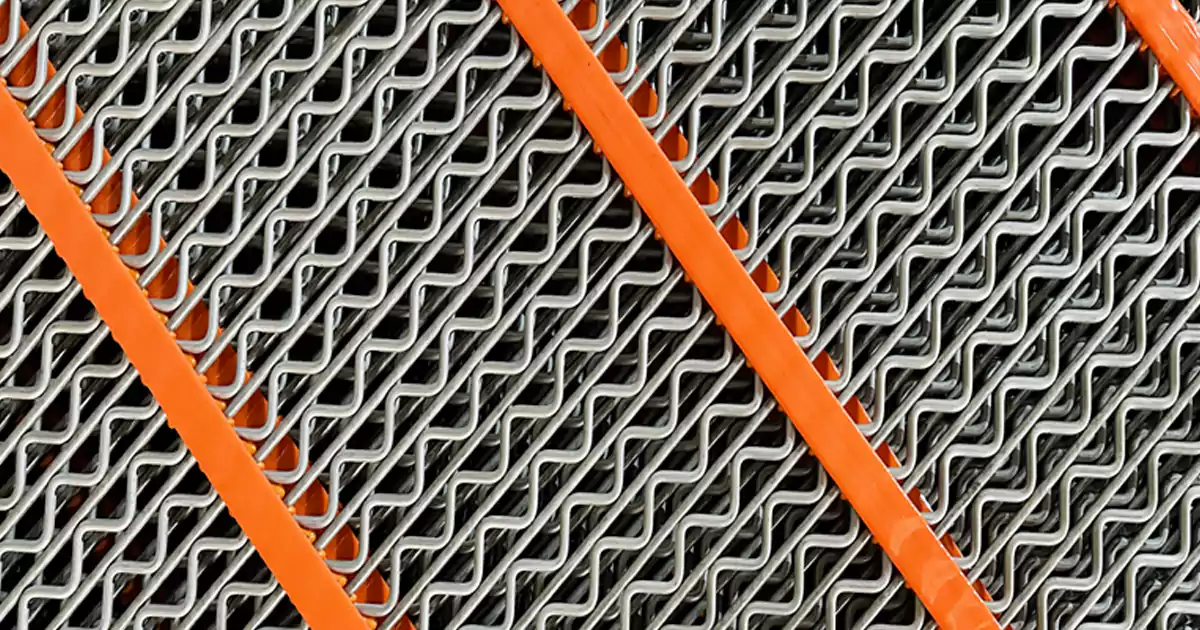
Self-cleaning screens help stop blinding. Blinding happens when material sticks to the screen. This lowers efficiency and means more cleaning. Self-cleaning screens use special wire patterns. These patterns move and shake off sticky particles. The screen stays open and works better. Self-cleaning screens last longer and separate material well. They are good for wet, sticky, or hard-to-screen materials. You can pick different patterns for your needs. If you want less downtime and reliable screening, self-cleaning screens are a great choice.
Here is what makes them special:
| Type of Screen | Advantages |
|---|---|
| Self-Cleaning Screens | Stop blinding, last longer, separate well with many patterns. |
Tip: If you have tough materials or blockages, try self-cleaning screens. They help your screening stay on track.
You can ask manufacturers for custom screen media. Companies like Haver & Boecker and Rockshield Rubber Company can help. They look at your plant and suggest the best screen. They help you install it the right way. This support helps you get the most from your screening equipment.
Media Comparison
Choosing the right screen media can make a big difference in your plant. You want your screen to work hard and last long. Each type of screen media has its own strengths and weaknesses. Let’s break down how woven wire, polyurethane, and self-cleaning screens stack up for screening.
You might wonder which screen works best for your job. Here’s a simple table to help you compare:
| Feature | Woven Wire Screens | Polyurethane Panels | Self-Cleaning Screens |
|---|---|---|---|
| Durability | Good | Excellent | Good |
| Cost | Low | Medium-High | Medium |
| Open Area | High | Medium | High |
| Blinding Resistance | Fair | Good | Excellent |
| Change-Out Speed | Fast | Medium | Fast |
| Noise Level | Medium | Low | Medium |
| Best For | Dry, fast jobs | Heavy, tough jobs | Sticky, wet jobs |
Woven wire screens give you fast screening and a high open area. You can swap them out quickly. They cost less, so you save money. If you need to screen dry material and want speed, these screens do the trick. Polyurethane panels last longer and handle tough screening jobs. They cut down on noise and resist wear. You might pay more, but you change them less often. If your screen faces heavy loads or sharp rocks, polyurethane is a smart pick.
Self-cleaning screens shine when you deal with sticky or wet material. They keep the screen open and stop blinding. You spend less time cleaning and more time screening. These screens work well if you want steady performance and less downtime.
Here are a few tips to help you choose:
- Think about your material. Is it wet, sticky, or dry?
- Check how often you want to change your screen.
- Look at your screening goals. Do you want speed, long life, or less cleaning?
- Ask your team what problems you see most—blinding, wear, or noise.
You can mix and match screen media on different decks. Some plants use woven wire on the top deck and polyurethane on the bottom. This setup gives you the best of both worlds. You get fast screening and long life where you need it.
Remember, the right screen media helps your screening stay smooth. You get better results, less downtime, and a safer plant. If you test different screens, you will find what works best for your screening needs.
Common Design Mistakes
You want your banana screen to work well every day. But sometimes, small mistakes can cause big problems. Let’s look at some common design mistakes you might see with screens and screening. If you know what to watch for, you can fix issues before they slow down your plant.
Here’s a quick table showing mistakes that happen often in screening:
| Common Design Mistakes | Description |
|---|---|
| Poor motor sizing and selection | Motors that are too weak or too strong hurt screen performance. |
| Inadequate structural support | Weak support can make the screen shake or move out of place. |
| Incorrect frequency and amplitude | Wrong settings lower screening efficiency and can damage the screen. |
| Insufficient dust and containment | Dust escapes and causes mess or health problems. |
| Inconsistencies in material flow | Uneven feed makes screening less effective and can overload the screen. |
Uneven Feed
You might notice that material piles up on one side of your screen. This happens when the feed is not spread evenly. Uneven feed causes some parts of the screen to do all the work, while other parts stay empty. You get poor screening and waste energy. Sometimes, you even see material spill over the edge.
To fix this, use a good feeder or a spreader bar. Make sure the material covers the whole width of the screen. Check the feed often. If you see piles or gaps, adjust your setup. When you keep the feed even, your screening stays smooth and your screens last longer.
Tip: Walk by your screen during operation. If you see uneven layers, stop and adjust the feeder right away.
Excessive Bed Depth
Bed depth means how thick the layer of material is on your screen. If the bed is too deep, fine particles cannot reach the screen surface. They get trapped and do not pass through. This lowers your screening efficiency and can block the screen. You might also see more wear and tear on your screens.
You can control bed depth by adjusting the feed rate. Use sensors or just look at the screen during operation. If you see a thick layer, slow down the feed. If the bed is too thin, you might not use the full power of your screen. Find the right balance for your material and your screening goals.
- Too much bed depth = poor screening and more blockages.
- Too little bed depth = wasted screen area and lower capacity.
Wrong Aperture
Aperture means the size of the holes in your screen media. If you pick the wrong aperture, you get poor screening results. Holes that are too small block up fast. Holes that are too big let the wrong size particles through. Both problems hurt your product quality and slow down your screening.
You should match the aperture to your target cut size. Test different sizes with your material. If you see blinding or pegging, try a different screen media. Always check the screen for wear. Worn screens change the aperture size and make screening less accurate.
Here’s a quick list to help you avoid aperture mistakes:
- Pick the right aperture for your material.
- Test and adjust as needed.
- Replace worn screens before they cause problems.
If you watch for these mistakes and fix them early, your screen and screening process will run better every day.
Blinding & Pegging
You might notice your screen stops working as well as it should. This often happens because of blinding and pegging. These two problems can make your screening process slow down or even stop. Let’s talk about what they are and how you can fix them.
Blinding happens when small particles stick to the screen surface. These particles fill up the holes and block new material from passing through. When blinding starts, your screening efficiency drops. You see less material going through the screen. You also get more oversized pieces in your final product. Pegging is a little different. It happens when larger particles get stuck in the screen openings. These pieces wedge themselves in and do not move. Both blinding and pegging can make your screens less effective.
You want your screening to stay smooth. If you ignore blinding and pegging, you will spend more time cleaning and less time screening. You might even have to stop your plant to fix the problem. That means lost time and money.
Here are some signs that blinding or pegging is happening on your screen:
- You see wet or sticky material building up on the screen surface.
- The screen openings look blocked or filled.
- Your screening output drops, and you get more waste.
- You hear strange noises from the screen area.
You can stop blinding and pegging before they get worse. Try these simple steps:
- Use self-cleaning screen media. These screens shake off sticky particles and keep the openings clear.
- Pick the right screen aperture for your material. If the holes are too small, blinding happens faster.
- Adjust your screening frequency and amplitude. Sometimes, a small change helps keep the screen clean.
- Spray water on the screen if you work with wet or sticky material. Water helps wash away fine particles.
- Check your screens often. Clean them before the problem gets big.
Tip: If you see blinding or pegging, stop and fix it right away. Waiting only makes the problem harder to solve.
You want your screening process to run all day without trouble. When you watch for blinding and pegging, you keep your screen working at its best. Your plant stays productive, and you get better results from your screens.
Best Practices Checklist
Parameter Matching
You want your screen to work at its best. Start by matching the right parameters to your screening job. Look at your material. Is it wet, sticky, or dry? Each type needs different settings. If you use the wrong settings, your screen will not separate material well. You might see more downtime and less product.
Check the amplitude, frequency, and speed of your screen. For most screening jobs, an amplitude of 4 mm and a frequency of 15 Hz work well. You can adjust these numbers if your material changes. Always test your screen with real material. Watch how the screening goes. Make small changes and see what works best.
Tip: Write down your screen settings and results. This helps you remember what works for each screening job.
Deck Angle Optimization
Deck angles play a big role in screening. You want to set the right slope for your screen. Start with a steep angle at the feed end. This helps fine particles move through the screen fast. Use a gentle angle at the discharge end. This gives bigger pieces more time for screening.
Try a 3–4 degree change between each deck section. This keeps the material moving in a thin layer. You get better screening and less build-up. If you see clumps or slow spots, adjust the deck angles. Small changes can make a big difference in your screen’s performance.
Here’s a quick table to help you:
| Deck Section | Suggested Angle |
|---|---|
| Feed End | Steep (up to 25°) |
| Middle | Medium (15°–20°) |
| Discharge End | Gentle (0°–10°) |
Test your deck angles often. Your screen will thank you with better screening results.
Media Selection
Picking the right screen media is key for good screening. You have choices like woven wire, polyurethane, and self-cleaning screens. Each one works best for different screening jobs. Woven wire screens give you fast screening and are easy to change. Polyurethane screens last longer and handle tough screening jobs. Self-cleaning screens stop blinding and keep your screening smooth.
Ask yourself these questions:
- Is your material wet or sticky?
- Do you need to change screens often?
- Do you want less noise during screening?
Note: You can mix screen media on different decks. Try woven wire on the top and polyurethane on the bottom for the best of both worlds.
Talk to your screen supplier. They can help you pick the best media for your screening needs. The right choice means less downtime and better screening every day.
Uniform Feed
You want your banana screen to give you the best results. Uniform feed is one of the most important things for good screening. If you feed your screen unevenly, you will see problems right away. Some parts of the screen will get too much material. Other parts will not get enough. This makes your screening less efficient and can even damage your screens.
When you feed your screen the right way, you help every part do its job. You get better separation and higher screening efficiency. You also make your screens last longer. You do not want to waste time fixing problems that you can avoid. Let’s look at why uniform feed matters and how you can get it right.
Here are some reasons why you need to focus on uniform feed:
- You get even material flow across the whole screen.
- You stop overloading one side of the screen.
- You keep screening capacity high.
- You reduce wear and tear on your screens.
- You avoid blockages and downtime.
You can use different tools to help with uniform feed. Vibratory feeders, belt feeders, and spreader bars all help you spread material evenly. You should check your feed system often. If you see piles or gaps, you need to adjust your setup. You want to see a smooth, even layer of material moving across the screen. This helps your screening process stay steady.
Tip: Walk by your screen during operation. Watch how the material moves. If you see thick spots or empty areas, stop and fix the feed right away.
Let’s compare what happens with good and bad feed:
| Feed Type | Screening Result | Screen Life | Downtime |
|---|---|---|---|
| Uniform Feed | High efficiency | Longer | Less |
| Uneven Feed | Low efficiency | Shorter | More |
You want to aim for the top row every time. Good feed means good screening. You will see more product and less waste. Your screens will thank you.
Here are some quick steps you can follow:
- Use a feeder that matches your screen size.
- Check the feed pattern at the start of each shift.
- Adjust the feeder or spreader if you see uneven flow.
- Train your team to spot feed problems early.
- Keep records of feed adjustments and screening results.
Uniform feed is not hard to get right, but you need to pay attention. If you keep your feed even, your screen will work better. Your screening will be smoother, and your plant will run with fewer stops. You will see the difference in your results and in the life of your screens.
Manufacturer Collaboration
You don’t have to handle every screen problem alone. Working with your screen manufacturer can make your screening process smoother and more reliable. When you team up with experts, you get advice that fits your plant and your material. You also get help when you need to solve tough screening challenges.
Why should you talk to your manufacturer? Here are some good reasons:
- You get custom screen solutions for your plant.
- You learn about new screen technology and upgrades.
- You can fix screening problems faster.
- You get training for your team on how to use and care for screens.
Manufacturers know a lot about screen design and screening. They test many types of screens in different plants. They see what works and what does not. If you share your screening goals and problems, they can suggest the best screen for your job. They might even visit your plant to see your screening process in action.
Tip: Don’t wait for a big problem. Call your manufacturer when you see small changes in your screening results. Early help can save you time and money.
Here’s a table showing how manufacturer support can help you:
| Manufacturer Support | How It Helps Your Plant |
|---|---|
| Screen selection advice | Picks the right screen for your needs |
| On-site visits | Finds screening issues quickly |
| Training sessions | Teaches your team about screens |
| Fast parts supply | Reduces downtime for your screening |
| Custom screen design | Solves special screening challenges |
You can ask your manufacturer about new screen media. Some screens last longer or clean themselves. Others make screening quieter or faster. If you want to try a new screen, your manufacturer can help you test it. They can also show you how to change screens safely and quickly.
You should keep good records of your screening results. Share these with your manufacturer. They can spot trends and suggest changes to your screen setup. This teamwork helps you get the best screening results and keeps your screens running longer.
If you work with your manufacturer, you don’t just buy a screen. You get a partner who cares about your screening success. You get better screens, less downtime, and more product. That’s a win for your whole plant.
Linear Vibrating Screens Comparison
Design Differences
You may wonder how banana screens and linear vibrating screens compare. Both screens help with sorting material, but they look and work differently. Banana screens have a deck with many slopes. Some decks have up to six slopes. This shape lets material move quickly and in a thin layer. The vibromotor sits on top and makes the screen move in a special way.
Linear vibrating screens use two motors. These motors make the screen move in a straight line. The deck is flat, so material moves in just one direction. The design is simple, so fixing and cleaning is easier. You can see the main differences in this table:
| Feature | Banana Screens | Linear Vibrating Screens |
|---|---|---|
| Motion | Segmented deck structure with varying acceleration | Straight-line motion from dual vibration motors |
| Capacity | High capacity, low bed depth, high velocity | Great for large particle sizes and high throughput |
| Design Complexity | Multiple slopes, varying angles | Simple structure, easy maintenance |
| Material Flow | High velocity for quick removal of fine material | Strong vibration for rapid material movement |
| Efficiency | Quicker stratification due to banana shape | High efficiency for coarse and medium-size particles |
| Limitations | Best for fine material discharge | Less effective for fine powders or sticky materials |
| Applications | Used in many processing requirements | Common in mining, metallurgy, coal, and construction materials |
Application Scenarios
You need to choose the right screen for your job. Banana screens are good for fine or sticky materials. They work fast and can handle a lot at once. Linear vibrating screens are best for big pieces and when you need to move a lot of material. You see these screens in places like mines and building sites.
Here are some times you might pick one screen over the other:
- Banana screens work with wet or dry stuff. They are good for sticky rocks and ores with lots of water.
- Linear vibrating screens are best for bigger pieces. They are easy to fix and used in many jobs.
- If you want to move more material, banana screens can help you do up to 50% more. They move things fast and keep screening smooth.
- Linear vibrating screens are great for moving big pieces quickly with strong shaking.
Tip: If you need to sort fine powders or want very exact sizes, banana screens work better. For simple jobs with big pieces, use linear vibrating screens.
Performance Insights
You want your screening to be fast and correct. Banana screens let small pieces stay longer on the deck. This helps you get better sorting and cleaner results. The shape and movement help stop the screen from getting blocked. You spend less time cleaning and more time working.
Linear vibrating screens are very good for big pieces. They move material fast and keep things running. The simple design means you can fix them quickly if they break. But they do not work as well with sticky or tiny pieces.
Look at this table for a quick view of the good points:
| Advantage | Description |
|---|---|
| Enhanced Throughput | Banana screens can handle up to 50% more with fast feed and quick movement. |
| Improved Separation Accuracy | Small pieces get more time to be sorted and sized right. |
| Versatility in Applications | Banana screens work with wet, dry, sticky, or wet materials easily. |
| Reduced Blinding and Plugging | Strong shaking keeps the screen clear, even with fine or sticky stuff. |
You can use both banana screens and linear vibrating screens in your plant. Use banana screens for fine or sticky material. Use linear vibrating screens for big pieces and easy jobs. This way, you get the best results for every kind of material.
Conclusion
You can make your plant work better with good banana screen design. Set your parameters right, control how you feed material, and choose the best screen media. Strong parts help your screen last longer and carry heavy loads. Follow best practices and try not to make common mistakes. You will see your plant run more efficiently and stop less often. If you focus on these basics, your banana screen design will give you real results every day.
As a screening media manufacturer, we produce woven wire screens, self-cleaning screens, and polyurethane screen panels that help plants maintain stable sizing, reduce downtime, and keep screening performance consistent.
FAQ
What is a banana screen?
A banana screen is a vibrating screen with a curved, multi-slope deck. You use it to separate materials by size. The shape helps move material quickly and improves screening efficiency.
How do I choose the right deck angle?
You start with a steep angle at the feed end. Then, you use a gentle angle at the discharge end. Try changing the angle by 3–4 degrees between sections for better results.
Why does my screen blind or peg?
Blinding happens when fine material blocks the holes. Pegging means larger pieces get stuck. You can fix this by using self-cleaning screens, adjusting vibration, or spraying water.
Which screen media should I pick?
You pick woven wire for fast, easy jobs. Polyurethane works best for tough, heavy material. Self-cleaning screens help with sticky or wet material. Ask your supplier for advice.
How often should I check my banana screen?
You should check your screen every shift. Look for wear, blockages, and uneven feed. Regular checks help you catch problems early and keep your screen running.
Can I use banana screens for wet material?
Yes, you can. Banana screens work well with wet or sticky material. The special shape and vibration help keep the screen clear and the process smooth.