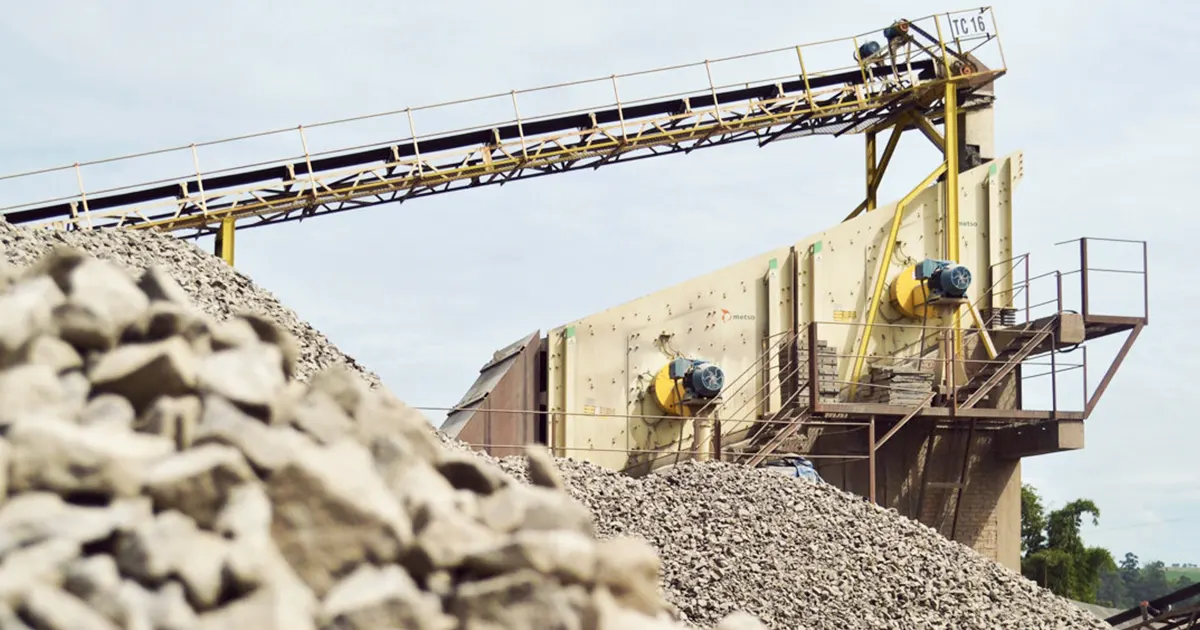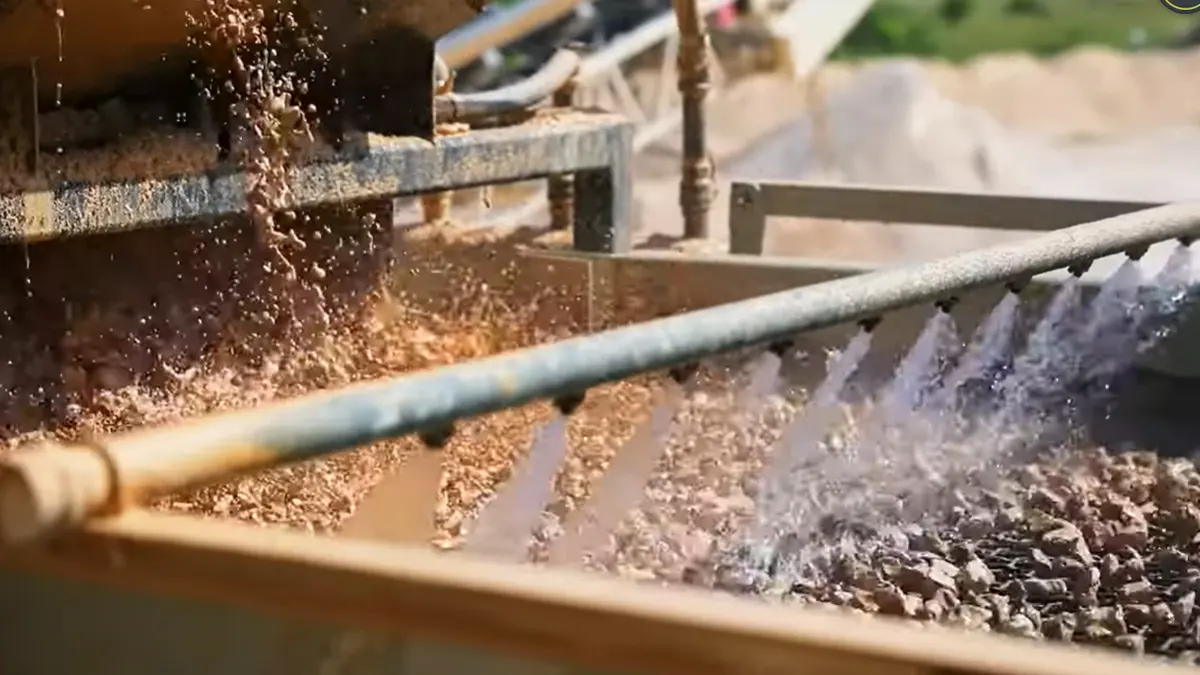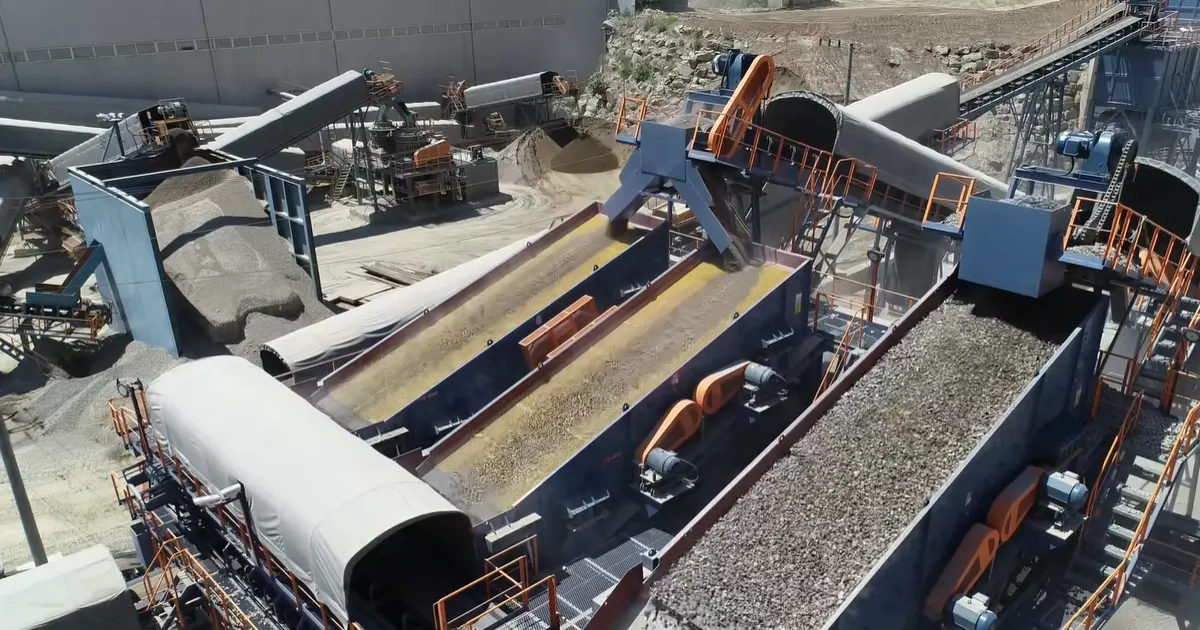
When you hear about the amplitude of vibrating screen, think of it as how far the screen moves up and down in one shake. This movement, called stroke or peak-to-peak, controls how well your screen sorts materials. If you set the amplitude too high or too low, you can run into problems like poor efficiency, more wear, or even machine downtime.
Key Takeaways
- Amplitude shows how much the vibrating screen moves up and down. The right amplitude helps materials move and separate well.
- Every vibrating screen needs its own amplitude setting. Always check what your equipment needs. Do not use the same setting for all screens.
- Measure amplitude when the screen is working with normal load. This gives the best results. It also helps find problems early.
- Use good tools like laser sensors or vibration analyzers. These tools help you measure amplitude exactly. Pick the tool that fits your budget and needs.
- Write down baseline amplitude readings often. This helps you see changes over time. It also helps you spot problems before they get worse.
- Change amplitude carefully based on the material type. Different materials need different settings for best results.
- Watch for signs of low or high amplitude. Look for material buildup or too much wear. Fix these problems quickly to keep the screen working well.
- Do regular maintenance checks to make sure all parts work right. This stops expensive repairs and makes your vibrating screen last longer.
Amplitude of Vibrating Screen Basics
What Is Amplitude?
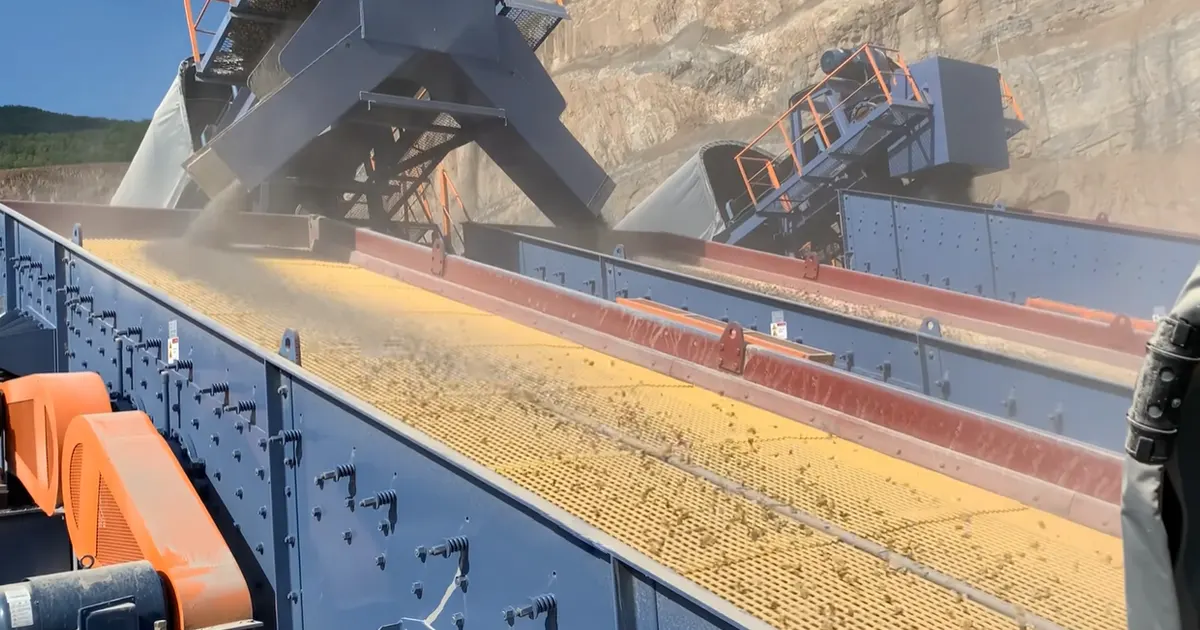
You may wonder what amplitude means for your vibrating screen. Amplitude is how far the screen moves up and down each time it vibrates. It is like the jump height of the screen. You measure amplitude from the lowest point to the highest point. This movement helps push material across the screen. It also separates particles by their size.
Some people think every screen uses the same amplitude value. That idea is wrong. Each machine needs its own setting. You must check what your equipment needs. Here are some common myths and facts:
| Myth | Truth |
|---|---|
| Using the same amplitude for all screens helps find faults. | Every machine works differently. Set alarm levels for your machine’s needs. |
| Checking vibration only once in a while finds all problems. | How often you measure depends on load, speed, and importance. Waiting too long can miss issues. |
Tip: Always measure amplitude of vibrating screen when it is working normally. This gives the best results.
Why Amplitude Matters
You may ask, “Why does amplitude matter?” The answer is easy. Amplitude of vibrating screen affects how well your screen works. If amplitude is too low, material can pile up and block the screen. If amplitude is too high, the screen can get damaged or wear out faster.
Let’s look at how changing amplitude affects your screening:
| Description | Impact on Screening Efficiency and Product Quality |
|---|---|
| Adjusting amplitude | Stops material buildup and makes products better |
| Changing amplitude for feed rate and chute angle | Helps control how well the screen works and keeps impurities low |
| Reliable amplitude adjustment | Makes sure your screen works as it should |
When you change amplitude, you can make your screen work better. You get cleaner products and avoid expensive repairs.
Amplitude vs Frequency vs Throw
You may hear other words like frequency and throw. These work with amplitude to move material and separate particles. Here is how they compare:
| Parameter | Effect on Material Separation |
|---|---|
| Amplitude | Higher amplitude gives more force. It helps big particles move and separate. Too much can cause blockages or damage. |
| Frequency | Changes how fast the screen vibrates. Different frequencies work best for different particle sizes. |
| Throw | Shows how far material moves on the screen. It affects how particles spread and go through the mesh. |
Remember: The right mix of amplitude, frequency, and throw gives the best results. Each material and screen type needs its own setting.
If you know these basics, you can set up your vibrating screen for great performance and longer life.
Measuring Amplitude
Where to Measure
Side Plate and Bearing Points
To get the best reading for amplitude of vibrating screen, measure at the side plate and bearing points. These spots show how much the screen moves while it works. The side plate is easy to reach and lets you see the screen’s motion clearly. The bearing points help you find uneven movement or mechanical problems.
Tip: Always measure at the same spots each time. This helps you compare results and notice changes early.
Feed vs Discharge End
Check amplitude at both the feed end and the discharge end. The feed end is where material comes in. The discharge end is where material goes out. Sometimes, amplitude changes from one end to the other. If you see a big difference, the screen might not be balanced or needs fixing.
- Feed end: Shows how well material starts moving.
- Discharge end: Tells you if material finishes moving as expected.
Measurement Tools
Laser Displacement Sensor
Laser displacement sensors are fast and accurate for measuring amplitude of vibrating screen. You put the sensor on a steady bracket. Point it in the same direction as the screen’s vibration. Turn on the screen and let the sensor record the movement. You get a digital readout showing the exact amplitude.
Step-by-step:
- Put the sensor on a steady bracket.
- Point it with the vibration direction.
- Start the screen.
- Record the amplitude from the sensor’s output.
Measuring Triangle Method
The measuring triangle method is simple and hands-on. Attach a ruler to the side of the screen box. Pick a spot on the screen’s vertical plane. Start the screen and watch the pointer swing across the ruler. Measure the distance from the lowest to the highest point. This gives you the amplitude.
Step-by-step:
- Attach a ruler to the screen box.
- Pick a reference spot.
- Start the screen.
- Watch the pointer swing.
- Measure the peak-to-peak amplitude.
Vibration Analyzer Kits
Vibration analyzer kits help you check amplitude and other vibration details. These kits have sensors and software. Put the sensor at important spots, like the side plate or bearing. The kit records data and shows graphs of the screen’s motion. You can find problems like uneven movement or changes over time.
| Advantages | Limitations |
|---|---|
| Cost-effective | Complex event tracking |
| Great data visualization | Limited access to user profiles |
| Detailed data analysis | Limits in join functions |
| Easy to spot conversion issues | Slow page load speed |
| Works with other platforms | Problems with UTM tagging |
Note: Each tool has good and bad points. Pick the one that fits your needs and budget.
Field Checks
Visual Cues
Sometimes, you can see problems with amplitude of vibrating screen just by looking. Watch the screen while it runs. Check if the motion is circular, elliptical, or straight. If the movement looks strange or uneven, you may need to fix the screen or check for worn parts.
- Circular motion: Good for most materials.
- Elliptical or straight motion: May mean a problem or special setup.
Comparing Sides
Compare amplitude readings from both sides of the screen. If one side moves more, the screen may be out of balance. This can cause extra wear or poor screening. Use tools like the ScreenCheck® device for exact measurement. Adjust the movable counterweight if needed to fix the difference.
Tip: Always measure under normal load. Record baseline readings so you can spot changes later.
Best Practices
Measure Under Load
You should always check the amplitude of vibrating screen while it is working with material on it. This way, you get the most correct results. If the screen is empty, the movement can look different. The load changes how the screen shakes. Measuring under load shows the real motion and helps you find problems early.
Here are some tips for measuring under load:
- Check the screen at different spots, like side plates and bearings.
- Use tools that show vibration in many directions. Try to get data in horizontal, vertical, and axial planes.
- Write down the running speed and watch for changes in vibration.
- If you can, use a vibration analyzer with Fast Fourier Transform (FFT). This tool breaks the vibration into parts and shows which ones are important.
- Watch for changes in frequency or amplitude when the load changes.
Tip: Checking at many spots helps you find hidden problems. You might see uneven shaking or extra vibration at one end.
Baseline Readings
You need baseline readings to keep track of your screen’s health over time. Baseline readings are your first measurements. They show how your screen works when everything is normal. If you check these numbers later, you can see changes and fix problems before they get worse.
Follow these steps to set your baseline:
- Measure amplitude at all key spots, like bearings, side plates, and both ends.
- Write down the vibration levels and the direction of movement.
- Take temperature readings if you can. Sometimes heat shows hidden problems.
- Write down the running speed and phase. This helps you know if changes come from the motor or the screen.
- Save your data in a logbook or computer file. Make sure you can find it later.
Good records make fixing problems easier. You can compare new numbers to your baseline and see if something changed.
| What to Record | Why It Matters | How Often |
|---|---|---|
| Amplitude at each spot | Shows screen health | Every shift or after maintenance |
| Vibration direction | Finds balance problems | Weekly |
| Temperature | Spots bearing issues | Monthly |
| Running speed | Checks motor health | Every inspection |
If you follow these best practices, your screen will last longer and you will avoid expensive stops. You get better results and safer work.
Interpreting Amplitude Readings
Low Amplitude Symptoms
You might notice problems if your screen runs with low amplitude. Material can pile up and move slowly. Sometimes, fine particles stay on top instead of passing through. This means your screen does not separate material well. You may see wet or sticky material clogging the mesh. If you use high-frequency vibrating screens, you usually see amplitude between 1.2 and 2.0 mm. These screens run fast, from 1500 to 9000 RPM, but need low amplitude to work best.
Here are some signs of low amplitude:
- Material builds up on the deck.
- Throughput drops, and you get less finished product.
- Wet or sticky material blocks the screen.
- Fine particles do not pass through as they should.
If you see these symptoms, check your settings. You may need to adjust the amplitude or look for worn parts.
High Amplitude Risks
Running your screen with high amplitude can cause other problems. You might think more movement means better results, but that is not always true. High amplitude can shake the screen too much and cause damage. It can also waste energy and make your screen less efficient.
Here is a table showing the main risks:
| Operational Risk | Description |
|---|---|
| Excessive Energy Consumption | High amplitude makes the motor work harder, using up to 30% more power and raising costs. |
| Bolted Joint Failure | Strong impacts can loosen bolts, causing cracks or gaps in the frame. |
| Decreased Screening Efficiency | Too much shaking makes particles jump and block the mesh, so less material passes through. |
You may also see these issues:
- Shorter contact time for material on the screen.
- Particles bounce like pinballs and block the edges.
- Fine particles mix back into the top layer and do not separate well.
If you notice these problems, lower the amplitude and check for loose bolts or worn parts.
Uneven Amplitude Issues
Sometimes, the screen does not move the same on both sides. This uneven amplitude can cause extra wear and poor screening. You might hear strange noises or see the screen shake in a weird way. Several things can cause this, like loose V-belts, weak springs, or out-of-sync counterweights.
Here is a table to help you spot the cause:
| Cause of Uneven Amplitude | How to Check |
|---|---|
| Loose V-belts, weak springs, drive sync | Plot the screen’s vertical and horizontal motion to see the orbit. |
| Counterweights out of sync | Watch the diagonal line for linear motion screens. |
| Uneven loading, broken springs | Look for uneven movement or measure side-to-side motion. |
| Phase angle drift | Measure the phase difference between exciters. |
| Resonance during startup/shutdown | Watch how long the screen stays in the resonance zone. |
If you find uneven amplitude, fix the cause right away. This keeps your screen running smoothly and helps you avoid bigger problems.
Tip: Always check the amplitude of vibrating screen at different points and compare both sides. This helps you catch issues early.
Amplitude Measurement Checklist
You want your vibrating screen to work well and last longer. A checklist helps you measure and understand amplitude of vibrating screen each time. If you follow these steps, you can find problems early and keep your equipment working well.
Here is a simple checklist you can use:
| Location to Check | What to Record | Pass/Fail Cues | Notes/Tips |
|---|---|---|---|
| Side plate (feed end) | Amplitude, direction | Matches baseline, smooth motion | Use same spot each time |
| Side plate (discharge end) | Amplitude, direction | No big difference from feed end | Compare both ends for balance |
| Bearing points | Amplitude, temperature | No hot spots, even movement | High temp can mean bearing trouble |
| Both sides of screen | Amplitude, phase | Left/right nearly equal | Uneven = check springs, counterweights |
| Under normal load | Amplitude, speed | Matches baseline, no spikes | Always measure with material on screen |
| After adjustments | Amplitude, direction | Stable readings, no drift | Re-measure after any change |
Tip: Write your results in a logbook or computer. This helps you see patterns and fix small issues before they get worse.
You should know your machine and what normal looks like. If you see a sudden change, it could mean a problem. Try to measure at the same spots and in the same direction each time. This makes your results easy to compare.
Don’t forget to use the right tools and settings. A laser sensor, measuring triangle, or vibration analyzer all work well if you use them right. Take several readings and average them for the best results. If you see something strange, like a big difference from one side to the other, check for loose bolts, worn springs, or out-of-sync counterweights.
Good reporting is important, too. Write clear notes about what you see and do. If you find a problem, look for the cause and test your fix. This way, you know your screen is safe and ready to use.
Remember: Careful checks and good records help your screen stay strong and avoid costly downtime.
Setting and Adjusting Amplitude
Adjustment Methods
You have a few ways to change how much your vibrating screen moves. Each method works a little differently. Let’s look at the main ones.
Eccentric Weights
Eccentric weights are metal blocks attached to the shaft or motor. You can move these weights closer to or farther from the center. When you move them out, the screen shakes more. When you move them in, the screen shakes less.
- Turn off the machine before you start.
- Find the weights on the motor or shaft.
- Loosen the bolts holding the weights.
- Slide the weights out to increase amplitude. Slide them in to decrease it.
- Tighten the bolts again.
You should always adjust both sides the same way. If you don’t, the screen can shake unevenly and wear out faster.
Tip: Heavy materials need less amplitude. Sticky or hard-to-move materials need more.
Counterweight Position
Some screens use counterweights. These are extra weights that balance the screen and help control movement. You can change where these weights sit.
- Check the manual for your screen.
- Move the counterweights to a new spot to change the force.
- Make small changes and test the screen each time.
If you set the counterweights wrong, the screen can shake too much or not enough. Always check both sides and keep them even.
Motor Speed
Motor speed also affects how much the screen moves. If you speed up the motor, the screen vibrates faster. Sometimes, this makes the amplitude go up. Other times, it makes it go down, depending on the setup.
- Check the motor’s speed setting.
- Use the control panel to adjust the speed.
- Watch the screen and measure the amplitude after each change.
Don’t change the speed too much at once. Go slow and check your results.
Note: Always make sure the motor works well before you adjust anything else.
Pre-Adjustment Checks
Before you change anything, you need to check a few things. This keeps you safe and helps your screen last longer.
Feed, Deck, Springs, Hardware
- Look at the feed. Make sure material flows evenly onto the screen.
- Check the deck for damage or buildup. Clean off any stuck material.
- Inspect the springs. They should not be broken or weak.
- Tighten all bolts and hardware. Loose parts can cause problems.
If you find a problem, fix it before you adjust the amplitude. This makes your changes work better.
Alert: Never adjust the screen if you see broken springs or loose bolts. Fix these first.
Safe Adjustment Steps
You want your screen to run smooth and last a long time. Follow these steps to stay safe and get good results.
Balance Both Sides
Always adjust both sides of the screen the same way. If one side moves more than the other, you get uneven wear and poor screening.
- Measure amplitude on both sides.
- Make small, equal changes to weights or counterweights.
- Check your work by measuring again.
If you see a big difference, stop and check for problems like broken springs or loose bolts.
Document and Re-Measure
Write down what you change each time. This helps you remember what works and what doesn’t.
- Record the date, what you changed, and the new amplitude.
- Take new measurements after each adjustment.
- Compare your results to your baseline readings.
If you see something strange, go back and check your steps.
Tip: Good notes help you fix problems faster next time.
You can use these methods to set the amplitude of vibrating screen for your material and setup. Regular checks and careful adjustments keep your screen working well and help you avoid costly repairs.
Troubleshooting Matrix
Sometimes, your vibrating screen may not work right. You need a plan to find and fix problems. A troubleshooting matrix can help you do this. It matches symptoms with causes and solutions. This tool helps you keep your screen working well. It also helps you avoid long downtime.
Here is an easy troubleshooting matrix you can use:
| Symptom | Possible Cause | What You Should Do |
|---|---|---|
| Screen won’t start or vibrate | Electrical problem, damaged motor | Check for electrical obstacles. Inspect the motor. |
| Amplitude too low | Loose or missing bolts, thick grease, low voltage | Tighten bolts. Clean and repair exciter. Check voltage. |
| Amplitude too high | Wrong counterweight position, excess material | Adjust eccentric weights. Remove extra material. |
| Uneven movement side-to-side | Broken springs, out-of-sync counterweights | Replace springs. Sync counterweights. |
| Strange noises or vibration pattern | Detached coupling bolt, damaged exciter | Check and tighten coupling bolts. Repair exciter. |
| Amplitude changes during operation | Voltage drops, worn parts, thickened grease | Ensure voltage is steady. Replace worn parts. Clean exciter. |
You can use this checklist when you fix problems:
- Look for electrical obstacles.
- Check the vibration motor for damage.
- Make sure all parts are in place and voltage is good.
- Check the sieve surface. Remove extra material if needed.
- See if the coupling bolt on the exciter is loose or missing.
- Clean and fix the exciter if grease is thick or clumped.
- Adjust the eccentric shaft weighting block or sub eccentric block.
Tip: Always measure the amplitude of vibrating screen after you make changes. This shows if your fix worked.
If you follow these steps, you can fix most problems fast. Keep your tools ready and check your screen often. You will find small issues before they get worse.
Material and Media Factors
Aggregate Properties
You might wonder why your screen works better with some materials than others. The answer often comes down to the properties of your aggregate. Let’s break it down:
- Grain size changes how your screen separates material. Big grains need different settings than small grains. If you use the wrong amplitude, you might get more impurities in your product.
- Shape of grains matters too. Odd-shaped or flaky grains can block the mesh or pass through at the wrong time. You may need to adjust your settings for these shapes to get the best results.
- Moisture content can make things tricky. Wet material tends to stick together and clog the screen. You might need to tweak your setup to keep things moving.
You should always check the size, shape, and moisture of your material before you set up your screen. This helps you find the right amplitude and get cleaner products.
Tip: Try different settings when you switch to a new material. Small changes can make a big difference.
When Not to Increase Amplitude
You might think that more movement means better screening. That’s not always true. Sometimes, increasing the amplitude of vibrating screen can cause more harm than good.
- If you see a lot of wear on your screen panels, higher amplitude will make it worse.
- When you screen fragile or lightweight material, too much movement can break or toss it off the deck.
- If your screen already separates material well, more amplitude can actually reduce efficiency by bouncing particles over the mesh.
Stick with your baseline settings unless you see a real problem. If you notice more noise, vibration, or damage, it’s time to check your setup instead of just turning things up.
Screening Media Types
You have a few choices when it comes to screening media. Each type works best in different situations.
Woven Wire Screens
Woven wire screens give you the most open area. That means more material passes through, so you get high throughput. The downside? They wear out faster and need more frequent change-outs. You’ll need more hands and tools for maintenance, and you might lose a whole day of production during a swap.
Self-Cleaning Mesh
Self-cleaning mesh helps when you deal with sticky or wet material. These screens use flexible wires or panels that move and shake off buildup. You spend less time cleaning and get more consistent results. They can cost more up front, but you save time and hassle in the long run.
Polyurethane Panels
Polyurethane panels last longer than wire screens. They handle heavy, abrasive material well. You can change them out quickly—sometimes in less than 30 minutes, even by yourself. The trade-off is less open area, so you might see a small drop in throughput.
Tensioning Tips
No matter which media you choose, proper tensioning is key. Loose panels can vibrate too much, wear out fast, or let material slip through. Always check tension after installation and during routine checks.
Here’s a quick look at how different media compare:
| Screening Media Type | Performance Impact | Maintenance Requirements | Downtime Impact |
|---|---|---|---|
| Metallic Wire | Maximum open area, shorter wear life | Needs more people and equipment | Up to 24 hours for changeout |
| Modular Rubber | Longer wear life, easy change-out | One person, under 30 minutes | Less downtime than wire mesh |
Note: When you pick your media, think about how long it will last and how much material you need to process. There’s always a trade-off between open area and wear life.
You can boost your screening efficiency by matching your media and amplitude settings to your material. Try new combinations and keep good records to see what works best.
Maintenance Best Practices
Routine Vibration Checks
You want your vibrating screen to run smoothly every day. Routine vibration checks help you spot problems before they get big. Most manufacturers suggest a regular schedule for these checks. You can use the table below to keep track of what to do and when:
| Interval | Maintenance Task |
|---|---|
| Daily | Inspect cleanliness, greasing, loose parts, and oscillating behavior. |
| Weekly | Check structural components and screen media installation. |
| Monthly | Examine motor mount, belt tension, and worn components. |
| Annually | Conduct a thorough examination of rubber mounts or springs. |
If you follow this schedule, you can catch loose bolts, dirty parts, or strange vibrations early. You don’t have to guess when to check—just follow the plan. Write down what you find in a logbook. This helps you see patterns and fix small issues before they turn into big repairs.
Tip: Make vibration checks part of your daily routine. It only takes a few minutes, but it can save you hours of downtime.
Hardware and Spring Monitoring
You need to keep an eye on the hardware and springs. These parts hold everything together and keep your screen balanced. If something goes wrong here, you might see uneven amplitude or hear odd noises.
Here’s a quick table of common issues and what to look for:
| Issue Type | Description |
|---|---|
| Springs, isolators, and rubber elements | Tears, compression set, misalignment, metal-to-metal contact. |
| Fasteners and mounts | Verify tightness at motor mounts, spring packs, isolators, and base frame. |
Check for tears or cracks in the springs and rubber parts. Look for any metal parts touching each other. This can mean a spring is worn out or out of place. Always make sure bolts and mounts are tight. Loose hardware can cause the screen to shake too much or not enough.
If you find a problem, fix it right away. Don’t wait for it to get worse.
Change-Out Planning
You can avoid long stops and lost production with smart change-out planning. Don’t wait for something to break. Plan ahead and stay ready.
Here are some strategies that work well:
- Proactive maintenance helps you avoid sudden breakdowns and keeps your screen running.
- Check your inventory often. Make sure you have spare parts like springs, panels, and fasteners.
- Use smart monitoring systems. These tools watch vibration and temperature, so you know when something starts to go wrong.
- Combine preventive and predictive maintenance. This means you check parts on a schedule and also use data to spot problems early.
- Work with your team. Good communication helps everyone know when to plan a change-out.
- Test spring stiffness regularly and replace weak springs.
- Do a full inspection every few months. This helps you catch hidden problems.
- Update your list of wearing parts. This stops small issues from causing bigger damage.
Keeping a good plan means less downtime and more production. You stay ahead of problems and keep your screen in top shape.
Conclusion
You are important for how well your vibrating screen works. If you measure and set amplitude the right way, your machine will work better and last longer.
- Amplitude decides how much the screen moves up and down.
- Frequency and amplitude together change how much material goes through and how fast parts wear out.
- Changing the vibrator force helps keep the screen balanced.
If you need help dialing in amplitude or selecting the right media, contact us. As a screening media manufacturer, we produce woven wire screens, self-cleaning screen mesh, and polyurethane screen panels with custom apertures, wire diameters, and panel formats. Share your material type, moisture level, target cut sizes, and screen model, and we’ll recommend a practical setup and provide a quote.
FAQ
How often should you measure amplitude on your vibrating screen?
You need to check amplitude every shift or after fixing anything. Regular checks help you find problems early. This keeps your screen working well.
What tools work best for measuring amplitude?
You can use a laser sensor, measuring triangle, or vibration analyzer kit. All these tools give you good readings. Choose the one that fits your money and needs.
Why does amplitude change during operation?
Amplitude changes because parts wear out, bolts get loose, or material load changes. If you see sudden changes, look for damage or balance problems.
Can you run your screen with high amplitude for better results?
No, high amplitude can break your screen, waste energy, and make screening worse. Use your normal settings unless you see a real problem.
What signs show uneven amplitude?
Listen for weird noises or watch for uneven movement. Check if both sides move the same. Uneven amplitude usually means broken springs or counterweights not in sync.
How do you set amplitude for different materials?
Change amplitude for grain size, shape, and moisture. Try small changes and measure what happens. Each material needs its own setting to work best.
What happens if you ignore amplitude checks?
If you skip checks, your screen might stop, make bad products, or need costly repairs. Checking amplitude often keeps your screen safe and healthy.