You can make your plant quieter fast with the right vibrating screen noise reduction methods. Use rubber isolators, brush mats, or tighten loose parts for quick results. Lowering noise makes your workspace more comfortable. It also keeps your team safe from health problems like:
- Noise-induced hearing loss
- Sleep disruption
- Heart problems
- Anxiety and depression
- Trouble communicating
Check your setup today. Small changes can help a lot.
Key Takeaways
- Use rubber isolators. They soak up vibrations and cut noise at the start.
- Tighten loose parts often. This stops rattling and banging sounds.
- Change old screen meshes. This keeps things working well and lowers noise.
- Try rubber tension mats. They soak up loud impact noise from materials.
- Adjust your feed rate. This stops loud banging from too much material.
- Check your equipment often. This helps find problems before they get noisy.
- Use constrained layer damping (CLD). It cuts noise well without big changes.
- Teach your team to spot noise issues and care for equipment the right way.
Main Noise Sources
Mechanical Vibration
Your vibrating screen can be noisy even if it works fine. Most noise comes from how the machine moves. The screen body and vibration parts shake at different speeds. This shaking makes sound waves you hear as noise. Noise under 1 kHz comes from the screen body. Noise over 1 kHz comes from the mechanism housings. Sometimes, the sound can reach about 100.5 dB. That is as loud as a busy street. If you stand near the screen for a long time, you may feel tired or stressed.
Here are the main sources of noise in vibrating screens:
- The screen shakes and vibrates
- Material moves across the screen
- Suspension springs move up and down
- The screen body and mechanism housings
Mechanical vibration is a big reason for vibrating screen noise. To make your plant quieter, you need to control these vibrations.
Loose or Worn Parts
Loose or worn parts can make your vibrating screen much louder. When bolts, bearings, or mesh panels get loose, they rattle and bang. Worn parts do not fit tightly, so they move more than they should. This extra movement creates more noise and can even damage your machine.
You should check your screen often. Use this table to help you remember what to look for and how often:
| Maintenance Activity | Frequency | Purpose/Outcome |
|---|---|---|
| Monitor for excessive vibration | Ongoing | Shows imbalance, worn bearings, or loose parts |
| Visual Inspection | Daily or per shift | Find broken parts and stop downtime |
| Vibration Check | Weekly or after adjustment | Find worn parts and imbalance |
| Replace worn screen meshes | As needed | Keep separation accurate and lower contamination risk |
| Inspect support components | Regularly | Check for cracks or fatigue |
| Replace faulty motors/bearings | Per manufacturer guidelines | Keep equipment working well and stop noise increase |
If you keep up with these checks, you can stop problems before they get loud.
Material Impact
Material impact happens when rocks, gravel, or other items hit the screen surface. Hard materials like heavy metal castings make the most noise. When these materials strike the screen, you hear a sharp, loud sound. Softer materials, like rubber or plastic, make less noise when they hit.
You can lower noise from material impact by:
- Using softer materials at the point of impact
- Replacing metal parts with quieter plastic parts
- Lining impact areas with rubber or other cushioning materials
Some plants also use sound dampening materials, sound curtains, or sound enclosures. These solutions help trap and absorb the noise before it spreads.
If you pay attention to these main sources, you can make your plant much quieter and safer.
Structural Resonance
Structural resonance can make your vibrating screen much louder. When the screen vibrates at certain frequencies, the whole structure starts to shake more. This shaking happens because the screen hits a “resonant frequency.” At this point, the noise gets amplified. You might notice the screen sounds louder or even feels like it is humming.
You can spot structural resonance if you hear a sudden increase in noise or see parts vibrating more than usual. Sometimes, the screen shakes so much that bolts loosen or cracks form. Resonance does not just make things noisy. It can also damage your equipment.
Let’s break down how you can measure or identify resonance:
- Modal analysis helps you find the mode shapes and frequencies of your screen. You use sensors to measure how the screen moves at different frequencies. This test shows you which frequencies cause the most vibration.
- Finite Element Models (FEM) let you predict how your screen will respond before you build it. You create a digital model and run simulations. These models show you where resonance might happen.
- Analytical models help you guess how the screen will vibrate. You use math to predict the response. This step helps you plan for resonance before you install the screen.
You can also use other methods to check for resonance:
- Impact testing lets you hit the screen and measure how it reacts. You use a hammer or special tool. The screen’s response tells you if resonance is a problem.
- Operational deflection shape analysis shows you how the screen moves when it is running. You watch the screen and record its motion. This test helps you see if certain parts vibrate too much.
- Data from these tests help you build better models. You can use Finite Element Analysis (FEA) and modal models to understand resonance.
- If you find resonance, you can adjust the stiffness or mass of your screen. Changing these features shifts the critical modes away from the operating range. This step reduces noise and keeps your screen safe.
Tip: If you notice your screen gets louder at certain speeds, you might have a resonance problem. Try running tests or ask an expert to help you check.
Structural resonance is tricky, but you can manage it. Use tests and models to find the problem. Make changes to your screen’s design or setup. You will lower noise and protect your equipment.
Vibrating Screen Noise Reduction Methods
Constrained Layer Damping (CLD)
You can make your vibrating screen much quieter by using constrained layer damping, or CLD. This method involves adding a special sandwich of materials to the screen body. Usually, you place a soft, flexible layer between two stiff layers. When the screen vibrates, the soft layer absorbs the energy and turns it into heat. This stops the vibration from turning into loud noise.
CLD works well for both new screens and older ones. You do not need to change your whole setup. You just add the damping layers to the parts that shake the most. Many plants have switched from traditional fixes, like building a big acoustic enclosure, to CLD. Why? Because CLD is faster, cheaper, and works better for low-frequency noise. Some advanced CLD solutions have cut noise by up to 99.999%—that’s a drop of 50 decibels! You get a quieter plant without stopping your production.
Tip: If you want a quick and powerful vibrating screen noise reduction method, try CLD first. It gives you big results with little effort.
Rubber Isolators & Mounts
Rubber isolators and mounts help you control vibration at its source. These parts sit between the vibrating screen and its support frame. The rubber acts like a cushion. It soaks up the shaking before it can travel to the rest of your plant. This means less noise and less wear on your equipment.
You can find rubber isolators in many shapes and sizes. Some look like pads, while others are shaped like springs or bushings. You pick the type that fits your screen best. When you use rubber mounts, you stop the vibration from spreading. This makes your workspace quieter and helps your screen last longer.
If you have not tried rubber isolators yet, you might be surprised by how much they help. They are easy to install and do not cost much. You can add them during a quick maintenance break.
Rubber Tension Mats
Rubber tension mats are another smart way to lower noise. These mats replace the metal mesh on your vibrating screen. The rubber absorbs both vibration and the impact from falling material. This makes a big difference in how loud your screen sounds.
Here’s what you get with rubber tension mats:
- They soak up vibration and impact noise.
- You can see noise levels drop by up to 9 decibels.
- That’s about a 50% drop in how loud the screen feels to your ears.
Many operators notice the plant feels calmer right away. You also get less wear on your screen, which means fewer repairs. If you want a simple vibrating screen noise reduction upgrade, rubber tension mats are a great choice.
Note: You do not need to change your whole screen to use rubber tension mats. Just swap out the old mesh for rubber mats during your next maintenance.
Brush Mats
Brush mats are a smart way to make your vibrating screen quieter. These mats use soft bristles instead of hard metal or plastic. When rocks or gravel hit the screen, the bristles bend. This helps absorb the force and stops loud noises.
You can put brush mats on top of your screen panels or in places where things hit hard. They help in two main ways:
- They make the impact softer when material lands on the screen.
- They keep things moving, so you get less clogging and smoother screening.
Many people like brush mats because they are simple to install and last a long time. You do not need special tools. Just change them during your normal maintenance. If you want less noise and fewer problems, brush mats are a good choice.
Tip: If you hear loud banging or clattering, try using brush mats in those spots. You will notice the difference right away.
Vibration Damping Materials
Vibration damping materials help your vibrating screen stay quieter. These materials soak up vibration energy and turn it into heat. This means less noise and less shaking.
You have many choices for damping materials. Each kind has its own benefits. Here is a table to help you compare:
| Material Type | Key Properties | Performance Metrics |
|---|---|---|
| Stainless Steel | Resists rust, strong | STC ratings, Vibration Damping Loss Factor (η) |
| Carbon Steel | Cheap, strong | STC ratings, Vibration Damping Loss Factor (η) |
| Aluminum | Light, good at damping | STC ratings, Vibration Damping Loss Factor (η) |
| Polyurethane | Flexible, great at absorbing noise | STC ratings, Vibration Damping Loss Factor (η) |
| Advanced Alloys | Excellent damping | STC ratings, Vibration Damping Loss Factor (η) |
| Engineered Polymers | High performance, light | STC ratings, Vibration Damping Loss Factor (η) |
Polyurethane and engineered polymers are best for absorbing noise. They work well in places with lots of vibration. Stainless steel and carbon steel are strong and last long, but do not absorb as much noise. You can use different materials together to get the best results.
Note: Try using polyurethane liners or panels in the loudest spots. You will hear a big drop in sound.
Motor Balancing & Quality
Your screen’s motor can make a lot of noise. If the motor is not balanced, it shakes the whole machine. This makes everything louder and can even break your equipment. The quality of the motor matters too. Cheap or old motors make more electromagnetic noise.
Here is what you can do to keep motor noise low:
- Install the motor the right way. Make sure it sits flat and tight.
- Put vibration isolation pads under the motor.
- Check and balance the motor often.
- Choose high-quality motors with good parts.
- Do regular maintenance.
If you follow these steps, you will lower noise and help your screen last longer. Taking care of the motor is important for any vibrating screen noise reduction plan.
Alert: Never ignore a noisy motor. Fixing balance and quality problems early saves money and keeps your plant safe.
Tightening Components
Loose parts make your vibrating screen much louder. When bolts, fasteners, or clamps shake, you hear rattling and banging. You can fix this problem fast by tightening every component. This simple step keeps your machine stable and cuts down noise.
You might wonder how often you should check and tighten parts. Let’s look at a quick maintenance schedule:
| Maintenance Task | Frequency |
|---|---|
| Comprehensive disassembly and inspection of screen surface, mesh, vibrator, drive shaft, coupling, and foundation fasteners | Quarterly/Semi-Annually |
If you stick to this schedule, you keep your screen running smoothly. You also prevent sudden breakdowns.
Here’s a step-by-step plan you can follow:
- Lubricate the motor and all rotating parts. This lowers friction and stops squeaks.
- Inspect bolts and fasteners. Look for anything loose or worn.
- Tighten every loose component. Use the right tools and check twice.
- Check spring stiffness. Replace springs in batches if they feel weak.
- Pay extra attention to motor mounts and screen deck clamps. These spots get loose often.
You do not need special skills to tighten components. You just need patience and a good checklist. If you keep up with these tasks, your screen will sound quieter and last longer.
Tip: Make tightening a habit. If you hear new noises, grab your wrench and check the bolts. Small fixes can make a big difference.
You can also add these quick checks to your routine:
- Look for cracks or signs of fatigue on support parts.
- Make sure all clamps hold the mesh tight.
- Replace worn bolts before they break.
Tightening components is one of the easiest ways to reduce noise. You keep your plant safer and your team happier. Try it today and notice how much quieter your workspace feels.
Screen Media Upgrades
Upgrading your screen media can make a huge difference in how loud your vibrating screen sounds. The type of screen you use changes not just the noise, but also how easy it is to check for problems and keep things running smoothly. Let’s look at some of the most common options.
Woven Wire Screens
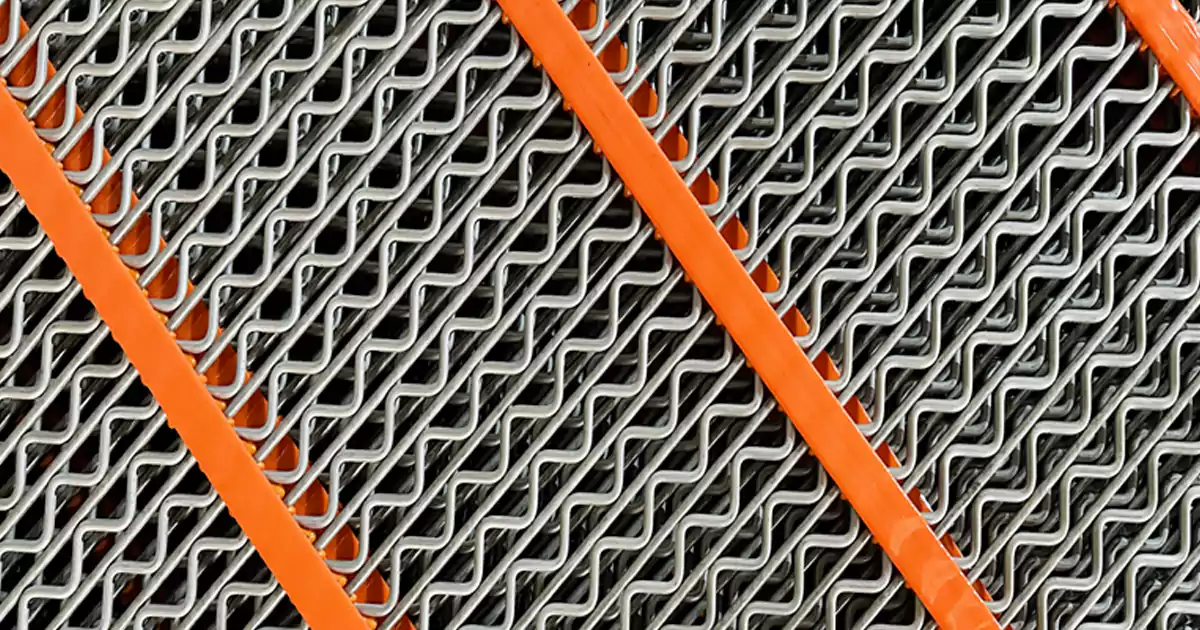
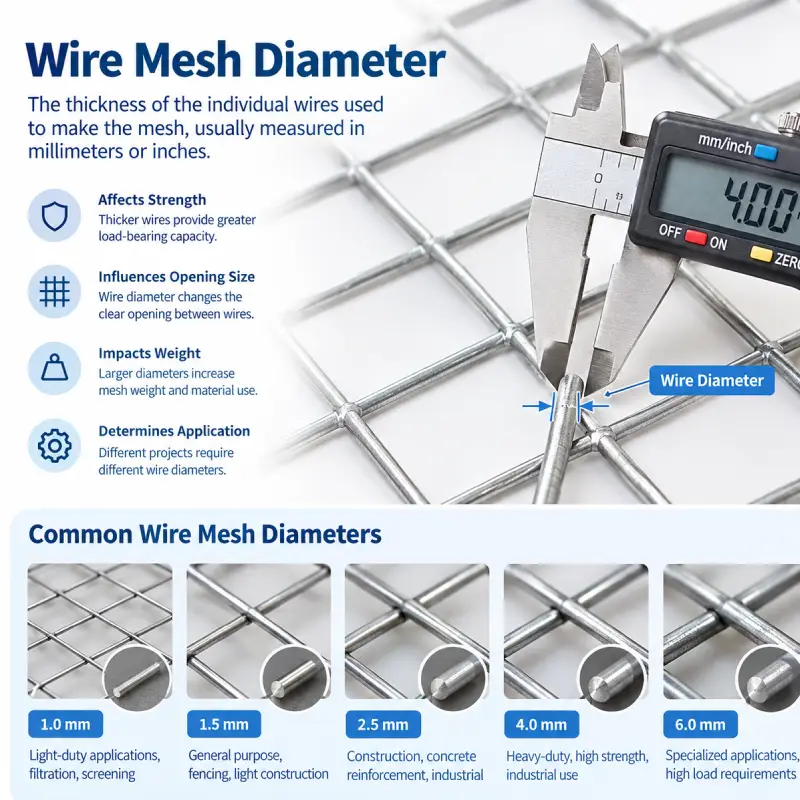
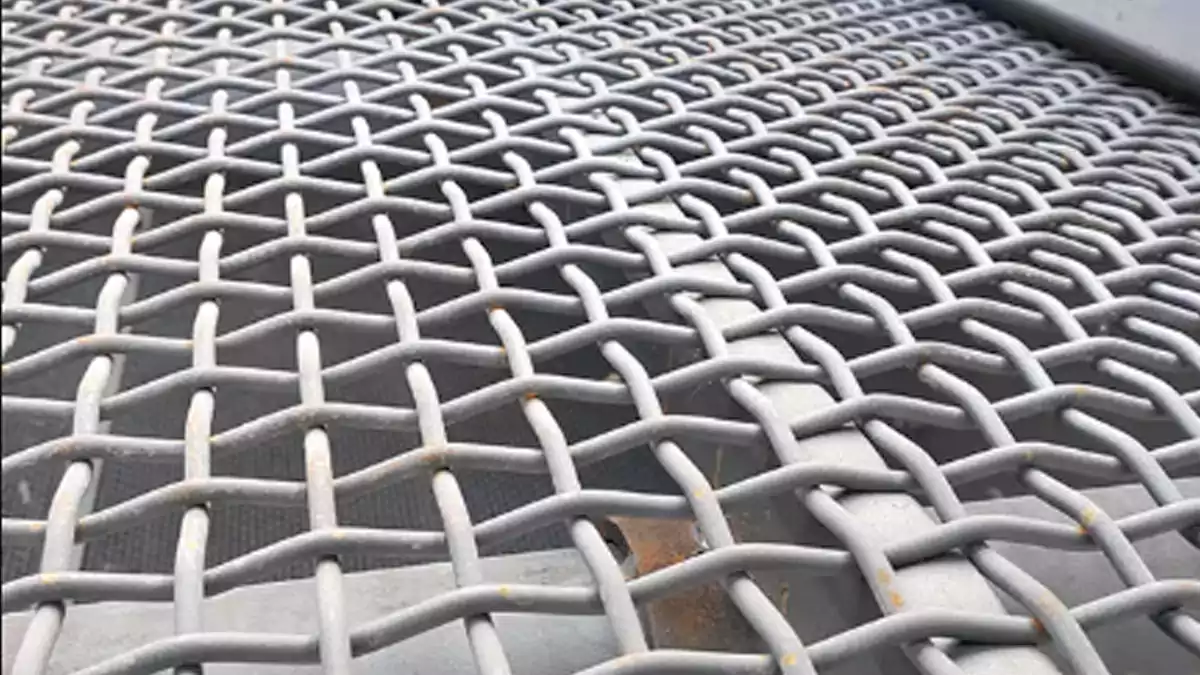
Woven wire screens are popular because they are strong and easy to inspect. You can spot tears or damage quickly. However, these screens tend to be noisier than other choices. The metal wires vibrate and clang together, which makes a lot of noise. If you want to see how woven wire compares to other screens, check out this table:
| Screen Type | Noise Level Comparison | Maintenance Visibility |
|---|---|---|
| Woven Wire Screens | Noisier | Easier visual checks |
| Synthetic Screens | Up to 10 dB quieter | Tears not visible |
You get good visibility with woven wire, but you pay for it with more noise. If you want a quieter plant, you might want to try something else.
Self-Cleaning Screens
Self-cleaning screens help you cut down on noise and keep your screen working longer. These screens often use polyurethane, which is a soft and elastic material. The elasticity helps soak up vibration and stops the loud rattling you get with metal screens. You will notice your plant feels calmer right away.
Polyurethane fine screens do more than just lower noise. They also keep your screen from clogging. This means you spend less time cleaning and more time running your plant. If you work in a place where noise is a big problem, self-cleaning screens can make a big difference.
Tip: If you want less noise and less downtime, try switching to self-cleaning screens made from polyurethane.
PU-Mesh Panels
PU-mesh panels, or polyurethane mesh panels, are some of the best for noise reduction. These panels use a tough but flexible material that absorbs vibration and impact. You can see a big drop in noise when you switch from steel to PU-mesh.
Here’s a quick look at how much noise you can cut:
| Source | Noise Reduction (dB) |
|---|---|
| Steel-Reinforced Polyurethane Screen Panel | 10-15 |
| Durable Polyurethane Mesh Screen Panels | 5-20 |
| Rubber Screen Panel vs Polyurethane Panel | 10-15 |
Rubber and polyurethane panels both work well for noise control. In fact, rubber panels can lower noise by up to 9 decibels compared to steel. That’s about half as loud to your ears! You also get better results with sticky or wet materials because these panels do not clog as easily.
Note: If you want a quieter plant and less maintenance, PU-mesh panels are a smart upgrade.
Choosing the right screen media helps you control noise, protect your team, and keep your plant running smoothly.
Process Adjustments
Making small changes to your screening process can help you cut noise fast. You do not need expensive upgrades or complicated fixes. You just need to look at how your screen works and make smart adjustments. Let’s break down the best ways to do this.
Feed Rate Optimization
You can lower noise by keeping your feed rate steady. When you pour too much material onto the screen, it piles up and makes loud banging sounds. If you feed too little, the screen vibrates more and creates a low hum. The trick is to find the sweet spot.
Here’s how you can optimize your feed rate:
- Start with a steady feed. Use feeders to keep material flowing evenly.
- Watch for overloading. If you see piles forming, slow down the feed.
- Check your screen’s aperture size. For 7 mm and 8 mm screens, aim for feed rates around 5.25 and 5.5 kg·s–1·m–2.
- Adjust as needed. Larger apertures let you process more, but you might lose some efficiency.
Tip: Keep your feed rate constant. You will get better separation and less noise.
Reducing Drop Height
Material makes noise when it falls onto the screen. The higher the drop, the louder the impact. You can fix this by lowering the drop height. Try to keep the material close to the screen as it lands.
Here are some easy ways to reduce drop height:
- Adjust chutes so material slides instead of falls.
- Use deflectors to guide material gently onto the screen.
- Install rubber liners where material lands to soften the impact.
A plant once had a low-frequency hum that bothered everyone. Traditional fixes did not work because the noise was very low (11.8Hz). Engineers made quick, low-cost changes to the process. They cut noise by almost 50 decibels. The plant stayed quiet, and work continued as usual.
Note: Small changes to drop height can make a big difference in noise levels.
Deck Layout & Aperture
The way you set up your screen deck and choose apertures affects noise. If you use the right layout, you can control dust and sound.
- Add dust hoods and extraction systems to keep dust and noise down.
- Use sound enclosures to meet safety standards and protect your team.
- Inspect seals and gaskets often. Good seals stop leaks and keep noise from escaping.
You can also pick screen panels with the right aperture size. Larger holes move more material but can make the screen louder. Smaller holes keep things quieter but may slow down processing.
| Adjustment | Noise Impact | Extra Benefit |
|---|---|---|
| Dust hood | Lowers noise | Controls dust |
| Sound enclosure | Blocks sound | Meets safety standards |
| Seal inspection | Stops leaks | Protects operators |
Callout: Try changing your deck layout and aperture size. You might notice your plant feels quieter and cleaner.
Process adjustments are simple, quick, and cost-effective. You can make your vibrating screen quieter without slowing down your work.
Maintenance for Noise Control
Keeping your vibrating screen quiet starts with good maintenance. You can stop most noise problems before they get loud. Let’s look at the best ways to keep things running smoothly.
Regular Inspection
You should check your vibrating screen often. Regular inspections help you catch small issues before they turn into big noise problems. Here’s what you need to look for:
- Check for loose bolts, clamps, and fasteners. Tight parts mean less rattling.
- Look at the screen mesh. If you see frayed, torn, or worn spots, it’s time to fix them.
- Inspect the frame for cracks, broken welds, or rust.
- Watch for unusual sounds or extra shaking. These signs can point to misalignment or worn parts.
- Make sure all parts have enough clearance. Worn components can hit each other and make noise.
Tip: Write down what you find during each inspection. This helps you spot patterns and fix problems faster.
You should adjust how often you inspect based on how many hours your screen runs and the conditions in your plant. Busy plants may need daily checks, while others can do weekly or monthly.
Lubrication
Lubrication keeps your vibrating screen running quietly. When you add the right grease, you cut down on friction. Less friction means less heat, smoother movement, and lower noise.
- Use high-temperature, wear-resistant lubricants like lithium-based grease.
- Make sure to lubricate bearings and joints on a regular schedule.
- Good lubrication separates moving parts and spreads out the load. This helps your screen last longer and stay quiet.
If you skip lubrication, you’ll hear more squeaks and grinding. That’s a sign your machine is working too hard. Regular lubrication is one of the easiest noise control measures you can use.
Alert: Never let your bearings run dry. Dry bearings wear out fast and make a lot of noise.
Timely Replacement
Sometimes, you need to swap out old parts to keep things quiet. Worn or damaged components can make your screen much louder.
- Replace screen mesh when you see tears or holes.
- Change out springs, especially if you still use steel ones. Rubber or polyurethane springs work better for noise control.
- Install new bolts, clamps, or fasteners if they look worn or loose.
- Pick vibration motors with good dynamic balancing. This helps your screen run smoothly.
You should not wait for a breakdown. Plan replacements based on what you see during inspections. Quick action keeps your plant safe and quiet.
Note: Timely replacement saves money in the long run. You avoid big repairs and keep your team happy.
By following these steps, you make your vibrating screen last longer and sound better. Good maintenance is the heart of any noise control plan.
Implementation Steps
Step-by-Step Plan
You can make your plant quieter by following a clear plan. Start with a checklist. This helps you stay organized and see results fast.
Here’s a simple step-by-step plan:
- Assess your current noise levels. Walk around your plant and listen for the loudest spots.
- Pick your noise reduction methods. Choose from rubber isolators, constrained layer damping, brush mats, or other upgrades.
- Set your budget. Some fixes cost less than others. Many solutions, like engineering source control or CLD, offer big results for a low price.
- Install upgrades during scheduled downtime. Swap out old parts for new ones. Tighten bolts and add damping materials.
- Check your results. Measure noise again and see what changed.
You can use this table to compare common methods:
| Noise Reduction Method | Effectiveness | Cost | Notes |
|---|---|---|---|
| Engineering source control | 5–12 dB(A) reduction | Low | Works for new or old screens |
| Constrained layer damping (CLD) | High | Low | Keeps performance and hygiene |
| Spun laminated steel bowl | Reduces impact noise | Low | Great for existing units |
Tip: Always ask for expert advice before buying new equipment. Not all suppliers know about noise control.
Monitoring Noise Levels
You need to measure noise before and after you make changes. This shows you what works and what needs more attention.
- Use sound level meters to check noise in different areas.
- Try dosimeters for tracking worker exposure during a shift.
- Write down your readings. Keep a log for each area and each upgrade.
- Look for spots where noise stays high. These may need extra help, like acoustic panels or soundproofing.
- Think about advanced tools. Some plants use IoT-powered noise sensors or active noise control systems for real-time feedback.
Alert: If you see noise levels above safe limits, adjust your process or schedule to protect your team.
Staff Training
Your team plays a big role in keeping things quiet. Make sure everyone knows how to spot noise problems and use the right tools.
- Train staff to use sound meters and read the results.
- Show how to check for loose parts, worn mesh, or broken seals.
- Teach safe work habits, like wearing hearing protection and reporting loud spots.
- Update training when you add new equipment or change your process.
You can also adjust work shifts to limit time in noisy areas. This keeps everyone safer and healthier.
Note: Good training helps your vibrating screen noise reduction plan work better and last longer.
Troubleshooting Noise Issues
Identifying Persistent Noise
You might notice that your vibrating screen still makes noise after you try different fixes. Don’t worry. You can track down the problem with a few simple steps.
- Walk around your screen. Listen for any spots that sound louder than others.
- Feel for vibration. Place your hand on the frame, motor, and deck. If you feel strong shaking, that’s a clue.
- Use a sound meter. Measure the noise at different points. Write down the numbers.
- Check during operation. Sometimes, noise only happens when the screen runs with material.
Tip: Try to listen at different times of day. Noise can change when the screen warms up or when you switch materials.
If you still hear noise, look for these signs:
| Clue | Possible Cause |
|---|---|
| Rattling or banging | Loose bolts or panels |
| Humming or buzzing | Structural resonance |
| Squeaking or grinding | Dry bearings |
| Sudden loud impact | Material drop height |
Fixing Ineffective Solutions
Sometimes, your first fix does not work. That’s normal. You can solve most problems by checking your work and trying again.
- Review what you changed. Did you install the right part? Did you tighten every bolt?
- Test one change at a time. If you try too many things at once, you won’t know what helped.
- Ask for help. Talk to your team or call your supplier. They might have seen this problem before.
- Try a different method. If rubber mats did not help, try brush mats or add damping material.
Alert: Never ignore a noise that gets worse. Loud sounds can mean a bigger problem is coming.
You can also use this checklist:
- Did you check all fasteners?
- Did you replace worn mesh or springs?
- Did you measure noise before and after each fix?
- Did you check the motor balance?
Common Mistakes
You can avoid many noise problems by watching out for these common mistakes:
- Skipping regular inspections
- Using the wrong type of screen media
- Forgetting to lubricate bearings
- Ignoring small noises
- Over-tightening bolts (this can cause cracks)
- Not training your team
Note: Small mistakes can lead to big repairs. Stay on top of your maintenance and keep your team in the loop.
If you follow these steps, you will find and fix most noise issues. Your plant will stay quieter and your equipment will last longer.
Conclusion
You can make your vibrating screen much quieter with a few smart steps. Check your equipment often, upgrade your screen media, and fix problems right away. Regular care keeps your plant safe and calm. If you want help choosing a lower-noise setup, send us your screen model, deck layout, aperture size, and material condition. As a screening media manufacturer, we produce woven wire screens, self-cleaning screens, and PU screen panels, and we can recommend a practical upgrade plan and provide a quote if needed.
FAQ
What is the fastest way to reduce vibrating screen noise?
You can tighten loose bolts and add rubber isolators. These steps take little time and make a big difference. You will notice your plant gets quieter right away.
How often should I check my vibrating screen for noise issues?
Check your screen every week. If your plant runs all day, look for problems every shift. Regular checks help you catch noise before it gets worse.
Do rubber mats really help with noise?
Yes! Rubber mats soak up vibration and impact. You will hear less banging and rattling. Many operators say their plant feels calmer after switching to rubber mats.
Can I use polyurethane panels on any vibrating screen?
Most screens can use polyurethane panels. You may need to check the size and fit. Ask your supplier for the best match for your machine.
What tools do I need to measure noise levels?
You can use a simple sound level meter. Some plants use dosimeters for worker safety. These tools show you where noise is highest.
Why does my screen get louder over time?
Parts wear out and bolts get loose. Material builds up and motors lose balance. Regular maintenance keeps your screen quiet and safe.
Is it safe to run a noisy vibrating screen?
No. Loud screens can hurt your hearing and damage equipment. Fix noise problems fast to protect your team and your machine.
Who can help me pick the right noise control solution?
You can ask your screen manufacturer or a noise control expert. They know what works best for your setup. You can also contact our team for advice.