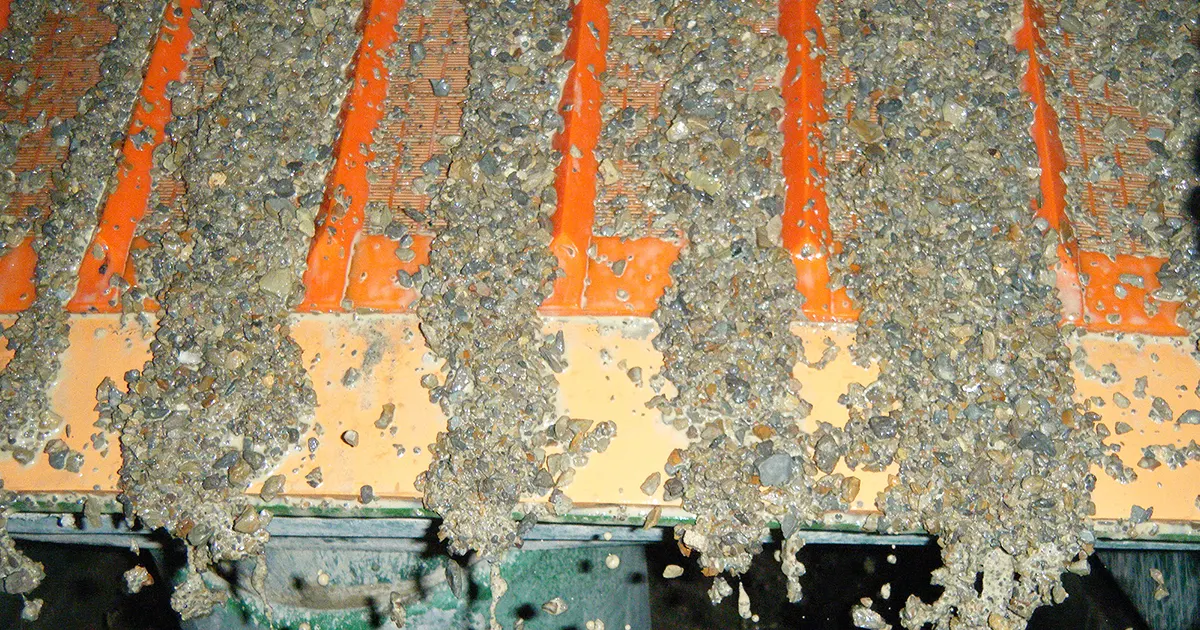
Potash screening looks simple on paper—separate product into consistent size ranges and keep throughput steady. In reality, many potash plants fight two persistent problems that quietly drain output and raise operating cost:
- Corrosion: Salt exposure plus humidity or washdowns weakens metal over time, leading to unpredictable wire breaks and short screen life.
- Mesh blinding: Fines, moisture, and agglomeration block openings, shrinking effective open area and triggering sudden capacity loss and cleaning downtime.
This article gives a practical, plant-focused framework to reduce both issues through fit-for-duty screen media selection, smarter installation practices, and straightforward operating controls.
Key Takeaways
- Corrosion is a material + environment problem; mesh blinding is an effective open area problem.
- If you only chase “stronger mesh,” corrosion and blinding will still dominate uptime.
- The best results often come from mixing media by duty zone (feed end vs discharge, wet vs dry areas).
- Use a short parameter checklist to get a screen media setup that matches your potash conditions.
Why Potash Screening Corrodes Screens and Blinds Mesh
Corrosion drivers in potash plants
Potash operations often combine salt exposure with moisture sources such as humid air, wet feed, condensation, or washdowns. Over time, salt residue and trapped moisture accelerate corrosion and can weaken wire or fasteners. The result is not just “rust”—it’s reduced strength, early fatigue, and failures that feel random.
Common corrosion accelerators include:
- Salt residue left on screen surfaces and around clamps
- Trapped moisture in crevices and contact points
- Frequent washdowns without sufficient drying
- High humidity and temperature swings that create condensation
Blinding drivers: fines, moisture, and agglomeration
Mesh blinding in potash screening often begins when moisture and fines form a film that sticks to wire surfaces. If agglomerates (soft lumps) are present, they can smear across apertures and speed up blockage. Once openings start to plug, bed depth increases, stratification worsens, and blinding spreads across the deck.
Key blinding contributors:
- Fine particles that coat wire surfaces
- Moisture that creates sticky films
- Agglomeration that bridges and smears openings
- Thick beds that keep material from stratifying and passing efficiently
Corrosion vs. Mesh Blinding (Symptoms, Triggers, Impact)
| Issue | What You See | Common Triggers | What It Causes |
|---|---|---|---|
| Corrosion | rust/pitting, weakened wire, early breaks, corroded fasteners | humidity, washdowns, salt residue, trapped moisture | unpredictable failures, short life, frequent changeouts |
| Mesh blinding | blocked openings, carryover, sudden capacity drop, material “matting” | fines + moisture, agglomerates, thick bed depth | throughput loss, cleaning downtime, unstable cut |
Identify Your Screening Duty and Where the Problem Starts
Before changing screen media, identify where your problem originates. Corrosion and blinding rarely affect the whole deck equally.
Clarify the duty: scalping, sizing, or final sizing
- Scalping: remove oversize, protect downstream equipment, handle heavier impacts and variability.
- Sizing: maintain throughput and stable separation across the deck.
- Final sizing: control cut accuracy and product consistency; sensitive to blinding and carryover.
Map the “worst zone”
In many plants, issues concentrate in predictable zones:
- Feed end: impacts, initial bed formation, high chance of pegging/blinding if moisture/fines spike.
- Mid deck: gradual film build-up and blinding; bed depth problems show here.
- Discharge end: cut accuracy and carryover control; aperture stability matters.
- Edges/clamps: stress + moisture traps; corrosion and fatigue often start here.
Deck Duty Map (Stress, Failure Pattern, Strategy)
| Zone | Main Stress | Typical Problem | Practical Media Strategy |
|---|---|---|---|
| Feed end | impact + moisture + lumps | pegging/blinding, early fatigue | use anti-blinding media or more durable zone media |
| Mid deck | abrasion + film build-up | progressive blinding | anti-blinding + manage bed depth and distribution |
| Discharge end | cut control + carryover | off-spec cut, carryover | stable apertures + adequate open area |
| Edges/clamps | stress + trapped moisture | corrosion + wire breaks | corrosion-aware materials + correct tension/clamping |
Quick tip:
If you see repeated failures at clamps or edges, your fix is rarely “stronger mesh only.” You need tensioning/clamping checks and corrosion control at those contact points.
Screen Media Toolbox for Potash (What to Choose and Why)
This is where potash screening wins are made: selecting media that matches corrosion risk and blinding tendency, not just choosing “heavier” material.
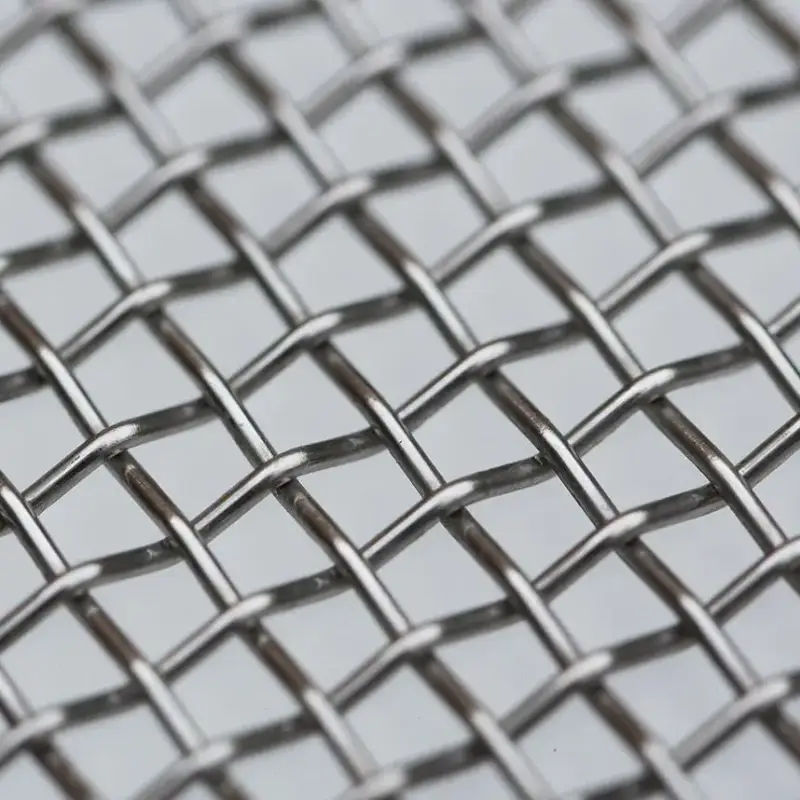
Corrosion-aware woven wire screens (throughput + cut stability)
What you see
- Good capacity when conditions are stable
- Strong separation and clean cut sizing
- But wire breaks appear earlier than expected in humid/salt conditions, especially near clamps
Why it happens
Woven wire excels at separation because it typically offers high open area. However, in potash environments, corrosion can weaken wire and fasteners, and fatigue can trigger breaks at stress points—especially if moisture is trapped around clamps.
What to choose
Choose corrosion-aware woven wire when:
- you need high throughput and consistent sizing,
- moisture and fines are manageable (or you can isolate wet zones),
- you can pair media selection with corrosion-focused handling and maintenance.
Quick tip:
If your woven wire performs well but fails unpredictably, inspect clamp zones for corrosion and tension issues. Many “mystery breaks” start where moisture is trapped and stress is highest.
Self-cleaning screens (reduce blinding and pegging)
What you see
- Openings block during moisture spikes or fines surges
- Sudden throughput drops even though the screen isn’t “worn out”
- Operators spend time cleaning instead of producing
Why it happens
Blinding reduces effective open area. Even if nominal openings are correct, once they are coated or bridged, the screen behaves like it has a much smaller aperture or almost no open area at all.
What to choose
Choose self-cleaning screens when:
- mesh blinding is the primary cause of downtime,
- fines and moisture fluctuate and cause repeated plugging,
- you need more stable uptime under challenging feed conditions.
Quick tip:
Treat anti-blinding media as an uptime tool. If your plant loses capacity after a rain event or moisture change, self-cleaning media is often the fastest lever to pull.
PU options (durability and moisture-friendly zones)
What you see
- Certain zones fail repeatedly (feed end or high-stress areas)
- You need predictable service life in a specific location
- You can accept lower open area in exchange for durability in that zone
Why it happens
Some areas take more impact or see more mechanical stress. PU options can provide durability and stability where failures concentrate, while other areas can use higher open area solutions.
What to choose
Choose PU options when:
- you need a durability-focused solution in specific zones,
- the feed end experiences impacts that shorten wire life,
- you want longer intervals between changeouts in high-stress areas.
Quick tip:
Use PU strategically. In many potash setups, a zoned approach (durable media in stress zones, higher open area elsewhere) delivers a better balance than “one media everywhere.”
Media Comparison for Potash Screening
| Media Type | Best For | Key Benefit | Trade-Off | Typical Use |
|---|---|---|---|---|
| Woven wire (corrosion-aware) | throughput + cut control | high open area, strong separation | blinding risk if wet/fines spike | sizing/final sizing where conditions allow |
| Self-cleaning screens | blinding/pegging control | better uptime, less plugging | may trade some open area | damp/wet streams, fines-heavy screening |
| PU options | durability in tough zones | impact/wear resilience | typically lower open area | feed end or high-stress areas |
Practical Anti-Corrosion Measures (Beyond Media Choice)
Screen media choice matters, but corrosion often starts in places that selection alone cannot fix—especially around clamps and moisture traps.
Reduce salt residue and trapped moisture
- Avoid leaving salt residue on screens for extended periods when possible.
- After washdowns, focus on removing trapped moisture around clamps and contact points.
- Watch for “wet pockets” where material and moisture accumulate.
Prevent corrosion hotspots at clamps and edges
Corrosion often begins where:
- moisture is trapped between metal surfaces,
- stress concentration is highest,
- and oxygen exposure changes over time.
Practical actions:
- Ensure consistent clamp pressure and proper alignment.
- Replace damaged clamping parts that create gaps or crevices.
- Keep contact surfaces clean to reduce residue build-up.
Build a simple corrosion inspection routine
- Check for pitting or surface roughness at edges and clamp zones.
- Track failures by location (feed end vs mid deck vs edges).
- Use that data to target media upgrades and maintenance changes.
Practical Anti-Blinding Measures (Keep Openings Working)
Blinding control is not just “choose an anti-blinding screen.” Operating practices can either protect effective open area—or destroy it.
Control moisture and fines where possible
If your process allows it:
- reduce unnecessary water carryover into screening,
- avoid feeding overly wet material without adjustment,
- separate very wet streams from dry streams when practical.
Manage bed depth and feed distribution
Blinding accelerates when the bed becomes too thick and material cannot stratify.
- Keep feed distribution even across the deck.
- Avoid localized piling that causes one area to blind first.
- Watch for patterns: if blinding always starts on one side, distribution is often part of the cause.
Choose cleaning methods that don’t damage media
Aggressive mechanical cleaning can shorten wire life by adding fatigue and stress. The goal is to keep openings effective while preserving screen integrity.
Troubleshooting (Symptom → Cause → Fix)
| Symptom | Likely Cause | Practical Fix |
|---|---|---|
| sudden capacity drop | blinding spreading, effective open area collapsing | use self-cleaning media; reduce bed depth; improve distribution |
| frequent wire breaks near edges | corrosion + fatigue at clamps | corrosion-aware wire choice; correct tension; inspect clamp hardware |
| off-spec cut and carryover | aperture instability or poor stratification | confirm media spec; improve feed spread; adjust bed depth |
| constant cleaning downtime | moisture/fines variability | anti-blinding media + moisture control steps; standardize cleaning routine |
Parameter Checklist (Get a Fit-for-Duty Recommendation Faster)
If you want the right setup on the first serious attempt, these inputs matter more than brand names or generic “heavy duty” labels.
What to Send for a Fit-for-Duty Recommendation
| Parameter | Example |
|---|---|
| Moisture range | dry / damp / wet |
| Fines level & agglomeration | low/med/high; lumping frequency |
| Salt exposure conditions | humidity level, washdown frequency |
| Target cuts | e.g., 2 mm, 4 mm, 8 mm |
| Deck dimensions & fixing | deck size, hook/clamp method |
| Current failure mode | corrosion, blinding, breaks, off-spec |
Conclusion
To stop corrosion and mesh blinding in potash screening, focus on the real drivers:
- Corrosion control starts with corrosion-aware media choices and eliminating moisture traps at clamps and edges.
- Blinding control starts with protecting effective open area through anti-blinding media selection, bed depth management, and moisture/fines awareness.
- Many plants improve uptime and keep throughput strong by using a zoned approach—anti-blinding where plugging is frequent, corrosion-aware woven wire where high open area and cut accuracy matter, and durability-focused options where stress concentrates.
As a screening media manufacturer, Anpeng produces woven wire screens, self-cleaning screens, and PU options for potash screening. If you share your moisture range, fines/agglomeration behavior, target cuts, deck dimensions, and where failures occur most, we can recommend a fit-for-duty screen media setup to reduce downtime and stabilize performance.