If you want to know how to select screen media for abrasive material, you need to think about more than just strength. The right choice depends on how tough your material is, its size, and how you plan to screen it. You might find that polyurethane screens last longer but slow down your process because they have less open area. High-vibration panels move more material but wear out faster. Every option comes with trade-offs, so a simple checklist can help you make a smart choice.
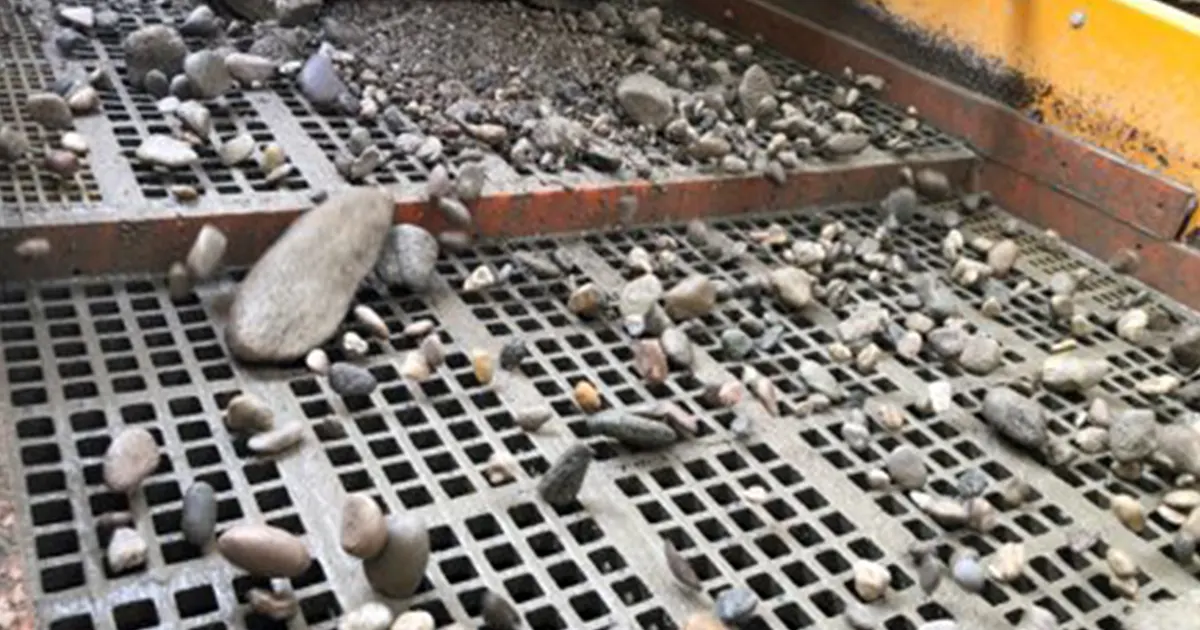
Key Takeaways
- First, figure out which screening type fits your job best. Some screens work fast, others are more accurate, and some last longer.
- Check how rough your material is. This helps you pick a screen that will last longer and need less fixing.
- Think about the size and weight of your material. Make sure your screen media can handle big and heavy pieces without breaking.
- Look at how wet or sticky your material is. Pick the right screen media so it does not get clogged and keeps working well.
- Choose the screen media type that matches what you need. Polyurethane works well for wet and rough jobs, while rubber screens are good for tough work.
- Plan to take care of your screens often to make them last longer. Clean and check them a lot so you can find problems early.
- Avoid mistakes by thinking about how well the screen resists wear, what your material is like, and what your job needs.
- Pick a fastening method that fits your work. Quick-change systems save time, but strong methods are better for heavy loads.
How to Select Screen Media for Abrasive Material
Start with Screening Type
When you want to know how to select screen media for abrasive material, you should first look at your screening for the job. The kind of screen you pick changes everything else. Some screens are better for tough jobs. Others are made for speed or accuracy. Here’s a quick table to help you compare the main types:
| Screen Media Type | Characteristics and Applications |
|---|---|
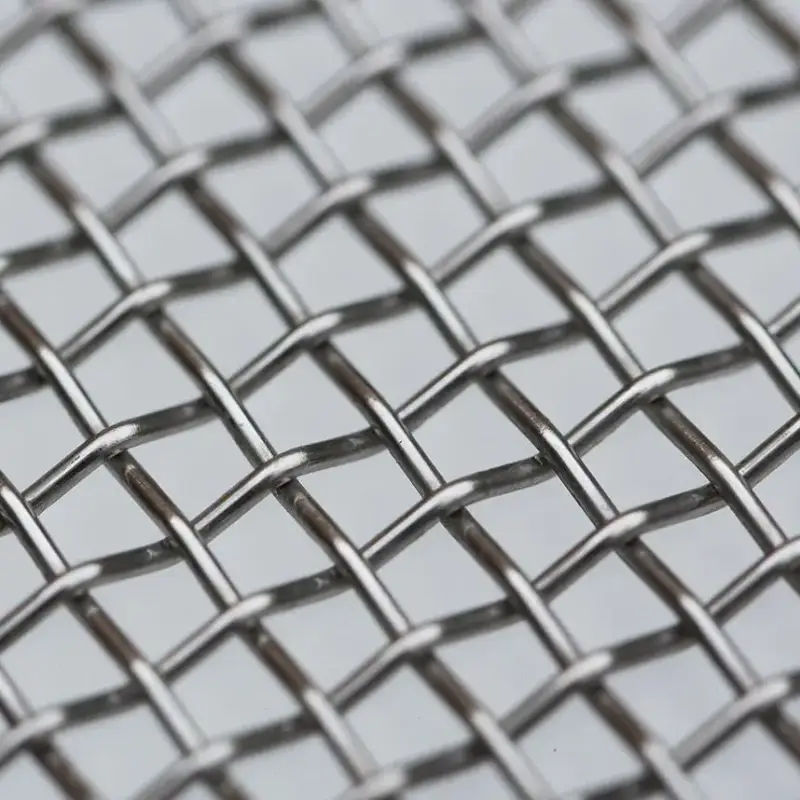
| Woven Wire Cloth | Versatile and cost-effective; ideal for high precision and fine screening; suitable for non-abrasive materials. |
| Polyurethane Screens | Durable and abrasion-resistant; best for highly abrasive and wet screening applications. |
| Rubber Screens | Flexible and impact-resistant; effective for large, sharp-edged materials; reduces noise levels. |
| Perforated Plate Screens | Extremely durable; ideal for primary screening and scalping; suitable for heavy loads where precise sizing is less critical. |
| Hybrid Screens | Combines benefits of multiple media types; suitable for operations needing a balance of durability and precision. |
Each screening type has its own good points. Inclined decks move lots of material fast. Horizontal screens give you more control for small or wet stuff. If you use woven wire or self-cleaning screens, you might get better flow on inclined decks. Polyurethane and rubber screens often work best on flat, horizontal setups. Picking the right one helps you balance how much you can screen, how long it lasts, and what it costs.
Tip: Always put in your screen media the right way. If you install it wrong, it can break early and not work well.
Assess Material Abrasiveness
Next, you need to find out how rough your material is. Abrasiveness means how fast your screen media will wear out. If you skip this step, you might have to change screens more than you want.
You can use special tests to check abrasiveness. Here are some common ways to do it:
| Standard/Method | Description |
|---|---|
| ANSI/ISEA 105-2016 | Uses ASTM D2289-10 and ASTM D3884-09 for abrasion testing of protective gloves and sleeves. |
| EN 388:2016 | Utilizes the Martindale abrasion machine to assess the abrasiveness of gloves. |
| ASTM D4966 | Standard test method for abrasion resistance of textile fabrics, simulating wear and tear. |
Abrasiveness is not just about the material. The size and hardness of the pieces, the angle they hit the screen, and even how wet the material is can change how fast it wears out. Small pieces can clog screens faster but usually do less damage at first. If your material is very hard, you need a screen that is just as hard or harder. Sticky or wet material can also make screens wear out faster.
Consider Size and Weight
Now, think about how big and heavy your material is. This step is important in how to select screen media for abrasive material. Big, heavy pieces hit the screen harder. You need a stronger screen for that. Smaller pieces can use screens that are made for speed and accuracy.
Here’s a table to help you see how different things affect your screen choice:
| Factor | Impact on Screening Efficiency and Wear |
|---|---|
| Mesh Size | Small mesh sizes are optimal for fine particles; larger for coarse ones. |
| Wire Diameter | Thicker wires last longer but reduce open area; thinner wires increase open area but wear out faster. |
| Moisture and Stickiness | Excess moisture slows movement and can lead to wear. |
| Screen Angle and Motion | Incorrect settings can lower accuracy and increase wear. |
| Feeding Uniformity | Uneven feeding can lead to poor material distribution and increased wear. |
If you work with big rocks or gravel, you need screen media that can take a lot of hits. For smaller, lighter stuff, you can use screens that let more material through, which helps you work faster. Always match your screen to the size and weight of your material for the best results.
Note: Heavier and bigger materials need stronger screens. If you use the wrong kind, you might have more downtime and spend more money.
By starting with your screening type, checking abrasiveness, and thinking about size and weight, you set yourself up to do well. These steps are the main parts of how to select screen media for abrasive material and help you get the most from your equipment.
Evaluate Wetness and Stickiness
Wetness and stickiness can make screening very hard. If your material is wet or sticky, it can block your screens. This slows down your work. You might see stuff sticking to the screen or blocking holes. This makes your job harder and can even hurt your equipment.
Fine, sticky, or moist materials can block screen holes. This lowers how well your screen works and slows things down.
When you have wet or sticky materials, you must be careful with your screen media. Here are some things to remember:
- Wet or sticky material can block holes in your vibrating screen. This makes your work slower and harder.
- If you see material sticking or blocking the screen, try cleaning tools or change the screen type.
- Wet screening helps when there is a lot of water.
- Anti-static screens are good for sticky materials.
- Use wet screening or dry the material first if it has over 8% water.
- Use anti-static screens or static removers for materials with static.
Sometimes, the problem is not your equipment. The screen media just does not fit the material. For example:
The problem was not with the hardware. The screen media did not match the material. The old media was not made for sticky, wet feed. When Polydeck changed the media’s flexibility, hole size, and screen motion, things got better right away.
To stop these problems, check your material first. Find out how wet or sticky it is before you pick your screen media.
Some screen media types work better in tough spots. Polyurethane screens are great for sticky, rough, or wet material. People say they get up to 20% better results with polyurethane screens in wet jobs. Polyurethane is very strong and keeps its holes the right size for longer. This makes it good for wet or sticky jobs where clogging is a big problem. Polyurethane panels last at least twice as long as wire screens, even with hard stuff like silica sand or crushed granite.
When you pick screen media for abrasive material, always check for wetness and stickiness. The right screen media can save you time, lower repairs, and keep your work going smoothly.
Screen Media Types for Abrasive Materials
When you choose screen media for abrasive materials, you have a few main options. Each type works best in different jobs. Let’s look at the most common types so you can pick what you need.
Polyurethane Screens
Polyurethane screens are great for tough, abrasive materials. They last longer than most other types and work well in wet places.
Durability in Wet and Abrasive Conditions
If you have wet or sticky materials, polyurethane screens can help a lot. They do not wear out fast, even if you use them with rough rocks or minerals all day. These screens keep their shape and holes, so you do not need to fix them often. Polyurethane screens usually last 12 to 18 months. This is much longer than rubber screens, which last 3 to 4 months, or steel woven mesh, which lasts about 2 months.
Polyurethane screens help you have less downtime and keep your work going.
Open Area vs. Wear Life
You might think these screens slow things down. Polyurethane screens have an open area between 30% and 50%. More open area lets more material through, but the screen is not as strong. You need to find a good balance. If you want to move more material, pick a screen with a bigger open area. If you want it to last longer, pick a smaller open area. Polyurethane screens also help you get more valuable minerals because they separate things well and need less fixing.
Rubber Screens
Rubber screens are good when you need something strong for big jobs. They can handle large, sharp rocks and take in hits that would hurt other screens.
Heavy-Duty Applications
You see rubber screens a lot in quarries and mines. They protect your machines by taking the energy from big, sharp pieces. This means your screen deck has less stress and you need fewer repairs. Rubber screens cost less at first than polyurethane and last longer than steel or wire cloth. They are best for pre-screening and scalping, especially with big rocks.
- Rubber screens make less noise.
- They help stop blinding and damage from hits.
- You can use them on the top deck to help your whole system last longer.
Limitations
Rubber screens have some problems. They cannot give you very small holes—the smallest is about 6mm. Sometimes, they lose their shape or break if you use some chemicals. There is also a chance that metal pieces can get into your product.
| Limitation | Description |
|---|---|
| Limited aperture precision | Smallest hole size is about 6mm |
| Poor dimensional stability | May not keep their shape well |
| Susceptible to chemical degradation | Can break down with some chemicals |
| Contamination risk | Metal pieces can mix with your product |
Steel Screens
Steel screens are a classic pick. They can take hard hits and work well when you need something strong and exact.
Impact Resistance
Steel screens, like woven wire or perforated plate, can take heavy hits. You can use them for first screening or when you need exact sizes. They work best with less abrasive materials, but you can use special alloys to make them tougher.
Maintenance Needs
You need to check steel screens often. They wear out faster than polyurethane or rubber, especially with rough materials. Check them often to find problems before they get worse. Some steel parts, like hammers made from high manganese steel, get harder as you use them, but they still only last about 3,000 to 3,500 hours. If you want your work to keep going, plan to fix or change them often.
Tip: Always balance how tough the screen is and how well it takes hits when you pick steel screens. This helps your equipment last longer.
Here’s a table to compare the main types:
| Type | Advantages | Applications |
|---|---|---|
| Polyurethane Screens | Strong, resists wear, good for wet jobs, lasts long | Best for very rough materials, less downtime, wet screening |
| Rubber Screens | Flexible, takes hits, makes less noise, protects machines | Big jobs, pre-screening, scalping, large rocks |
| Steel Screens | Very exact, strong, takes hard hits | First screening, exact sizing, less rough materials |
Picking the right screen media helps you get better results, save money, and keep your work going with fewer stops.
Application Matching
Coarse Screening
When you start with coarse screening, you deal with big, rough materials. You need screen media that can handle the hits and keep working. Not every screen can do this job well. Some screens wear out fast or get clogged. You want to pick the right one for your setup.
Here are some top choices for coarse screening:
- Woven Wire: This type is very versatile. It gives you a lot of open space—about 50% to 70%. You can change it out quickly if you need to. It works well when you need to swap screens often.
- Polyurethane: If you work with wet or super abrasive materials, polyurethane is a smart pick. It lasts a long time. It does not have as much open area as wire, but it stands up to tough jobs.
- Rubber: Rubber screens shine when you have heavy, coarse stuff. They work best in dry jobs. Rubber protects your equipment from damage.
- Hybrid Media: These screens mix wire with rubber or urethane. They help stop blinding and pegging. Some users see up to 40% more production with hybrids.
- Perforated Plate: This screen is strong and rigid. It handles coarse materials and heavy-duty work without bending.
Tip: If you work with dry, granular materials, wire mesh is a good choice. For wet or sticky jobs, polyurethane panels resist clogging and last longer.
Multi-Deck Use
Multi-deck screens let you sort materials into different sizes in one go. Each deck faces its own challenges. The top deck gets the biggest, roughest pieces. The lower decks handle smaller, sometimes stickier stuff. You need to match the right screen media to each deck.
Here’s a quick look at what works best:
| Screen Media Type | Benefits |
|---|---|
| Wear-resistant liners | Help your equipment last longer with abrasives. |
| Hardened steel components | Give you extra strength for heavy-duty jobs. |
| Polyurethane screens | Last longer and make less noise. |
You might use rubber or perforated plate on the top deck to take the first hits. Polyurethane or wire mesh can go on lower decks for better accuracy. Mixing screen types helps you get the most out of your system.
Note: Always check each deck for wear. Change out screens before they break to keep your process running smooth.
Closed Circuit
Closed circuit screening means you send material back through the screen until it meets your size goal. This setup puts extra stress on your screen media. You need screens that can handle lots of passes and still keep working.
Choose tough materials like polyurethane or rubber for closed circuits. These screens last longer and stand up to repeated use. If you use wire mesh, check it often for wear. Closed circuits work best when you balance durability with the right open area. This way, you keep your process moving and avoid costly downtime.
Remember: The right screen media in a closed circuit can save you time and money. Pick screens that match your material and your process.
Final Separation
When you reach the final separation stage, you want your product to meet strict quality standards. This is where you make sure only the right-sized material gets through. If you get this step wrong, you might end up with fines in your oversize pile or miss out on valuable product. You need to focus on accuracy and keep your screens working at their best.
You should look for screen media that gives you:
- High precision for fine screening jobs
- Accurate separation of material sizes
- A high open area so more material passes through quickly
- Anti-blinding features to stop holes from clogging
- Good wear life, even with abrasive materials
Let’s break down what matters most for final separation:
| Key Feature | Why It Matters for Final Separation |
|---|---|
| High Open Area | Lets more material through, boosts capacity, and keeps flow steady. |
| Precision | Makes sure only the right size passes, so you get a clean product. |
| Anti-Blinding | Stops sticky or damp material from blocking holes. |
| Wear Life | Keeps screens working longer, even with rough materials. |
You want your final product to look good and meet specs. If you use the wrong screen, you might see fines mixing with your oversize. That can hurt your reputation and cost you money. You need a screen that can handle the job without wearing out too fast.
For final separation, woven wire cloth often works well. It gives you high precision and a lot of open area. This means you can screen fine material and still move a lot of it. If your material is not too abrasive, wire cloth is a smart pick. Polyurethane screens also help, especially if you need more wear life. They resist blinding and last longer, but they might have less open area than wire.
Here are some tips to help you choose:
- Pick screens with the right hole size for your product.
- Use anti-blinding screens if you work with sticky or wet material.
- Check your screens often for wear or damage.
- Change screens before they break to keep your product clean.
Remember: The last screen your material touches decides your product quality. Take your time and pick the right screen media for final separation. You will see better results and fewer headaches.
If you match your screen media to your material and your goals, you will get a cleaner product and keep your operation running smoothly. Final separation is your last chance to get it right—make it count!
Technical Factors
Panel Thickness
Panel thickness plays a big role in how your screen media performs. If you pick a thicker panel, you get more durability. Thicker panels stand up to rough, abrasive materials and last longer. Thinner panels give you more open area, so you can move more material through the screen. But they wear out faster, especially with tough jobs.
Let’s look at how polyurethane and rubber panels compare:
| Feature | Polyurethane Panels | Rubber Panels |
|---|---|---|
| Screening Efficiency | Open area of 70% to 85%, reducing blinding | Lower open area, more blinding |
| Durability | Lasts 1.5 to 3 times longer than rubber | Shorter lifespan |
| Abrasion Resistance | Superior due to surface hardness | Less effective against abrasives |
If you want your screens to last, go for thicker polyurethane panels. They handle tough, abrasive materials better than rubber. You get less blinding and more uptime. But if you need to move a lot of material fast, you might choose a thinner panel for more open area. It’s all about finding the right balance for your job.
Tip: Always check your panel thickness before you start a new job. The right thickness can save you time and money on repairs.
Hole Shape and Size
The shape and size of the holes in your screen media matter a lot. They decide how well your screen separates material and how long it lasts. Here’s what you should know:
- The design of the holes, like their size, pattern, and edge finish, changes how well your screen separates material and how fast it moves.
- Different hole sizes help you meet your exact separation needs. If you need fine screening, go with smaller holes. For bigger pieces, use larger holes.
- The material you pick for your screen, like stainless steel, woven wire mesh, or polyurethane, also affects how long your screen lasts with abrasive materials.
Round holes usually last longer because they have no sharp corners. Square or slotted holes let more material through but can wear out faster. If you work with sticky or wet material, slotted holes help stop clogging. Always match the hole shape and size to your material and your goals.
Note: If you see your screens wearing out too fast, try changing the hole shape or size. Sometimes a small change makes a big difference.
Open Area
Open area means the part of your screen that lets material pass through. More open area means you can move more material, but your screen might not last as long. Less open area gives you more strength and longer wear life, but it can slow down your process.
You need to find the right balance. If you want high capacity, pick screens with more open area. If you need your screens to last with abrasive materials, go for less open area and thicker panels. Polyurethane screens often give you a good mix of both.
Think about your job. Do you need speed or durability? The answer helps you pick the right open area for your screen media.
Remember: The best screen media for abrasive materials balances open area, panel thickness, and hole shape. This way, you get the most out of your equipment and keep your operation running smoothly.
Fastening Methods
When you pick screen media for abrasive materials, you can’t ignore how you fasten the panels to your screen deck. The fastening method affects how easy it is to install, how long your screen lasts, and how quickly you can change panels. If you get this part wrong, you might spend more time fixing screens than actually screening material.
Let’s look at the most common fastening methods you’ll see:
- Bolt-Down: You use bolts to attach the screen panels directly to the deck. This method gives you a strong hold. It works well for heavy-duty jobs. You might need more time and tools to change panels, though.
- Pin and Sleeve: You slide pins through sleeves in the panel and the deck. This method makes installation quick. You can swap panels fast, which helps when you need to reduce downtime.
- Hooked Edges: The screen panel has hooks that fit over rails on the deck. You get a tight fit without bolts or pins. This method is common with wire cloth and some rubber screens.
- Modular Snap-In: You snap smaller panels into a frame or grid. This system lets you replace only the worn-out sections. You save money and time because you don’t have to change the whole screen.
Here’s a table to help you compare the main fastening methods:
| Fastening Method | Best For | Pros | Cons |
|---|---|---|---|
| Bolt-Down | Heavy-duty, abrasive | Very secure, long-lasting | Slower to change, needs tools |
| Pin and Sleeve | Quick swaps, maintenance | Fast install, less downtime | May loosen over time |
| Hooked Edges | Wire cloth, rubber | Easy fit, no tools needed | Not for heavy loads |
| Modular Snap-In | High-wear areas | Replace small sections | May cost more upfront |
Tip: If you want less downtime, try modular or pin-and-sleeve systems. If you need the toughest hold, bolt-down is your best bet.
You should always match your fastening method to your operation. If you change screens often, go for something quick and easy. If you deal with big, heavy rocks, pick a method that holds tight and lasts long. Don’t forget to check your fasteners during maintenance. Loose or broken fasteners can lead to screen failure and costly repairs.
Choosing the right fastening method helps you keep your screen media secure, your process smooth, and your costs down. Take a close look at your needs before you decide. The right choice makes your job easier and your equipment last longer.
Practical Tips and Mistakes to Avoid
Balancing Cost and Longevity
You want your screen media to last, but you also want to keep costs low. That’s a tough balance. Some screens cost less at first but wear out quickly. Others cost more but stick around longer. If you pick the right screen for your job, you can save money and avoid headaches.
Here’s a quick table to help you compare your options:
| Screen Media Type | Characteristics and Applications | Cost Efficiency Considerations |
|---|---|---|
| Woven Wire Cloth | Durable, good for fine screening | Lower upfront cost, wears faster |
| Polyurethane | Flexible, resists wear, great for wet jobs | Higher cost, lasts longer |
| Rubber | Handles big hits, works for heavy-duty jobs | Moderate cost, good longevity in some uses |
| Perforated Plate | Versatile, lets different sizes through | Cost-effective for certain jobs |
| Hybrid Screens | Mixes features for custom performance | Can optimize both cost and lifespan |
You should always check the hardness and wear resistance of your screen media. Each type has strengths and weaknesses. If you match your screen to your material and your process, you get better results and save money. Sometimes, hybrid screens give you the best of both worlds. They help you get more life out of your screens without spending too much.
Tip: Don’t just look at the price tag. Think about how long the screen will last and how often you’ll need to replace it.
Maintenance Planning
If you want your screens to last, you need a plan. Maintenance keeps your equipment running and helps you avoid big repair bills. You don’t have to wait for something to break. You can check your screens often and fix small problems before they get worse.
Let’s see how maintenance affects screen lifespan:
| Maintenance Practice | Expected Lifespan |
|---|---|
| Well-Maintained | 5 to 10 years |
| Poor Maintenance | 2 to 3 years |
| Heavy-Duty Use | Needs frequent replacements, but lasts longer with care |
You can make your screens last longer if you clean them, check for damage, and replace worn parts. If you run heavy-duty jobs, you need to check your screens more often. A good maintenance plan helps you avoid downtime and keeps your operation smooth.
Note: A little care goes a long way. If you keep your screens clean and tight, you’ll get more years out of them.
Common Selection Errors
You can make mistakes when picking screen media. Some errors cost you time and money. Here are a few you should watch out for:
- Picking the cheapest screen without thinking about wear and tear.
- Ignoring the material’s abrasiveness and size.
- Forgetting to match the screen to wet or sticky jobs.
- Skipping regular maintenance checks.
- Using the wrong fastening method for your setup.
If you avoid these mistakes, you get better performance and fewer problems. Always check your material, your process, and your equipment before you choose. Ask questions and look for advice if you’re not sure.
Remember: The right screen media makes your job easier. Take your time, plan ahead, and you’ll see better results.
Conclusion
You now know how to select screen media for abrasive material. Start by looking at your screening type, then check your material’s properties and technical needs. Always match your screen to your job for the best results. As a screen media manufacturer, we produce screening solutions for demanding applications and help customers choose options that better fit their actual working conditions. With the right product and proper support, you can get more value from every screening operation.
FAQ
What screen media works best for very abrasive materials?
Polyurethane screens handle tough, abrasive materials well. You get longer wear life and less downtime. Rubber screens also work for big, sharp rocks.
How do I stop my screens from clogging with sticky material?
Try using anti-blinding screens or switch to polyurethane panels. You can also clean your screens more often. Wet screening helps when material sticks.
Can I use the same screen media for wet and dry jobs?
You can, but polyurethane screens perform better in wet conditions. Wire mesh works well for dry jobs. Always match your screen to your material.
How often should I check my screens for wear?
Check your screens every week. Look for holes, cracks, or loose fasteners. Quick checks help you catch problems early and keep your process running.
What’s the easiest way to change screen panels?
Modular snap-in panels let you swap sections fast. Pin-and-sleeve systems also make changes easy. You save time and reduce downtime.
Does screen hole shape matter for abrasive materials?
Yes! Round holes last longer and resist wear. Slotted holes move more material but can wear out faster. Pick the shape that fits your job.