You might see a 4 deck vibrating screen and wonder what sets it apart from other screening equipment. This machine uses four stacked decks to sort rocks, sand, or minerals by size. In mining and aggregate plants, you use a vibrating screen to boost efficiency and get cleaner products. With the right setup, you can save time and cut down on waste.
Key Takeaways
- A 4 deck vibrating screen can sort things into four sizes at the same time. This makes work faster and helps stop waste.
- Each deck has holes of different sizes. These holes let the machine separate materials exactly as they move through.
- Using a 4 deck screen saves space and time. You do not need extra machines for sorting.
- You can change how the screen shakes to sort better. Try using straight, round, or oval motions for your material.
- Take care of your screen by checking for damage and cleaning it often. This helps it work well and last longer.
- Picking the best screen media for each deck is very important. Use different materials to fit what your job needs.
- Setting up the screen right helps it sort better and stops blockages. Make sure the deck angle and feed are correct.
- Knowing where the sorted materials go helps you control your products. This makes sure each size is collected the right way.
4 Deck Vibrating Screen Overview
Definition and Function
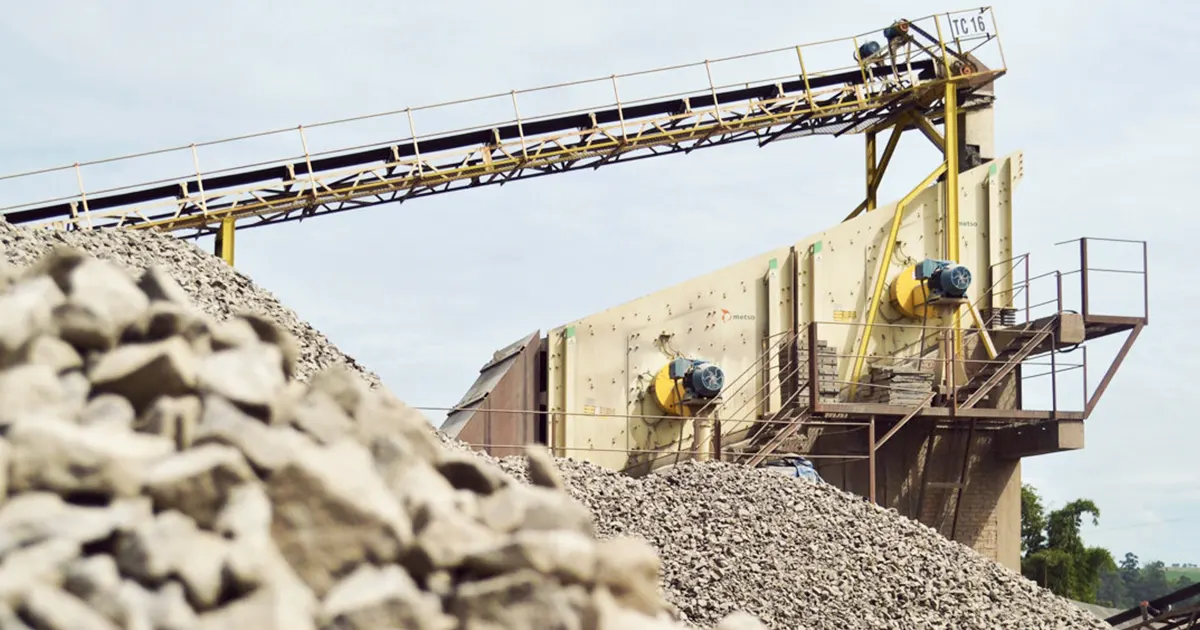
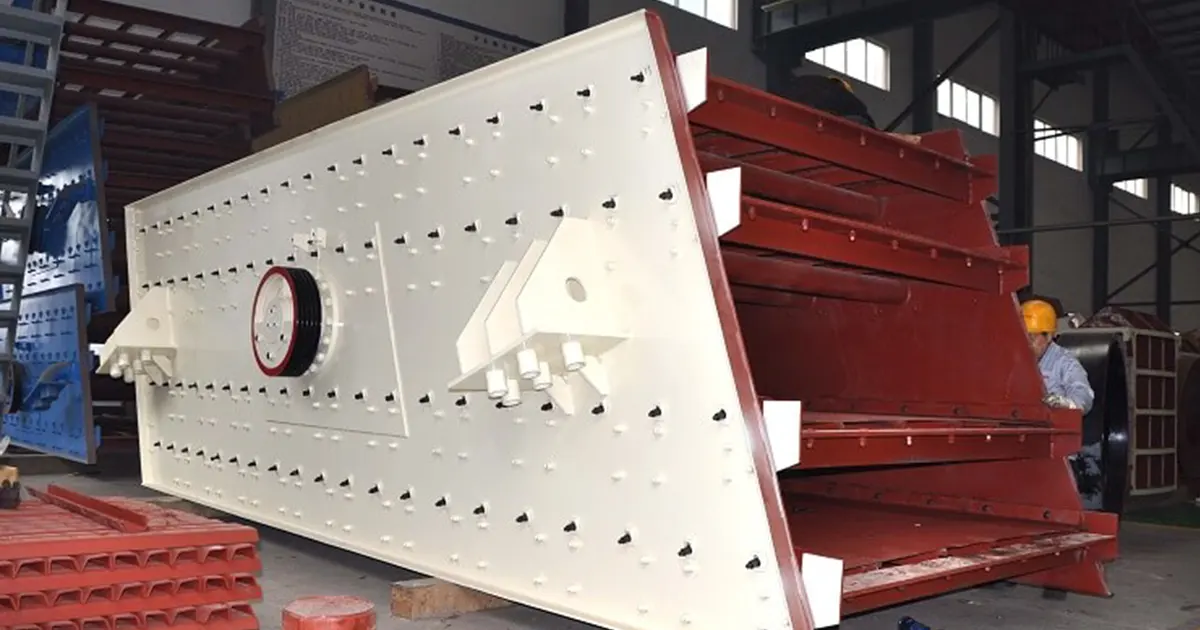
You might wonder what makes a 4 deck vibrating screen special. This machine uses four layers, or decks, stacked on top of each other. Each deck has a screen with different-sized holes. When you pour material onto the top, the vibrating screen shakes everything. The biggest pieces stay on the top deck. Smaller pieces fall through to the next deck. This process repeats until the smallest pieces reach the bottom. You get four separate piles of material, each sorted by size.
A 4 deck vibrating screen helps you sort rocks, sand, or minerals quickly. You can use it to get clean products and reduce waste. If you run a plant, you know how important it is to keep things moving fast and smooth. This type of screen gives you more control over your final products.
Tip: If you need more than three sizes at once, a 4 deck vibrating screen gives you that extra cut without adding another machine.
Main Components
Every vibrating screen has key parts that work together. Here’s a quick look at what you’ll find inside a 4 deck vibrating screen:
| Component | Role in Screening Process |
|---|---|
| Screens | Separate materials based on size using precisely sized openings. |
| Drive Mechanism | Generates motion through motors and eccentric weights, creating the necessary shaking action. |
| Frame | Provides structural support to withstand constant vibration and heavy loads. |
| Hopper | Allows raw material to enter the screening process. |
| Discharge Outlets | Facilitate the exit of different size fractions, separating overs and unders. |
You pour your material into the hopper. The drive mechanism starts the shaking. The frame holds everything steady, even when the screen vibrates hard. Each deck has its own screen, so you get four layers of sorting. The discharge outlets send each size to the right spot.
Comparison: 4 Deck vs Other Screens
You might ask, “Why not just use a 2 or 3 deck vibrating screen?” Here’s how they compare:
- Number of Cuts: A single deck screen gives you one cut. A double deck gives you two. A triple deck gives you three. The 4 deck vibrating screen gives you four cuts in one pass.
- Efficiency: With more decks, you can sort more sizes at once. You save space and time because you don’t need extra machines.
- Flexibility: If your plant needs to make several products at once, a 4 deck vibrating screen lets you do that. You can change the screen on each deck to match your needs.
- Complexity: More decks mean more parts to check and maintain. You need to watch for wear on each screen. But you get more sorting power in return.
Note: If you only need two or three sizes, a simpler vibrating screen might work better. But when you want four clean products, a 4 deck vibrating screen is the way to go.
You can see that the 4 deck vibrating screen stands out when you need high output and precise sorting. You get more value from each run, and you can handle a wider range of materials.
Vibrating Screen Operation
Vibration Patterns
When you look at a vibrating screen, you might notice that it does not always shake in the same way. The vibration pattern changes how well the screen separates your material. You can choose from three main vibration patterns:
- Linear motion: The screen moves in a straight line. This pattern works best when you want to remove large pieces quickly. The material travels straight across each screen deck, making it easy to separate big chunks.
- Circular motion: The screen spins in a circle. This pattern spreads the material out and helps with sorting at every stage. You get better separation, especially when you have many sizes to sort.
- Elliptical motion: The screen moves in an oval shape. This pattern mixes the benefits of linear and circular motion. You get high accuracy, especially when you want to separate tricky, near-mesh particles.
Researchers have found that elliptical and circular motion work best for particles that are almost the same size as the screen openings. Linear motion is great for fine particles. You can pick the right pattern for your job and get the best results from your vibrating screen.
Tip: Try different vibration patterns if you want to boost your screening efficiency. The right pattern can make a big difference in your operation.
Motor and Exciter System
The motor and exciter system is the heart of your vibrating screen. You will find dual motors with eccentric blocks attached. These motors spin and create a shaking force. This force makes the screen box and every screen deck move in a simple, steady rhythm. That steady movement is called simple harmonic vibration.
You can control how fast and how hard the screen shakes. Adjust the vibration frequency and amplitude to match your material. If you need to screen wet sand, you might use a slower, gentler shake. For dry rocks, you might turn up the speed. The control system often comes with features like soft start and overload protection. These features help your operation run smoothly and protect your equipment.
Note: Always check your motor and exciter system before starting the vibrating screen. A well-tuned system keeps your screen deck working at its best.
Material Flow Across Decks
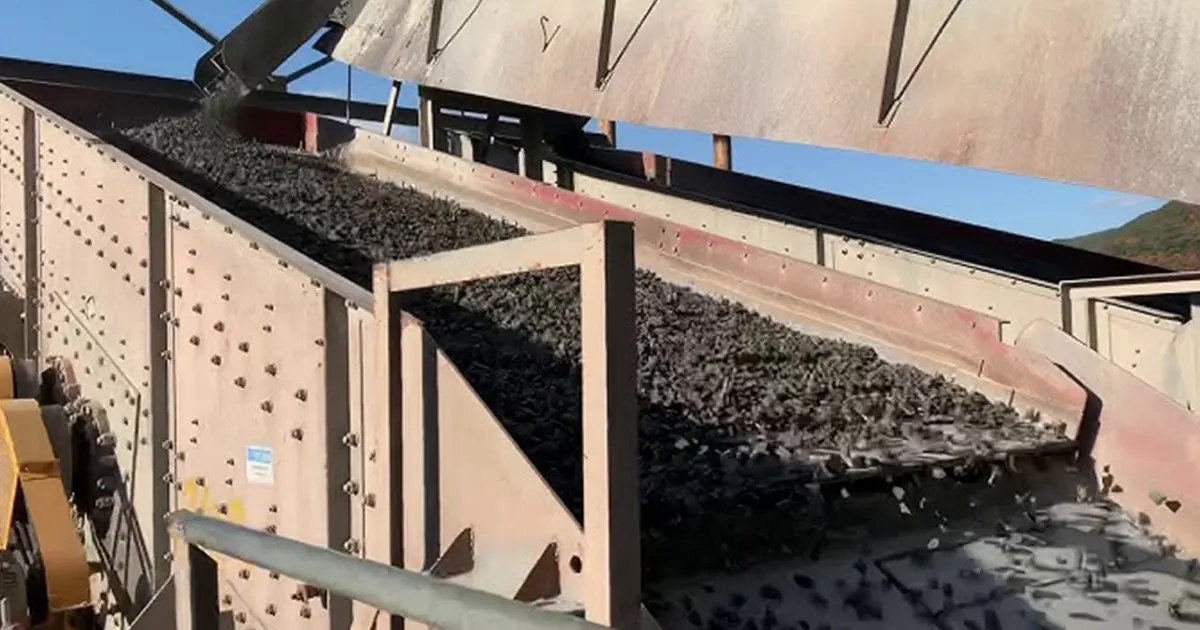
When you feed material onto your vibrating screen, it travels across four screen decks. Each deck has a special job. The working principle is simple: the screen shakes, and the material moves from one deck to the next, getting sorted by size at every step.
Feed Distribution
You pour your material into the feed box. The feed box spreads the material evenly across the top screen deck. Good feed distribution is key. If you pile material in one spot, you overload that part of the screen. Spread it out, and every deck works better.
Deck 1: Scalping
The first screen deck is your scalping deck. It catches the biggest pieces. The holes in this screen are the largest. Anything too big to pass through stays on top. You remove these oversized rocks or debris right away. This step protects the lower decks and keeps your operation running smoothly.
Decks 2 & 3: Intermediate Sizing
The second and third screen decks handle the middle sizes. Each deck has smaller holes than the one above. As the material moves down, medium-sized pieces fall through. These decks do the heavy lifting for most of your sorting. You get clean, separated products at each stage.
Deck 4: Fine Sizing
The last screen deck is for fine sizing. This deck has the smallest holes. Only the tiniest particles make it through. The working principle here is all about precision. You get a fine, clean product at the end. If you want to catch every last bit of sand or mineral, this deck does the job.
Callout: Each screen deck has a purpose. When you set up your vibrating screen, match the screen size and pattern to your material. You will see better results and less waste.
You now know how the vibrating screen works from top to bottom. Each deck plays a role, and the right setup makes your operation more efficient.
Discharge Streams
When you run a vibrating screen, you want to know where your material goes after it passes through each deck. This is where discharge streams come into play. Each deck on your vibrating screen creates its own stream of sorted material. You get four different discharge streams, one for each deck. These streams help you collect and manage your products with ease.
Let’s break down how these discharge streams work:
- Oversize Discharge (Top Deck):
The largest pieces stay on the top deck. These rocks or chunks cannot pass through the first screen. You collect them at the first discharge point. Many plants use this stream for re-crushing or as waste, depending on your needs. - Intermediate Discharges (Second and Third Decks):
The second and third decks catch medium-sized material. Each deck has smaller openings than the one above. As material moves down, only the right size falls through. You get two separate discharge streams here. You can use these for different products, like gravel or coarse sand. - Fines Discharge (Bottom Deck):
The bottom deck handles the smallest particles. Only fine material makes it through this last screen. You collect these fines at the last discharge point. Many plants use this stream for sand, mineral fines, or other specialty products.
Tip: Make sure you set up your vibrating screen so each discharge stream flows smoothly. Blocked chutes or uneven flow can slow down your whole operation.
You can use a table to keep track of what each discharge stream gives you:
| Deck Position | Material Size | Typical Use | Discharge Location |
|---|---|---|---|
| Top Deck | Largest (oversize) | Re-crush or discard | First chute |
| Second Deck | Medium-large | Gravel or coarse sand | Second chute |
| Third Deck | Medium-small | Fine gravel or sand | Third chute |
| Bottom Deck | Smallest (fines) | Sand or mineral fines | Last chute |
When you set up your vibrating screen, you want to make sure each stream goes to the right place. Use chutes, conveyors, or bins to collect each product. If you mix up the streams, you lose the benefit of having a four deck vibrating screen.
You also need to watch for problems like carryover. Sometimes, material that should fall through one deck rides along to the next. This can happen if the screen gets clogged or if the vibration is not strong enough. Check your vibrating screen often to keep each discharge stream clean and separate.
Note: If you want to change your product sizes, you can swap out the screens on each deck. This lets you adjust your discharge streams without buying a new vibrating screen.
A well-tuned vibrating screen gives you four clean discharge streams. You get more control over your products, less waste, and a smoother operation. When you understand how these streams work, you can get the most out of your vibrating screen every day.
Applications and Efficiency
Best-Fit Uses
You will find a 4 deck vibrating screen in places where you need to sort lots of material into several sizes at once. Mining operations use this screen to separate minerals by size before further processing. Aggregate plants rely on it to make clean piles of gravel, sand, and stone. If you run a quarry, you can use this screen to get four different products in one pass. Recycling centers also use this screen to sort glass, metal, or construction debris. When you want to save space and time, this screen deck setup gives you more options without adding extra machines.
Here are some common scenarios where this screen deck shines:
- High-volume mining plants sorting ore
- Sand and gravel pits producing multiple grades
- Asphalt plants needing precise aggregate sizes
- Industrial mineral processing for fine powders
- Construction recycling centers
If you need to make four clean products at once, this screen deck setup is your best friend.
Limitations
A 4 deck vibrating screen does not fit every job. If you only need two or three sizes, you might find this screen deck too complex. More decks mean more parts to check and maintain. Each screen deck can wear out at a different rate. If you do not keep up with maintenance, you might see mixing between products. Wet, sticky materials can clog the lower screen decks. When this happens, you lose efficiency and need to stop for cleaning. If your plant has limited space, the extra height of four decks might not fit.
You should also think about the cost. More screen decks mean a higher price tag and more energy use. If your material changes often, swapping out all four screen decks can take time. Sometimes, a simpler vibrating screen works better for small jobs or single-size products.
Efficiency Factors
You want your vibrating screen to run at top efficiency. Many things can help or hurt how well your screen deck works. The type of material you feed into the screen deck matters a lot. If your rocks or sand have lots of different sizes, the screen deck can sort them better. Wet or sticky material can slow things down. The design of each screen deck also plays a big role. The size of the holes, the angle of the screen deck, and how fast the screen deck shakes all change the results.
How you run your vibrating screen makes a difference. Feed rate, even spread across each screen deck, and the direction of vibration all affect sorting. The environment matters too. Hot or cold weather can change how material moves across the screen deck. You need to check each screen deck for wear and keep everything tight and clean.
Here is a table that shows what affects efficiency the most:
| Factor Type | Description |
|---|---|
| Material Properties | Particle size, shape, bulk density, moisture, and flowability all change how the screen deck works. |
| Screen Design | Hole size, screen deck angle, number of decks, and vibration speed all matter. |
| Operational Parameters | Feed rate, material spread, vibration direction, and screening time are key for efficiency. |
| Environmental Factors | Temperature and weather can change how material moves on the screen deck. |
| Maintenance and Wear | Keeping each screen deck in good shape helps you keep efficiency high. |
Tip: Check your screen deck often. Clean, tight, and well-tuned screen decks give you the best efficiency.
If you set up your vibrating screen right, you get more clean product, less waste, and smoother operation. When you know what helps or hurts efficiency, you can make smart choices for your plant.
Setup and Installation
Deck Angles
When you set up your vibrating screen, you need to watch the angle of each deck. The angle decides how fast the material moves and how well the screen sorts different sizes. If the deck is too flat, the material might not move at all. If it is too steep, everything slides off before the screen can sort it.
Most people find that a 15° deck angle works best for mining. This angle helps the vibrating screen move material quickly but still gives each piece time to fall through the right hole. If you use a deck angle between 10° and 18°, you get good movement and better sorting. If you go over 20°, the material slides too fast and misses the holes, so you lose sorting power. For special jobs like dewatering, you use a much flatter deck, about 3° to 5°. Some very steep screens use angles up to 40°, but those are only for special jobs.
Here’s a simple table to help you pick the right deck angle:
| Deck Angle Range | Effect on Particle Movement | Efficiency Impact |
|---|---|---|
| 10° to 18° | Good particle movement | Faster motion, better separation |
| 15° (optimal) | Best for mining | Maximizes stratification and separation |
| >20° | Too steep, less effective mesh area | Lower separation efficiency |
| 3° to 5° | Used for dewatering | Specialized use |
| 20° to 40° | Very steep, special cases | Different efficiency dynamics |
Tip: Try a 15° deck angle first if you want the best results for most mining and rock jobs.
Support and Loading
You want your vibrating screen to last and work well. Good support and even loading are very important. Always put your screen on a strong, flat base. If the base moves or sags, your deck will not shake evenly. Uneven support can crack or break the frame.
Even loading means you spread the material across the whole deck. If you dump everything on one side, that part wears out faster. You also lose sorting power because the vibrating screen cannot do its job right.
Here are some easy tips to keep your screen working well:
| Practice | Description |
|---|---|
| Post-Operation Cleaning | Clean off leftover material after each use to keep the screen clear. |
| Regular Lubrication | Grease bearings and motors every 200–400 hours to prevent wear. |
| Screen Media Inspection | Check for worn or damaged screens and replace them as needed. |
| Vibration Motor Adjustment | Adjust the motor for the best material movement and stratification. |
| Bolt and Fastener Inspection | Tighten bolts every week to stop them from loosening due to vibration. |
| Dust and Noise Control | Use dust covers and noise barriers to protect workers and meet safety rules. |
Note: A little care helps a lot. If you check your vibrating screen often, you can stop big problems before they start.
Feed Box Design
The feed box is at the start of your vibrating screen. It spreads the material across the top deck. If you design the feed box well, every deck works better. A good feed box slows down the material and spreads it out. This stops one side from getting too much material.
You want the feed box to be as wide as your screen. If it is too narrow, you get a pile in the middle. If it is too wide, material can spill over the sides. Put liners inside the feed box to protect it from wearing out. For wet jobs, add a splash cover to keep water and material inside.
Tip: Always check your feed box for damage and buildup. A clean, well-shaped feed box keeps your vibrating screen working smoothly.
Wet Screening and Spray Bars
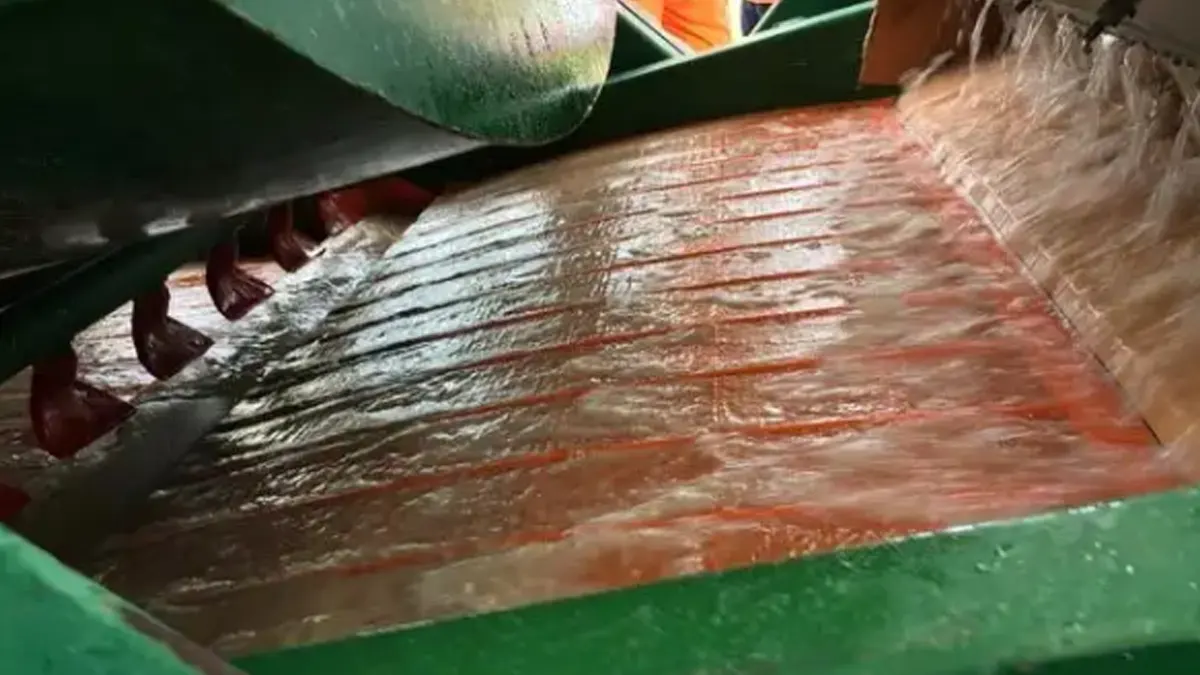
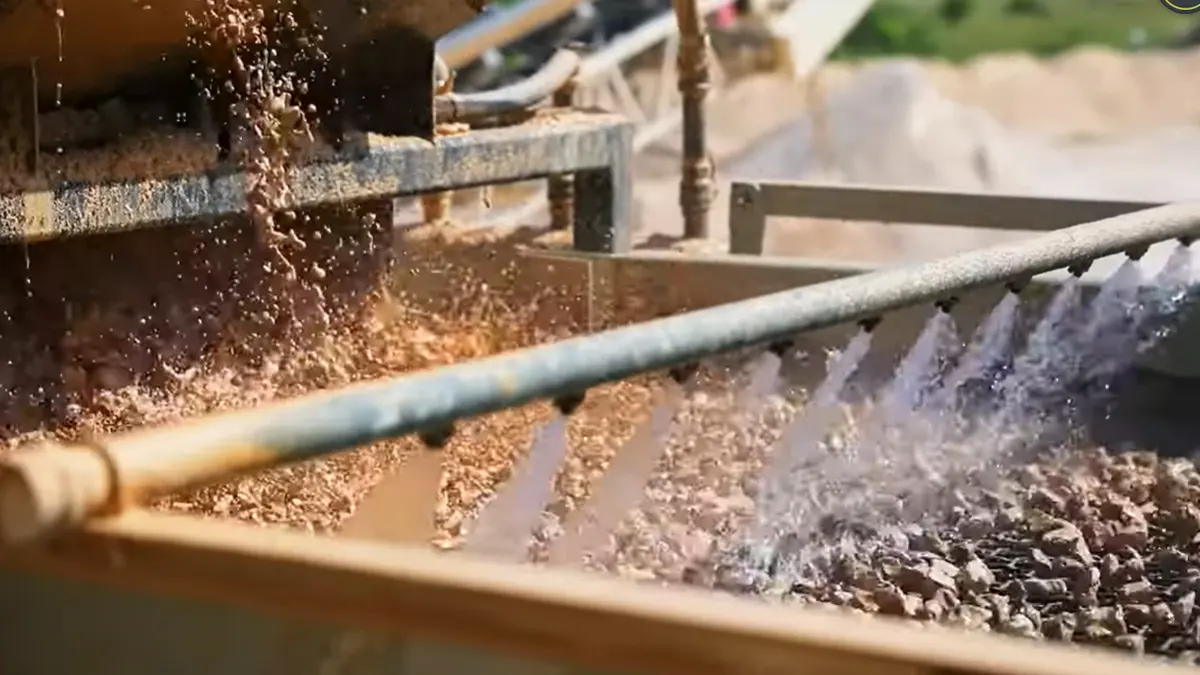
Wet screening helps you wash and separate fine materials, especially when you deal with sticky or clay-rich feed. If you want your 4 deck vibrating screen to work well with wet material, you need to set up spray bars the right way. These bars spray water over the material as it moves across each deck. You get cleaner products and less clogging.
Here’s how you can get the best results with wet screening and spray bars:
- Check your spray system often. Make sure every spray nozzle works. If one clogs or breaks, you lose coverage and your screen won’t clean as well.
- Use the right water pressure and volume. Too little water won’t wash the material. Too much can flood the screen and wash good material away.
- Aim your spray at a 45-degree angle. Don’t spray straight down. A 45-degree angle cleans better and protects your screen from damage.
- Keep enough space around your screen. Leave at least 24 inches on the sides. This space lets you adjust the spray bars and check for leaks or problems.
- Watch your vertical clearance. You need at least five inches between the vibrating frame and anything above it. This space keeps the screen moving freely.
Tip: Clean your spray nozzles regularly. Even a small blockage can mess up your washing and slow down your whole operation.
Wet screening works best when you keep everything balanced. If you follow these steps, you’ll see less blinding, better separation, and longer screen life.
Screen Motion and Stratification
The way your screen moves changes how well it sorts your material. When your vibrating screen shakes, it spreads out the mix of big and small pieces. This shaking helps the smaller particles move down toward the mesh, while the bigger pieces stay on top. This process is called stratification.
You can choose different types of screen motion:
- Round motion keeps a thick layer of material on the deck. This helps particles touch each other more, so more of them fall through the mesh.
- Oval motion mixes the benefits of round and straight motion. It works well for tricky materials that need extra help to separate.
- Straight motion works best for fine particles. It moves material quickly and helps small pieces find the mesh.
Studies show that changing the speed, strength, and angle of your screen motion can boost your sorting power. If you want to get the most out of your 4 deck vibrating screen, try different motions and see what works best for your material.
Note: The right screen motion can make a big difference. If you notice poor separation, try adjusting your screen’s speed or angle.
When you understand how screen motion and stratification work, you can fine-tune your setup for better results and less waste.
Screening Media Selection
Deck 1 Media
You want your first screen deck to handle the toughest jobs. This deck takes the biggest hit because it catches the largest rocks and debris. You need media that can stand up to heavy loads and high impact. Rubber screens work well here. They are thick, durable, and help reduce noise in your plant. Perforated steel plates are another strong choice. You can customize them for thickness and size. They resist pegging and last a long time. Woven wire cloth is a classic option for this deck. It costs less and works for many jobs, but newer materials may give you better durability. Synthetic modular media, like polyurethane or rubber, also fit this deck. They last longer and cut down on noise, but sometimes have less open area, which can slow down your throughput.
Here’s a quick list of good choices for your first screen deck:
- Rubber screens for noise reduction and abrasion resistance
- Perforated steel plates for heavy-duty sorting and durability
- Woven wire cloth for cost savings and flexibility
- Synthetic modular media for long wear life and less noise
Tip: If your material is larger than 12 inches or your openings are bigger than four inches, rubber panels or perforated plates are your best bet.
Decks 2 & 3 Media
Your second and third screen deck do most of the sorting. These decks handle medium-sized material. You want media that balances durability and throughput. Woven wire cloth is popular for these decks. It gives you good open area and keeps your screen deck working fast. Polyurethane panels are another solid choice. They resist wear and help prevent blinding. You can use high-vibration screen media here. This type mixes the benefits of synthetic and wire cloth. It boosts performance and cuts down on pegging and blinding. Modular media works well for these decks, especially if you need to change panels quickly.
For decks two and three, consider:
- Woven wire cloth for speed and flexibility
- Polyurethane panels for wear resistance and easy cleaning
- High-vibration screen media for better sorting and less clogging
- Modular media for quick swaps and custom setups
Note: If you see blinding or pegging on your screen deck, try switching to high-vibration or polyurethane panels.
Deck 4 Media
Your fourth screen deck handles the finest material. This deck needs media with small openings and high precision. Woven wire cloth is a top pick for this deck. It gives you the best open area and helps you catch every fine particle. Polyurethane panels also work well. They resist wear and keep your screen deck clean. You can use synthetic media for extra durability, but make sure the open area is big enough for your fines. Sometimes, mixing wire cloth and synthetic panels helps you get the right balance.
For your bottom deck, look at:
- Woven wire cloth for maximum open area and fine sorting
- Polyurethane panels for durability and easy cleaning
- Synthetic media for long life and less maintenance
Callout: Always match your screen deck media to your material size and job needs. The right choice keeps your screen deck running longer and gives you cleaner products.
Media Trade-Offs
When you pick screening media for your 4 deck vibrating screen, you face some tough choices. You want your screens to last a long time, but you also want as much open area as possible. More open area means more material can pass through, so you get higher throughput. But if you only focus on open area, your screens might wear out faster. That means more downtime and more money spent on replacements.
Wire cloth gives you the most open area. You get fast screening and high capacity. The downside? Wire cloth wears out quicker, especially if you run rough or sharp material. On the other hand, polymer media like rubber or polyurethane lasts much longer. These materials handle heavy loads and resist wear, but they usually have less open area. That can slow down your screening rate.
You need to find the right balance. If you want speed, go for wire cloth. If you want durability, choose polymer panels. Some new hybrid screens mix both materials. These screens give you better wear life and still keep a good open area. You get the best of both worlds.
Tip: Think about your main goal. If you want less downtime, pick tougher media. If you need to move a lot of material fast, go for more open area.
Mixing Media
You do not have to use the same media on every deck. Mixing media can help you get better results. For example, you might use rubber panels on the top deck to handle big rocks. Then, you can switch to wire cloth or polyurethane on the lower decks for finer sorting.
Here are some ways you can mix media:
- Use heavy-duty rubber or steel on the first deck for impact.
- Try polyurethane on the middle decks to fight wear and stop blinding.
- Pick wire cloth on the bottom deck for the best open area and fine screening.
Mixing media lets you match each deck to its job. You get longer screen life where you need it and faster screening where it counts.
Note: Always check that your mixed media fits together well. Poor fit can cause gaps or uneven wear.
Table: Media Plan
Here’s a simple table to help you plan your screening media for each deck:
| Deck | Main Purpose | Best Media Options | Best For | Trade-Offs |
|---|---|---|---|---|
| Deck 1 (Top) | Scalping/Impact | Rubber, Steel Plate | Large, abrasive feed | Lower open area |
| Deck 2 & 3 | Sizing/Sorting | Polyurethane, Wire Cloth | Medium sizes, high wear | Balance speed and wear |
| Deck 4 (Bottom) | Fine Screening | Wire Cloth, Polyurethane | Fines, high accuracy | Wire wears faster, poly has less open area |
You can use this table as a quick guide when you set up your screen. Pick the media that matches your material and your goals. If you want to try something new, hybrid panels might give you the boost you need.
Performance and Troubleshooting
Throughput and Carryover
You want your vibrating screen to move as much material as possible. Throughput tells you how many tons per hour your screen can handle. The right setup helps you get the most out of every screen deck. If you see carryover, that means some material rides over a deck without falling through. This can lower your vibrating screen efficiency and mix your products.
Check out this table to see how different screens compare in capacity:
| Screen Type | Typical Capacity (Tons/Hour) | Key Influencing Factors |
|---|---|---|
| Circular Vibrating Screens | 4 – 12 | Material density, moisture, screen deck setup, mesh size |
| Coal Dewatering Screens | 1 – 100 | Feed rate, particle size, water content |
| Linear Motion Screens | 5 – 50 | Vibration strength, screen angle, number of screen decks |
| Trommel Screens | 10 – 200 | Drum size, speed, screen opening design |
If you notice too much carryover, check your feed rate and make sure each screen deck is not overloaded. Adjust the angle or vibration settings to help more material pass through each deck. Clean screens work better, so keep every deck clear of buildup.
Tip: Watch your discharge streams. If you see the wrong size in the wrong pile, you may have a carryover problem on your vibrating screen.
Pegging and Blinding
Pegging and blinding are two headaches you might face with your vibrating screen. Pegging happens when rocks or particles get stuck in the screen deck openings. Blinding means fine material covers the holes, blocking them. Both problems slow down your screen and hurt your sorting.
Here are some common causes and fixes:
- Too much vibration can damage your screen deck.
- If you install a screen deck at the wrong angle, you get more pegging and blinding.
- Loose or uneven mesh tension lets material clog the screen.
- Wet or odd-shaped material sticks to the screen deck.
You can use this table to match problems with solutions:
| Cause of Pegging/Blinding | Mitigation Strategy |
|---|---|
| Improper installation angle | Adjust angle for better throughput and accuracy |
| Improper mesh tension | Tighten mesh to avoid clogging and waviness |
| Moist or needle-shaped material | Use polyurethane panels, spray bars, and tuned settings |
Try anti-blinding panels or high-vibration screen media on your screen deck. Spray bars help wash away sticky material. Always check your vibration settings. Too much or too little can make pegging and blinding worse.
Note: If you see your screen deck clogging often, look at your material and your setup. Small changes can make a big difference.
Wear and Maintenance
Your vibrating screen works hard every day. Each screen deck takes a beating from rocks, sand, and other material. You need a good maintenance plan to keep your screen running strong.
Follow these steps to extend the life of your screen deck:
- Lock out and tag your vibrating screen before any work.
- Look around the machine for debris and check safety signs.
- Clean off any buildup or caked material from each screen deck.
- Check the mounting system for damage or loose parts.
- Inspect safety guards and all components for wear.
- Grease the drive bearings and check grease lines.
- Look at the screen media for tension, cleanliness, and damage. Replace worn parts right away.
If you keep up with these checks, your screen deck will last longer and work better. A clean, tight, and well-maintained vibrating screen gives you the best results.
Callout: Regular care for your screen deck saves you money and downtime. Make it part of your daily routine.
Practical Fixes
You want your 4 deck vibrating screen to run smoothly every day. When problems pop up, you need quick and simple fixes. Let’s look at some practical steps you can take to keep your screen in top shape.
- Check Bolted Joints Often
Loose or broken bolts can cause big trouble. If you hear rattling or see parts moving, stop and check every joint. Tighten any loose bolts right away. Replace any that look worn or damaged. This small step can stop bigger problems before they start. - Boost Stiffness Where Needed
Sometimes, your screen shakes too much or feels weak in certain spots. You can add extra steel or bracing to those areas. This makes the frame stronger and helps the screen last longer. If you notice cracks or bending, act fast. Add support before the damage gets worse. - Upgrade Bracing and Load Paths
If your screen frame flexes or twists, you might need better bracing. Add crossbars or change the way the frame carries weight. This spreads out the load and cuts down on stress in one spot. You get a more stable screen that handles heavy work. - Use Vibration Control Tools
Too much vibration can wear out your screen and make it noisy. Try using vibration isolators or dampers. These tools absorb extra shaking and protect your machine. You can also test your screen with special tools to find the best settings. - Stick to a Maintenance Schedule
Don’t wait for something to break. Set up a regular plan to check and clean your screen. Grease the bearings, inspect the media, and look for signs of wear. Write down what you find. This helps you spot patterns and fix small issues before they turn into big ones. - Monitor Your Screen’s Health
Keep an eye on how your screen runs. Listen for new noises. Watch for changes in how material moves. If you see something odd, check it out right away. Early action can save you time and money. - Try Structural Upgrades
If you keep having the same problem, think about upgrading your screen’s structure. Stronger steel, better connections, or new bracing can make a big difference. Talk to your supplier about options that fit your plant.
Tip: A little time spent on checks and upgrades can add years to your screen’s life. You’ll see fewer breakdowns and better performance.
You don’t need fancy tools to keep your vibrating screen running well. Simple fixes and regular care go a long way. If you stay alert and act fast, you’ll keep your operation smooth and your products clean.
Table: Troubleshooting Guide
Here’s a handy table you can use when something goes wrong. It shows common symptoms, what might cause them, what to check, and how to fix the problem.
| Symptom | Possible Cause | What to Check | Quick Fix |
|---|---|---|---|
| Excessive vibration | Loose bolts, weak frame | All joints, frame stiffness | Tighten bolts, add bracing |
| Noisy operation | Worn bearings, loose parts | Bearings, fasteners | Grease bearings, tighten parts |
| Uneven material flow | Poor feed, clogged deck | Feed box, screen openings | Clean feed box, clear blockages |
| Carryover (material not sorting) | Blinded mesh, wrong angle | Screen media, deck angle | Clean mesh, adjust angle |
| Pegging/blinding | Wet/sticky material | Screen media, spray bars | Use spray bars, switch media |
| Cracks in frame | Overload, weak bracing | Frame corners, bracing | Add support, reduce load |
| Frequent breakdowns | Missed maintenance | Maintenance records | Set regular check schedule |
Note: Keep this table near your screen. It helps you solve problems fast and keeps your plant running strong.
If you follow these practical fixes and use the troubleshooting guide, you’ll handle most issues with confidence. Your 4 deck vibrating screen will reward you with steady, reliable performance.
Selection Checklist
Material Properties
Before you pick a vibrating screen, you need to know your material. Every screen deck works best when you match it to what you feed into it. Start by looking at the size and shape of your particles. Cubical shapes move easily across the screen deck, but flaky or odd shapes can slow things down. Bulk density matters too. Heavy material needs a strong screen deck, while lighter material may need a gentler touch.
Moisture content can change everything. Wet or sticky material can clog your screen deck fast. If your feed is sticky, you might need a high-energy screen or special anti-clogging features. Abrasive material wears out your screen deck quickly, so pick tough media. If your process runs hot, make sure your screen deck can handle the heat.
Here’s a quick table to help you check your material:
| Material Property | What to Watch For |
|---|---|
| Particle Size Distribution | Choose the right feed opening and mesh for your screen deck. |
| Particle Shape | Cubical shapes flow better; flaky shapes may need special screen deck setups. |
| Bulk Density | Heavy feed needs a strong screen deck; light feed may need less vibration. |
| Moisture Content | Wet feed can clog the screen deck; use special screens for wet jobs. |
| Stickiness | Sticky feed needs high-energy or anti-clogging screen deck features. |
| Abrasiveness | Tough feed wears out the screen deck; pick durable media. |
| Temperature | Hot feed needs heat-resistant screen deck components. |
Tip: Always test a small batch of your material on a screen deck before you buy a new vibrating screen.
Product Requirements
Think about what you want from your screen deck. Do you need four clean products? What size do you want for each pile? The cut size, or the size you want to separate, is key. If you want to catch fine sand, your bottom deck needs a tight mesh. If you want to sort big rocks, your top deck needs large openings.
Moisture in your feed changes how your screen deck works. Sticky, wet material can block the mesh. You might need a bigger screen deck area or special spray bars to keep things moving. If you work with clay-rich material, you may see more blockages. In that case, increase the size of your screen deck or use screens that resist clogging.
Here’s a checklist for your product needs:
- Decide on the number of products you want from your vibrating screen.
- Pick the right cut size for each screen deck.
- Check if your feed is wet or sticky.
- Plan for extra screen deck area if you handle tough material.
Note: The right screen deck setup gives you clean products and less waste.
Maintenance Capability
You want your vibrating screen to run every day without trouble. Good maintenance keeps your screen deck in top shape. Make sure you can replace wear parts like liners and screen cloths easily. Lubricate the bearings on your screen deck as the maker suggests. If you skip this, you risk bearing failure.
Watch for common problems. Loose bolts, cracked side plates, or worn screen deck media can stop your operation. Use electrical tools to check for faults in real time. Keep an eye on your screen deck’s performance. If you see a drop in output, check for blockages or worn parts.
Here’s a table to help you plan your maintenance:
| Maintenance Task | Why It Matters |
|---|---|
| Replace wear parts (liners, cloths) | Keeps your screen deck working and prevents breakdowns. |
| Lubricate bearings | Stops bearing failure and keeps the screen deck moving smoothly. |
| Monitor for issues | Fixes problems like loose bolts or cracks before they get worse. |
| Use electrical analysis | Finds faults early and keeps your vibrating screen reliable. |
| Track screen deck performance | Helps you spot and fix productivity losses fast. |
Callout: A well-maintained screen deck saves you money and keeps your plant running strong.
Media Planning
You want your 4 deck vibrating screen to work hard and last long. The right media plan makes all the difference. Think of media planning as picking the best tool for each job. Each deck faces different challenges, so you need to match the media to the task.
Start by asking yourself a few questions:
- What size do you want from each deck?
- Is your material sharp, heavy, or sticky?
- How often can you stop for maintenance?
- Do you need to swap out screens quickly?
You can use this simple checklist to guide your choices:
- Deck 1 (Top Deck):
Choose tough media. Rubber panels or steel plates handle big rocks and heavy impacts. If you want less noise, rubber is your friend. - Decks 2 & 3 (Middle Decks):
Go for a balance. Polyurethane panels resist wear and fight blinding. Woven wire cloth gives you more open area for faster screening. If you see a lot of clogging, try high-vibration panels. - Deck 4 (Bottom Deck):
Pick media with small openings. Woven wire cloth works well for fine material. Polyurethane panels last longer but may slow down your flow a bit.
Tip: You do not have to use the same media on every deck. Mix and match to get the best results for your plant.
Here’s a quick table to help you plan your media:
| Deck | Best Media Options | When to Use Them | Watch Out For |
|---|---|---|---|
| Deck 1 | Rubber, Steel Plate | Large, sharp, or heavy feed | Lower open area, more weight |
| Decks 2 & 3 | Polyurethane, Wire Cloth | Medium sizes, high wear | Poly can blind, wire wears |
| Deck 4 | Wire Cloth, Polyurethane | Fines, high accuracy needed | Wire needs more care |
You should also think about how easy it is to change your screens. Modular panels let you swap out worn spots fast. If you want less downtime, plan for quick-change media.
Don’t forget about your maintenance team. If you pick media that is hard to install or clean, you might see more delays. Ask your crew what works best for them.
Callout: The best media plan fits your material, your products, and your people. Take time to plan now, and you’ll save headaches later.
When you plan your media right, your 4 deck vibrating screen will run smoother, last longer, and give you cleaner products every day.
Conclusion
You now see why a 4 deck vibrating screen can boost your plant’s results. This screen gives you four clean products in one pass. You get more control, less waste, and better efficiency. When you set up your screen right and pick the best media, you keep your screen running strong.
If you want help optimizing your 4 deck vibrating screen, contact us. As a screening media manufacturer, we produce woven wire screens, self-cleaning screen mesh, and polyurethane screen panels with custom apertures, wire diameters, and panel formats to match your deck and duty. Share your material type, moisture level, throughput, and target cut sizes—we’ll recommend a deck-by-deck media plan and provide a quote.
FAQ
What is a 4 deck vibrating screen?
A 4 deck vibrating screen sorts material into four sizes at once. You pour in rocks or sand, and the machine shakes them over four layers. Each layer catches a different size.
How do I choose the right screen media?
You pick screen media based on your material. Use rubber or steel for big rocks. Try wire cloth or polyurethane for smaller sizes. Mixing media helps you get the best results.
Can I use a 4 deck vibrating screen for wet material?
Yes, you can. Add spray bars to wash the material as it moves. Wet screening works well for sticky or clay-rich feed. Clean spray nozzles often for best performance.
How often should I check my screen for maintenance?
Check your screen every day. Look for loose bolts, worn media, and buildup. Regular checks keep your machine running smoothly and help you avoid big repairs.
What causes blinding or pegging on my screen?
Blinding happens when fine material blocks the holes. Pegging means rocks get stuck. Wet feed, wrong screen angle, or loose mesh can cause these problems. Try spray bars or switch media to fix it.
How do I adjust the deck angle?
You change the deck angle by adjusting the frame supports. Start with 15°. If material moves too fast or slow, tweak the angle. The right angle improves sorting and keeps your screen efficient.
Can I change the cut sizes on each deck?
Yes, you can. Swap out the screen panels for different mesh sizes. This lets you control what size material each deck catches. You get more flexibility for your products.
What industries use 4 deck vibrating screens?
You see these screens in mining, quarries, sand and gravel pits, asphalt plants, and recycling centers. Anywhere you need to sort material into several sizes, a 4 deck screen helps.